4 Verified Passport Photo Maker Apps for 2026: Biometric Compliance Tested
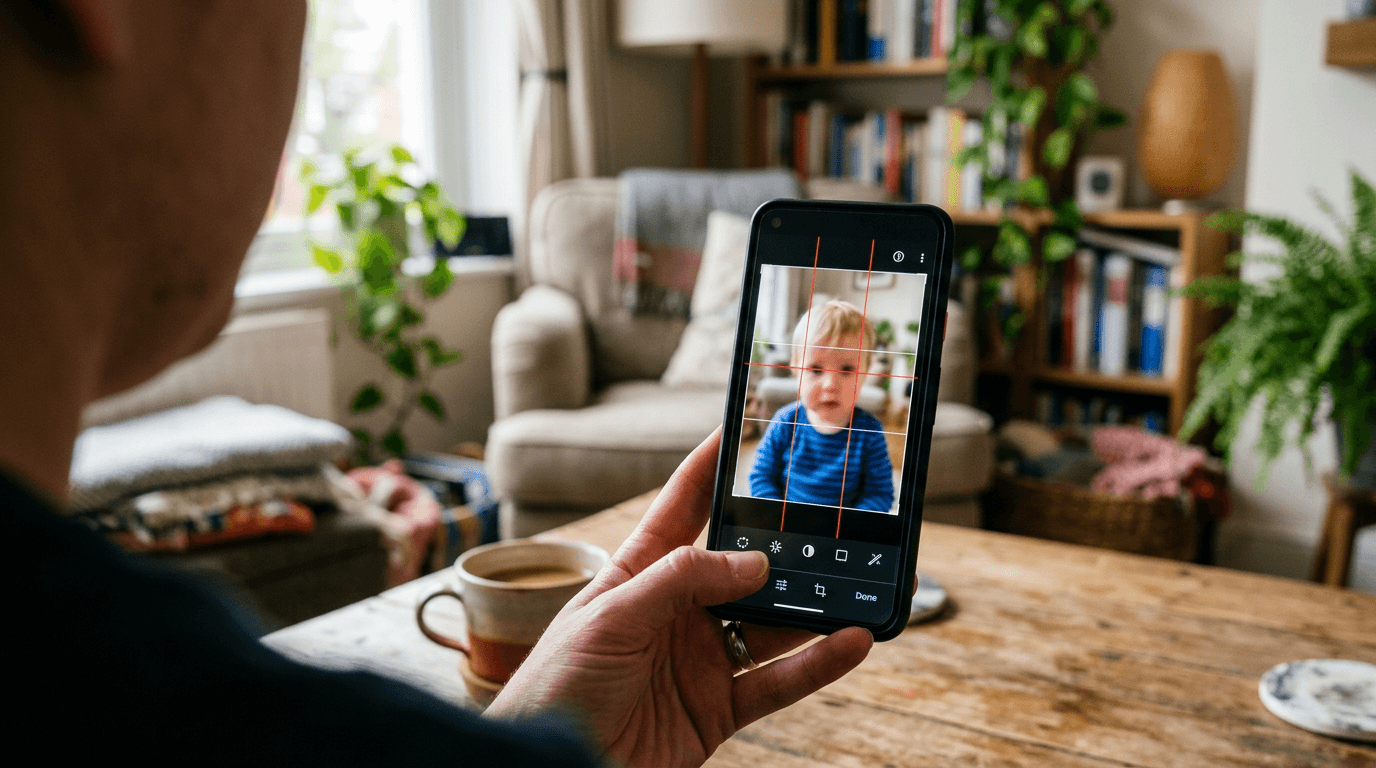
Staring down at an uncooperative six-month-old on a white bedsheet while attempting to eliminate window shadows with a smartphone flashlight is the moment most parents realize traditional photo requirements were designed entirely for compliant adults. You have specific head size ratios to hit, background neutrality to maintain, and exactly zero chance of asking an infant to hold still. This is exactly why a reliable passport photo maker matters. You are not just trying to crop an image; you are attempting to forcefully adapt a messy living room capture into strict government biometric standards without triggering an automatic rejection at the consulate.
Quick Summary
A passport photo maker is a specialized processing engine that mathematically analyzes facial biometrics, removes non-compliant background clutter, and scales portraits to strict government dimensions. The best passport photo maker apps for 2026 handle the heavy lifting of adjusting resolution, eye-level alignment, and margin constraints before you ever reach a local printing kiosk.
- Background removal algorithms isolate the subject without creating digital artifacts around fine hair.
- Eye-level mapping ensures the chin-to-crown ratio falls perfectly within the required millimeter window.
- Delivery models dictate whether you receive an instant download or wait for manual queue reviews.
- Payment structures dramatically alter your per-applicant costs, especially for larger traveling families.
Table of Contents
- Why your passport photo maker dictates compliance at the printing counter
- Where digital biometrics actually break down
- 1. PhotoAiD
- 2. Passport Photo Online
- 3. Passport Booth
- 4. PhotoGov
- Matching your compliance workflow to the right architecture
- Recommended Reads
Why your passport photo maker dictates compliance at the printing counter
| Product | Verification Strategy | Features | Pros | Cons | Target Audience |
|---|---|---|---|---|---|
| PhotoAiD | Human-Assisted AI | AI edge detection, human expert review, 2x2 inch and 35x45mm sizing | Dual verification layer, highly rated on iOS, supports multiple global standards | Variable processing delays, premium per-image cost, requires app installation | Families prioritizing compliance over immediate speed |
| Passport Photo Online | Automated Guarantee | Rejection warranty, auto-cropping, multi-document support | Financial safety net, strong independent reviews, broad document coverage | Highest physical print cost, premium digital floor, no free tiers | Visa applicants facing expensive rejection penalties |
| Passport Booth | Subscription-Gated Editor | Manual rotate tools, auto background removal, 150+ country templates | Massive template library, no per-image export fees, strong app store rating | Requires subscription cancellation, manual alignment needed, iOS ecosystem only | Corporate administrators processing high volumes rapidly |
| PhotoGov | Quota-Based Web Processing | Browser execution, 600x600 px JPEGs, regional free allowances | No software installation, exact US pixel dimensions, accessible cross-platform | IP-restricted daily quotas, flat fee after allowance, internet dependent | Single applicants generating images from a home network |
Where digital biometrics actually break down
Before evaluating individual platforms, you must decide how you want the software to handle the inevitable errors in your raw smartphone image. The underlying technology that powers biometric compliance falls into four distinct categories across the Verification Strategy axis. Defining these upfront prevents you from comparing fundamentally different tools against each other.

Human-Assisted AI workflows use algorithmic edge detection to strip backgrounds and size the face, but they route the final output to a human reviewer. This catches soft shadows on the neck that computers miss, but it introduces manual processing times. If you are comparing this to instant generators, you are misunderstanding the trade-off.
Automated Guarantee platforms remove the human reviewer entirely in favor of strict algorithmic enforcement, bundled with a financial warranty. The software acts as a rigid passport photo tester, rejecting bad lighting immediately. You pay a premium here for the financial safety net, not just the digital processing.
Subscription-Gated Editor tools flip the commercial model entirely. Instead of paying per verified image, you pay for ongoing access to the editing software itself. These tools often leave the final alignment up to the user by providing manual cropping guides overlaying the screen.
Quota-Based Web Processing systems exist entirely in the browser, leveraging cloud servers to execute the background removal. They offer limited free exports based on your geographic location before forcing a paywall.
Practical rule: Never assume a digital preview guarantees physical compliance; the printer's DPI limitations at a retail kiosk will often soften an image that looked perfectly sharp on your phone screen.
When preparing documentation based on the United States Baby Passport Photo Guide, the most common failure point is not the software's cropping ability, but the original lighting. Digital tools can replace a cluttered living room wall with pure white pixels, but they cannot fix the heavy directional shadows cast across an infant's face by a nearby window.
1. PhotoAiD
You upload a slightly off-center shot of your toddler, the system flags a complex shadow on the neck, and suddenly a human operator steps in to adjust the contrast thresholds. This digital application captures, crops, resizes, and verifies passport-compliant photos for families who demand secondary confirmation over raw speed. Operating strictly within the Human-Assisted AI category, this application should never be compared against purely automated instant-download tools because the entire value proposition relies on deliberate human pacing.
The mechanism relies on sequential filtering. First, the application utilizes artificial intelligence to identify the subject's face, calculate the eye-level ratio, and strip away the original background. Once the digital file passes the algorithmic checks, human expert verification kicks in to check photo compliance against nuanced government expectations regarding facial expressions and ambient lighting. It supports templates for 2x2 inch US passport photos and 35x45mm European ID pictures, adjusting the internal crop markers accordingly.
Human oversight extends processing timelines
The structural limit of this dual-layer approach is that human intervention inherently breaks instant delivery. If you are standing at the pharmacy kiosk waiting for a digital file to push through to your phone so you can print it immediately, adding a human expert to the loop introduces a variable delay you cannot control. The iOS application has an average rating of 4.5 out of 5 stars based on over 19,000 ratings, and a digital passport photo costs $13.95 when purchased on the platform. The math is simple.
We would hesitate to rely on this if you are rushing to meet a same-day consular deadline. However, when navigating the strict lighting requirements detailed in a United Kingdom Baby Passport Photo Guide, the second set of human eyes prevents obvious rejection triggers.
Choose this application when you have days rather than hours before your submission appointment and prefer expert oversight on the final file.
Pros
- Human verification catches nuanced shadow rejections that algorithms miss.
- Broad template support covers standard US and European ID dimensions.
- Large user base on iOS provides confidence in the application stability.
Cons
- Manual review queues prevent immediate, on-demand digital delivery.
- Processing multiple family members multiplies the per-image digital cost.
- Requires downloading a dedicated mobile application for full functionality.
2. Passport Photo Online
According to Trustpilot, where the service has a rating of 4.5 out of 5 stars based on more than 7,000 reviews, users frequently prioritize its double money-back guarantee if the finalized photos are not accepted by government authorities. It operates as a digital passport photo booth application that handles resizing, cropping, and compliance verification. As an Automated Guarantee platform, it fundamentally differs from unsupported free editors because the primary cost funds the compliance warranty rather than just the software execution.
The system relies entirely on algorithmic precision. Users upload their capture, and the software processes photos for multiple document types including student IDs, green cards, and driver's licenses. It runs automated checks on background uniformity, facial alignment, and head tilt. If the original image lacks the necessary 300 DPI resolution required by most immigration authorities, the engine flags it before allowing the user to proceed to the checkout screen.
Financial guarantees require upfront premium pricing
The primary constraint here is the steep pricing floor for basic digital processing. A digital passport photo costs $16.95, while physical printed photos cost $19.95. If you are processing pictures for a family of four, that per-image cost multiplies rapidly for software that executes the exact same automated background removal routine on each file. The service effectively taxes the user for the statistical risk of a rejection payout.
What would make us pause is using this for low-stakes domestic documentation where rejections carry no financial penalty. Yet, when following the rigid biometric parameters of a Canada Baby Passport Photo Guide, the financial safety net provides tangible relief for anxious parents.
We recommend this route if you are applying for an expensive, non-refundable visa where an image rejection would cost you hundreds of dollars in lost application fees.
Pros
- Strong financial warranty mitigates the risk of consular rejection.
- Automated algorithms provide instant feedback on image viability.
- Broad document support centralizes processing for various official IDs.
Cons
- Digital processing fees sit at the top end of the automated market.
- Physical print delivery adds unnecessary overhead compared to local kiosks.
- Strict automated rejection thresholds can frustrate users with poor lighting.
3. Passport Booth
Unlike platforms that enforce strict per-image fees for every successful download, this iOS mobile application provides tools to capture, crop, and frame passport and ID photos under a recurring access model. Built entirely around a Subscription-Gated Editor framework, this software requires a different evaluation than pay-per-export tools because your upfront cost buys a window of unlimited access rather than a single validated file.

The software relies heavily on user interaction to reach compliance. It includes manual crop and rotate tools, custom photo sizes, and automatic background removal. Instead of black-box algorithms making all the decisions, users must drag alignment markers over the subject's pupils and chin, allowing the software to calculate the necessary margins. It supports passport, ID, and license requirements for over 150 countries and 500 document types.
Ongoing subscriptions outlast single documentation needs
The strict reality of this application is its billing mechanism. The application is free to download and offers generation allowances through weekly auto-renewing subscriptions. While it might appear as a free passport photo maker upon initial installation, the recurring billing model clashes heavily with one-off tasks. Most parents only need to generate a baby passport photo once every five years, meaning a weekly recurring charge requires immediate cancellation to avoid paying for idle software. The application has a rating of 4.8 out of 5 stars based on over 17,000 reviews on the Apple App Store. That limits offline usage.
Practical rule: Always match the digital processing speed of your chosen tool to your pharmacy's actual printing hours, as instant digital approvals mean nothing if the physical kiosk is powered down for the night.
We would hold off on this tool for a single infant passport, where manual alignment of a squirming baby is inherently frustrating. However, if you are referencing an Australia Baby Passport Photo Guide alongside several other visa applications simultaneously, the unlimited generation window becomes highly cost-effective.
Choose this tool if you are processing dozens of ID badges for a corporate team over a few days and can leverage the bulk generation allowance before canceling.
Pros
- Subscription model allows unlimited exports during the active billing cycle.
- Massive database supports highly specific regional document requirements.
- Manual alignment tools grant precise control over the final framing.
Cons
- Weekly auto-renewing subscriptions are hostile to one-time users.
- Manual cropping requires the user to understand biometric ratios.
- Ecosystem lock-in limits functionality exclusively to Apple devices.
4. PhotoGov
How much biometric processing can you genuinely execute from a standard web browser without installing local software? PhotoGov is an online biometric photo maker and verification tool built for official document photos, serving applicants who prefer to operate entirely outside of mobile app stores. Operating as a Quota-Based Web Processing utility, this browser tool sidesteps the heavy installation requirements of mobile environments, meaning it should not be compared against offline-capable mobile editors.
The processing engine handles the heavy lifting on remote servers. It works on web browsers, iPhone, and Android platforms, taking the raw upload and normalizing the compression. It specifically sizes the output for state department standards, producing a US passport photo delivered as a JPEG file measuring 600x600 pixels. The background replacement algorithms execute in the cloud, stripping complex backgrounds and replacing them with the required plain white or off-white hex codes.
Daily allowances depend on regional network routing
The fundamental bottleneck is its variable access policy. The service provides a daily allowance of two free ID photos depending on the user's location. If your IP address falls outside their preferred geographic region, or if you need to process photos for a family of four in one sitting, you hit an immediate hard stop. At that point, a digital US passport photo costs $6.90 on the platform. The internet dependency is absolute.
We would not recommend this solution if you are traveling globally or using a corporate VPN that might inadvertently trigger regional quota restrictions. Yet, for users carefully following a Singapore Baby Passport Photo Guide from their home internet connection, the low-friction web interface is highly efficient.
Utilize this service when you are processing a single application from a residential IP address and want to avoid installing single-use applications on your phone.
Pros
- Browser-based execution completely eliminates software installation.
- Produces exact 600x600 pixel JPEGs perfectly mapped to US requirements.
- Potential for free processing depending on your geographic location.
Cons
- Regional IP restrictions make the daily free allowance unpredictable.
- Requires a persistent internet connection for all processing steps.
- Exceeding the daily quota immediately triggers a flat per-image fee.
Matching your compliance workflow to the right architecture
Choosing the right processor ultimately depends on how many applications you are filing and how much risk you are willing to absorb before stepping up to the consulate window. Referencing the US & International Baby Passport Photo Requirements & Guides will dictate the strictness of your necessary software.
If your priority is absolute certainty and you have time to spare, the Human-Assisted AI models provide the necessary oversight to catch complex shadows and improper posture that pure algorithms occasionally miss.
When dealing with high-stakes visas where a rejection carries heavy financial penalties, the Automated Guarantee category serves as an insurance policy. You overpay for the digital generation in exchange for a warranty against consular rejection.
For administrators or large families processing multiple distinct IDs simultaneously, a Subscription-Gated Editor offers the best raw value, provided you are disciplined enough to cancel the recurring billing immediately after generating your files.
Finally, if you are a single applicant working from a home network who refuses to clutter your device with single-use mobile applications, a Quota-Based Web Processing tool executes the biometric mapping efficiently from your browser.