5 Best Online Passport Photo Service Options in 2026
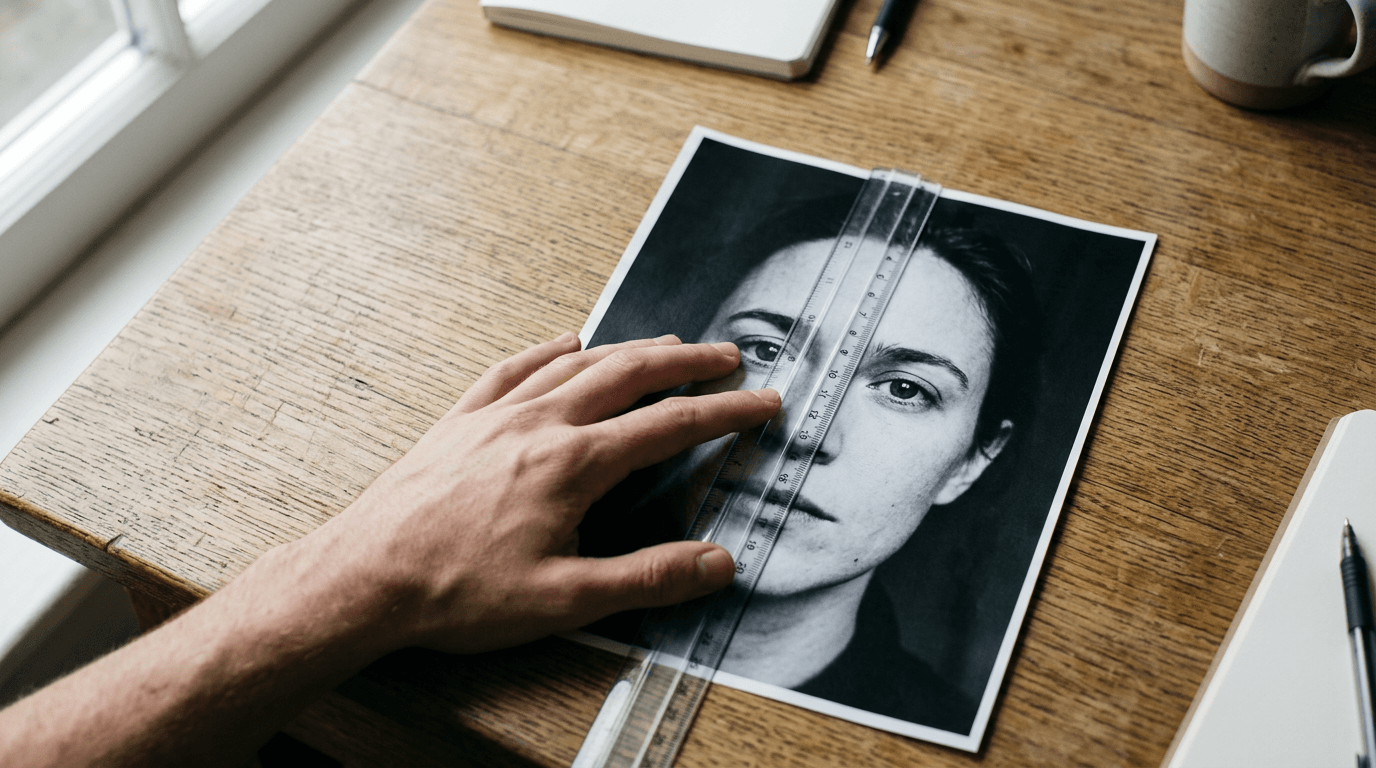
The primary reason a passport application gets delayed is not a missing signature, but a rejected photograph. Applicants routinely assume that standing in front of a white wall and applying a basic crop tool is enough to pass biometric screening. When relying on a professional passport photo service, the distinction between standard image editing and strict algorithmic validation becomes the difference between an approved travel document and a six-week processing delay. Biometric scanners measure the exact pixel distance from the bottom of the chin to the crown of the head, and they frequently detect artificial background replacement.
Quick Summary
A professional passport photo service evaluates an uploaded image against exact government biometric thresholds, adjusts head proportions, and verifies lighting compliance. Choosing the right platform depends on whether you need simple background removal, strict non-altering validation, or physical prints mailed to your door.
- Standard formatting engines automate cropping and background replacement for well-lit uploads.
- Tiered verification platforms offer human expert review for complex or uncertain applications.
- Compliance-only tools validate raw images without digital manipulation to pass strict fraud detection.
- Money-back guarantees vary from standard refunds to 200% compensation for agency rejections.
Table of Contents
- Quick Summary
- How a passport photo service enforces compliance
- 1. PhotoBooth Online
- 2. Passport Photo Online
- 3. PhotoAiD
- 4. PhotoGov
- 5. Snap2Pass
- Matching the processing mechanism to your deadline
- Recommended Reads
| Product | Service Model | Features | Pros | Cons | Target Audience |
|---|---|---|---|---|---|
| PhotoBooth Online | Standard Formatting Engines | Instant digital copy, 60-day guarantee | Extremely low baseline digital cost, Free shipping on prints, No app installation required | Purely automated processing, Struggles with poor lighting, No human review step | Budget-conscious applicants needing basic prints mailed home |
| Passport Photo Online | Standard Formatting Engines | iOS/Android apps, 200% acceptance guarantee | Guided camera overlay, Prevents low-res uploads, Strong refund policy | Digital tier is priced similarly to physical prints, Expensive baseline cost, Relies on device camera quality | Adult applicants wanting guided mobile capture and premium guarantees |
| PhotoAiD | Tiered Verification Platforms | Unlimited retakes, App/web interfaces | Does not penalize failed attempts, Immediate biometric feedback, Highly rated mobile app | The strong guarantee costs extra, High total cost with add-ons, Complex pricing structure | Parents photographing uncooperative subjects who need multiple attempts |
| PhotoGov | Tiered Verification Platforms | AI background replacement, Free tier available | Offers a free daily allowance, Optional human verification, Good refund policy on paid tier | Free tier restricts volume, Manual review requires an upsell, Geographically limited free tier | Travelers wanting to test an AI tool for free before committing |
| Snap2Pass | Compliance-Only Validators | 555 document types, Non-altering validation | Passes strict digital manipulation checks, High acceptance rate, Broad document support | Demands perfect natural lighting, Refuses to fix bad backgrounds, Expensive digital-only option | Applicants applying to strict jurisdictions that penalize altered photos |
How a passport photo service enforces compliance
Not all digital image processors operate with the same logic. When evaluating these platforms, the primary classification axis is the Service Model they employ to handle your data. Understanding these categories is critical because different governments apply different levels of scrutiny to digital manipulation.

Standard Formatting Engines take your uploaded file and aggressively alter it. They isolate the subject using clipping paths, erase the surrounding environment, and drop in a perfectly uniform background color. They scale the face to fit the geometric requirements of the target document. These are fast and inexpensive, but the heavy digital alteration can trigger fraud alerts in jurisdictions with strict verification software.
Tiered Verification Platforms combine automated artificial intelligence with optional manual oversight. They perform the same background replacement and cropping as standard engines but allow you to pay a premium for a human specialist to review the file. The human reviewer checks for nuanced issues that algorithms miss, such as a subtle shadow cast by a nose or glare reflecting off eyeglass frames. Understanding US & international baby passport photo requirements often reveals that lighting nuances are the leading cause of manual rejection at the border agency.
Compliance-Only Validators take the opposite approach. They refuse to alter your pixels. Instead of swapping out a bad background, they scan the original file to ensure the natural environment, lighting, and proportions naturally meet the government's standards. If the photo fails, the tool rejects it and makes you shoot again. This preserves the file's original metadata and prevents border agencies from flagging the image for unauthorized digital tampering.
Practical rule: Never use a tool that digitally smooths skin or removes blemishes, as altering facial features automatically invalidates a biometric document regardless of the service model.
1. PhotoBooth Online
According to its published pricing, PhotoBooth Online starts at $2.95 for a digital set, making it one of the baseline commercial options for document formatting. It serves applicants who want straightforward cropping and formatting without downloading a dedicated application.
The platform operates entirely through a web browser. When an image is uploaded, the system applies predefined masks to scale the subject's head to the required dimensions and swaps the background for a flat color. It immediately provides an instant digital copy sent via email upon order completion. For those ordering physical copies, the $9.95 tier includes six printed passport photos with free shipping included. It also features a 60-day money-back guarantee if a photo is rejected by a government agency. As one of the Standard Formatting Engines, it relies heavily on its automated scripts rather than manual human oversight to adjust the file to official specifications. The workflow is fast.
Low baseline pricing limits human oversight
The automated nature of the cropping tool works well when the initial photograph is already captured under ideal lighting conditions. The background removal algorithm isolates the subject's silhouette and replaces the original environment with the precise shade of white or grey mandated by the specific document type. This reduces the friction of trying to find an entirely blank wall at home. However, algorithms struggle with complex shadows across the face or uneven lighting on the shoulders. If the original image has harsh contrast, the automated system will not correct the exposure. We would hold off on this if the applicant has fine, flyaway hair that blends into a busy background, as the automated clipping path can sometimes create artificial-looking edges around the head.
The structural constraint here is the reliance on purely automated background replacement without a safety net of human review prior to printing, meaning applicants with challenging source photos might not catch clipping errors until the physical prints arrive in the mail.
Opt for this platform when you have a well-lit, high-resolution source photo and simply need inexpensive physical prints mailed directly to your address.
Pros
- Offers an exceptionally low baseline price for a digital download.
- Includes free shipping on the physical print packages.
- Requires no dedicated mobile application installation to operate.
Cons
- Lacks an optional manual review step for complex lighting scenarios.
- Struggles to accurately clip messy hair from complicated original backgrounds.
- Does not provide real-time alignment guides during the actual camera capture.
2. Passport Photo Online
Does a dedicated application actually improve the acceptance rate of a biometric image? Passport Photo Online answers this by routing applicants through dedicated mobile applications on both iOS and Android platforms, catering to users who prefer processing images directly on the device they used to capture them.
Once installed, the software uses the device's camera interface. It projects a guiding overlay on the screen. This helps the user align the chin and crown before the shutter even clicks. After capture, the digital passport photo booth service processes the file through its cloud infrastructure to verify compliance. This places it firmly in the Standard Formatting Engines category, albeit at a higher premium. Digital downloads cost $16.95 and printed photos with delivery run $19.95, both backed by a 200% acceptance guarantee. The company promises a full refund and a bonus matching the price if authorities reject the photo. Users highly rate the service on Trustpilot.
Premium guarantees price digital delivery identically to prints
The workflow actively prevents the submission of low-resolution files. It rejects them at the upload stage. By forcing the user through a guided capture process, the software minimizes the typical errors associated with poor camera angles or improper focal lengths. The biometric engine then evaluates the geometry of the face. It checks that the eyes are horizontally aligned and the head tilt falls within acceptable limits. This workflow suits adult applicants who struggle with self-timers. They need the immediate feedback of an on-screen alignment mask. Reviewing a United States baby passport photo guide shows how difficult it is to align an infant. It is hard without this kind of active digital overlay guiding the parent's hand.
The main barrier is the pricing structure where the purely digital download costs almost as much as the physical print package, pricing out users who only need a quick JPEG for an online visa application.
Choose this application when you are willing to pay a premium for a high-confidence guarantee and prefer a guided mobile capture process.
Pros
- Features a strong 200% financial guarantee against official agency rejections.
- Provides dedicated on-screen overlays to force correct head positioning.
- Automatically blocks the upload of low-resolution source files.
Cons
- Charges a premium baseline cost that makes digital downloads expensive.
- Relies entirely on the mobile device's native camera sensor quality.
- Provides little price difference between digital and physical delivery tiers.
3. PhotoAiD
A parent trying to photograph a squirming toddler rarely gets the shot on the first attempt. PhotoAiD addresses this friction by offering unlimited photo retakes for users during the creation process at no additional charge, making it a highly forgiving tool for unpredictable subjects.

Operating as both an online tool and a mobile application, the software ingests the user's attempts and runs them through a biometric verification engine to crop, resize, and verify the images for passports, visas, and IDs. Positioned as one of the Tiered Verification Platforms, it charges a base price of $13.95 for a digital passport photo, plus an optional $5.95 to secure a 200% acceptance guarantee. When this tier is selected, the company issues a full refund plus a bonus matching the price if the photo is rejected by authorities. Users rate its execution on mobile devices highly on the App Store. It processes images quickly.
Unlimited retakes shift the processing burden to the algorithm
The core advantage of this system is that it does not penalize the user for iterative testing. Instead of demanding a perfect upload, it encourages capturing dozens of variations and letting the software flag the ones with correct eye contact and head orientation. The backend engine analyzes the pixel density and contrast levels, stripping away the background and replacing it with the required neutral tone. The interface provides immediate pass/fail feedback on biometric markers like facial symmetry and mouth closure. We would prioritize this setup for any scenario involving uncooperative subjects, as the immediate feedback loop prevents the frustration of waiting for a manual rejection. A dedicated US baby passport photo maker relies on similar immediate feedback loops because infants cannot hold poses for extended periods.
Unbundling the compliance guarantee forces applicants to pay an additional fee on top of the base digital price to secure the heavily advertised refund policy.
Select this platform if you anticipate needing multiple attempts to capture a compliant image and want real-time software validation before you finalize the order.
Pros
- Permits endless retakes without locking the user out of the session.
- Delivers immediate pass or fail notifications regarding biometric markers.
- Features a highly refined mobile app interface optimized for rapid shooting.
Cons
- Separates the primary acceptance guarantee into a paid add-on.
- Reaches a high total checkout price once all premium features are selected.
- Relies heavily on aggressive digital background removal techniques.
4. PhotoGov
For frequent travelers managing multiple visa applications, paying individual service fees for every document type rapidly inflates travel costs. PhotoGov removes this bottleneck by featuring a free tier that gives users up to two free ID photo downloads per day, depending on location.
As an AI-powered online service, the platform takes uploaded images and automatically formats, crops, and replaces backgrounds to meet specific government document requirements. When users exceed the free allowance or require premium processing in specific regions, the system charges a service fee of $6.90 for a digital passport photo in the United States. It sits within the Tiered Verification Platforms category because it offers a manual expert verification service as an optional add-on for $4.90 at checkout. If a user selects this upgrade, a human specialist reviews the AI's output. It then provides a 200% refund guarantee of the service fee and a free new photo if a specialist-verified photo gets rejected by the issuing authority.
Human verification acts as a secondary firewall
The baseline artificial intelligence handles the routine heavy lifting of scaling the facial features to fit the strict proportional guidelines of international documents. It measures the distance between the pupils and the bottom of the chin, scaling the image so the head occupies the exact required percentage of the total frame. However, AI often misses nuanced lighting requirements, such as subtle reflections on eyeglasses or minor shadows cast by the nose. The optional human review bridges this gap. The specialist checks the raw file for elements that algorithms misinterpret, ensuring the final output will survive a border agency's scrutiny. We would recommend the paid tier for complex applications, as the baseline AI alone cannot always detect improper exposure. Reviewing a Canada baby passport photo guide highlights that uneven illumination is heavily penalized, making a human firewall a valuable upgrade.
The free tier is heavily gated by daily limits and geographic restrictions, meaning large families processing applications simultaneously will quickly hit the paywall and be forced into the paid tiers.
Go with this service when you want to trial a platform for free but want the option to pay for human oversight on critical government submissions.
Pros
- Provides a functional free tier for basic digital downloads.
- Allows users to escalate complex photos to a human reviewer.
- Maintains a relatively low cost for standard digital processing in the US.
Cons
- Restricts the free tier by both volume and geographic location.
- Requires an additional checkout fee to unlock human verification.
- Limits the 200% refund guarantee exclusively to the specialist-verified tier.
5. Snap2Pass
A sudden rejection notice from a passport agency citing "unacceptable digital alteration" forces applicants to abandon standard background-removal tools entirely. Snap2Pass exists specifically for this scenario, functioning as an online passport photo service that validates uploaded user photos against country-specific rules without altering the applicant's appearance.
Rather than clipping the subject out and pasting them onto a pure white digital canvas, this system analyzes the original file as it was taken. It supports over 555 document types across 166 countries, checking the natural background, lighting, and head dimensions against a massive database of international regulations. Pricing is set at $16.95 for digital downloads and $19.95 with mailed prints. Operating exclusively within the Compliance-Only Validators category, it forces the user to provide an inherently compliant photo rather than artificially creating one. This strict adherence to non-alteration helps it maintain a 99.8% photo acceptance rate. If an agency does flag the image, the service offers a 14-day free resubmission policy. It is strictly analytical.
Strict validation demands pristine source photography
Government agencies increasingly deploy software designed to detect digital manipulation. When a traditional service swaps a background, it leaves microscopic artifacts along the edges of the hair and shoulders. By refusing to alter the pixels, this platform ensures the file's metadata and visual integrity remain completely intact. The software instead acts as a stringent measuring tool, placing an invisible grid over the face to confirm the proportions meet the selected country's mandate. If the natural background is too dark or the lighting is uneven, the system will simply reject the upload and demand a retake. We would bypass this option if you are unable to set up a well-lit, perfectly neutral backdrop in your own home, as the tool will not fix a bad environment for you. The United Kingdom baby passport photo guide is notoriously strict regarding manipulated backgrounds, making non-altering validation highly relevant for UK submissions.
Because the platform entirely refuses to apply background replacement or exposure correction, it pushes all the technical labor of lighting and staging directly back onto the user.
Rely on this strict validation tool when applying for documents in jurisdictions that actively penalize any form of digital image manipulation.
Pros
- Preserves image metadata to pass strict anti-manipulation checks.
- Validates against an enormous database of 555 international document types.
- Achieves a massive 99.8% acceptance rate by refusing to alter pixels.
Cons
- Forces the user to create a perfectly lit, neutral background independently.
- Costs a significant premium for a service that does not digitally fix the image.
- Restricts free resubmissions to a tight 14-day window after rejection.
Matching the processing mechanism to your deadline
Standard Formatting Engines suit applicants who have good baseline photography skills and simply need the geometry corrected. If you can take a well-lit photo against a relatively plain wall, these systems efficiently clip the background and generate an acceptable file for basic digital visas and renewals.
Tiered Verification Platforms belong in the workflow of applicants dealing with uncooperative subjects or high-stakes submissions. If you are photographing a child or applying for an expensive immigration document, paying a few extra dollars to have a human expert review the file prevents months of bureaucratic delays.
Compliance-Only Validators are mandatory for applications to strict European and Commonwealth nations. If your target jurisdiction explicitly forbids digital background removal, you must use a validator that measures your raw file without manipulating the pixels, even if that means spending more time staging the shot in your living room.
Practical rule: Always check whether your application requires physical prints or a digital upload before selecting a platform, as paying for a high-tier digital validator is wasted money if the consulate demands physical photographs.