5 Best Passport Photo Maker Apps and Services for 2026
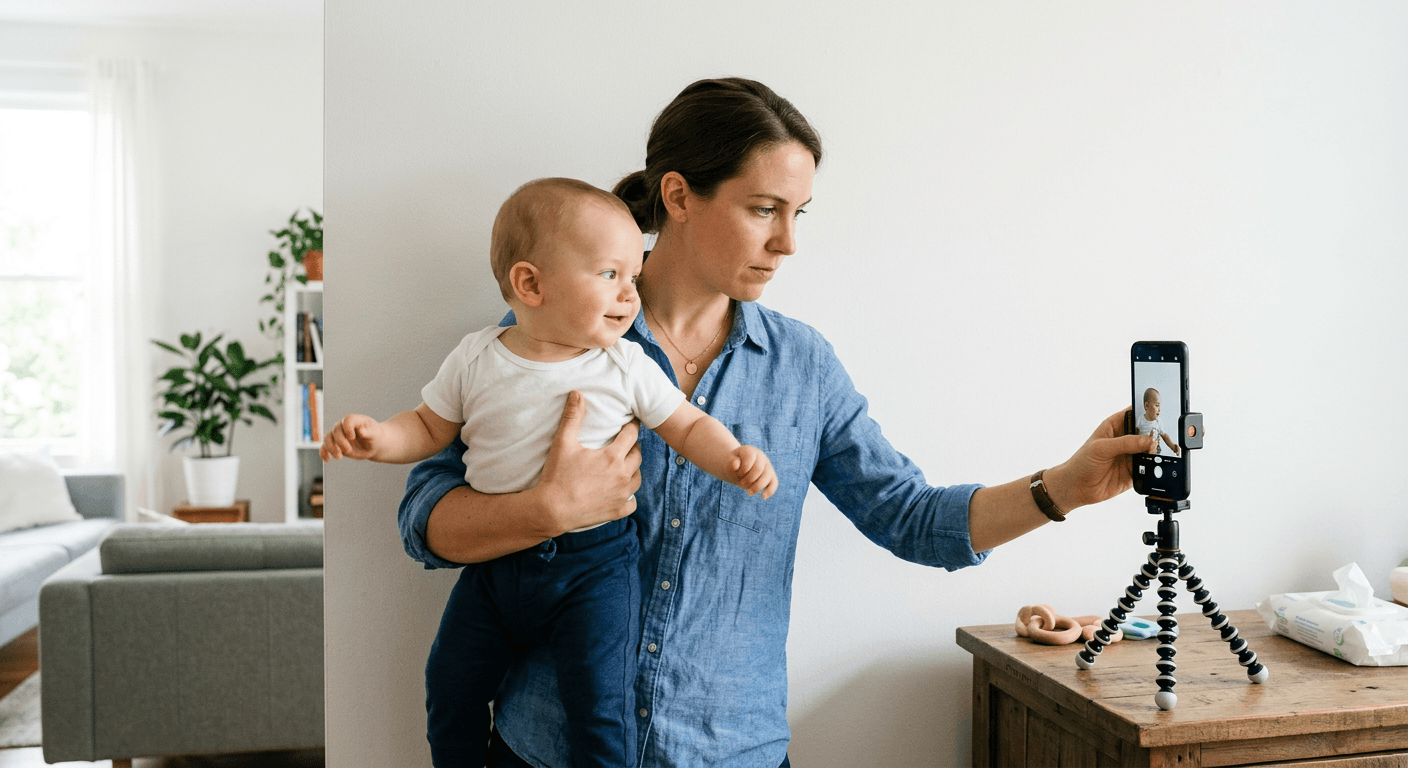
You are holding a squirming infant against a white wall in your living room, trying to get them to look straight at a smartphone camera while the daylight fades. The traditional route - driving to a local pharmacy and asking a clerk to operate a point-and-shoot camera on a toddler - often ends in rejected applications and wasted afternoons. A reliable passport photo maker digitizes this friction, shifting the biometric validation from a retail counter to the device already in your hand.
Quick Summary
A passport photo maker is a specialized software tool that automatically crops, lights, and validates smartphone images against government biometric standards.
- Digital delivery speeds up online visa applications.
- Automated edge detection removes background shadows.
- Built-in biometric checks prevent costly government rejections.
- Direct-to-kiosk formatting reduces retail printing markups.
Table of Contents
- How to Choose the Right Platform
- 1. PhotoAiD
- 2. Passport Photo Online
- 3. PhotoGov
- 4. Snap2Pass
- 5. PixID
- Selecting Based on Your Application Route
- Recommended Reads
| Product | Platform Accessibility | Features | Pros | Cons | Target Audience |
|---|---|---|---|---|---|
| PhotoAiD | App-First Ecosystem | Dual-verification, auto-centering, background adjustment | Double refund guarantee, high App Store rating, strict verification | Requires app installation, higher mobile friction, single-use clutter | Travelers needing absolute compliance reassurance |
| Passport Photo Online | App-First Ecosystem | Digital and physical prints, native iOS/Android apps | Physical delivery available, dedicated mobile apps, high Trustpilot score | Expensive physical prints, premium pricing model, mail delays | Families preferring doorstep delivery of physical prints |
| PhotoGov | Browser-Only Automation | 300 DPI output, 1-15MB constraint, edge detection | Fast 30-second processing, no app required, accepts HEIC/GIF | Strict 10MB limit, requires 500x500px minimum, aggressive compression rejects | Users uploading high-quality, uncompressed digital images |
| Snap2Pass | Browser-Only Automation | AI validation, browser-based, two-tier pricing | No countdown timers, rapid checkout, 99.8% acceptance rate | Lacks human review, purely algorithmic, no physical fulfillment | Digital visa applicants needing immediate validated files |
| PixID | Budget Digital Delivery | $4.99 file, kiosk-ready formatting, cross-device upload | Low cost, formats for cheap retail printing, DS-160 compliant | No mail-to-home option, requires retail trip, manual final step | Budget-conscious applicants near retail photo centers |
How to Choose the Right Platform
Evaluating passport photo online services requires understanding how the software actually delivers the final image to the government. Feature counts matter less than how the platform integrates into your specific application workflow. To accurately compare these options, we classify them along a strict lens of Platform Accessibility:
- App-First Ecosystem: These platforms require you to download and install a dedicated mobile application. They excel at hardware integration, leveraging your phone's native camera controls to guide the initial shot, but they demand storage space and system permissions for what is essentially a once-a-decade task.
- Browser-Only Automation: These tools execute the biometric validation entirely within a mobile or desktop web browser. They remove the friction of app store downloads and favor immediate algorithmic processing, making them ideal for applicants who already have a clear photograph sitting in their camera roll.
- Budget Digital Delivery: Focused strictly on unit economics, these services validate the digital file and format it onto a standard print template. They do not mail physical photographs, shifting the final fulfillment step to the applicant in exchange for a significantly lower price point.
Practical rule: Always align your delivery model with your application type; paying premium rates for physical prints when your government portal only accepts digital uploads wastes time and money.
Before committing to a tier, verify whether your target country mandates a physical print or a digital upload by reviewing current US & International baby passport photo requirements & guides.
1. PhotoAiD
When a traveling parent realizes a toddler's passport expired just weeks before a flight, the immediate reflex is to search the mobile app marketplace for an instant fix. PhotoAiD operates as a mobile application and online service that transforms standard smartphone selfies into official biometric passport-size photos, designed specifically for applicants who want validation baked deeply into the process.
Belonging to the App-First Ecosystem category, this platform relies on a structural dual-verification mechanism rather than just algorithmic cropping. When you upload an image, the software automatically centers the subject's face, adjusts the ambient lighting, and digitally extracts the background to meet strict specifications. It supports multiple official US documents, formatting the output for passports, visas, Green Cards, student cards, and driver's licenses. The heavy lifting happens on the backend, where the system evaluates the file against governmental parameters before issuing a pass or fail.
Dual-Verification Provides a Compliance Safety Net
The structural advantage here is risk mitigation. According to its App Store presence, the application maintains a 4.5 out of 5 stars rating based on over 19,000 ratings, largely driven by its explicit commercial terms. The company offers a 200% double money-back refund guarantee if any government agency rejects a photo that was previously approved by its dual-verification system. This shifts the financial risk of a rejected application entirely away from the applicant. If you are comparing compliance warranties, examining a standard 100% refund policy helps set a baseline for market expectations.
However, securing this level of reassurance introduces workflow friction. Because its strongest features are locked inside a dedicated mobile environment, applicants must download, install, and grant permissions to a single-use application on their personal devices. For a process most people only complete sporadically, installing heavy biometric software just to export a single JPEG image represents unnecessary digital clutter for users who would be better served by a lightweight browser tool.
I would deploy this application primarily when submitting applications for highly scrutinized international visas where the cost of rejection involves missing a scheduled flight.
Pros
- Features a 200% double money-back refund guarantee on rejections
- Actively corrects ambient lighting and centers facial geometry
- Supports a wide array of US identification documents
Cons
- Forces the installation of a dedicated mobile application
- Leaves digital clutter on the device after the single use
- Adds friction for users who already have a compliant image file
2. Passport Photo Online
While the previous platform heavily leverages its verification safety net, Passport Photo Online builds a comprehensive fulfillment operation accessible both online and via its dedicated iOS and Android platforms. It functions as a digital passport photo booth service that sizes, formats, and optionally ships compliant images directly to your door, making it a strong fit for applicants who prefer to outsource the physical printing entirely.
As a prominent player in the App-First Ecosystem category, the software processes user uploads against strict official document parameters. Users submit images through either the web interface or the mobile application. The engine then standardizes the framing and background. The service separates its deliverables. Its published pricing lists a compliant digital passport photo file for $16.95 and physical printed photos with delivery included for $19.95, while operating with a 4.5 Trustpilot rating. The platform backs these outputs with a double money-back satisfaction guarantee. This applies if the generated passport photo is not accepted by official authorities.
Premium Pricing Mirrors Traditional Studio Costs
In operational reality, this service effectively digitizes the retail pharmacy photo counter experience. It operates without reducing its cost. Physical delivery runs nearly twenty dollars. This positions the platform as a premium convenience layer rather than a budget alternative. The mechanism works flawlessly for generating compliant files. The commercial model assumes the buyer will pay retail studio prices purely to avoid driving to a store. If you are processing a foreign application, such as following a UK baby passport photo guide, the doorstep delivery removes the stress of explaining international sizing to a local clerk.
The barrier to entry here is strictly financial. Users who simply need a validated digital file for an online DS-160 application will find the digital-only tier aggressively priced compared to automated alternatives. If you have access to a local drug store printer, paying this premium for a digital file that costs pennies to print locally dissolves the economic advantage of taking the photo yourself.
I would select this service when managing document renewals for an entire family simultaneously, where the convenience of having compliant physical prints mailed directly to the house outweighs the markup.
Pros
- Delivers physical prints directly to your mailing address
- Provides dedicated mobile applications for both major platforms
- Backed by a double money-back satisfaction guarantee
Cons
- Charges premium studio rates for physical delivery
- Imposes a high base cost just for the digital file format
- Introduces postal delays compared to local retail printing
3. PhotoGov
The most common technical rejection for travel documents involves inconsistent background shadows that confuse biometric scanners, a bottleneck PhotoGov explicitly targets. This platform is an online automated tool that processes uploaded selfies into compliant biometric passport and ID photos, built specifically for users who need a fast digital turnaround without human intervention.
Operating within the Browser-Only Automation category, this tool bypasses app installations entirely. The core mechanism relies on algorithmic edge detection to replace any upload background with a plain white or off-white backdrop. It accepts original image uploads in .jpg, .png, .heic, or .gif formats, and automatically processes, crops, and formats those uploads within 30 seconds. The final output is rigidly formatted to exactly 2x2 inches (51x51 mm) at 300 DPI resolution, outputting a file size constrained between 1 MB and 15 MB to strictly meet requirements outlined in a standard US baby passport photo guide.
Algorithmic Edge Detection Replaces the White Sheet
Getting a photogov passport photo processed relies entirely on the precision of its automated cropping. Rather than requiring the user to find a perfectly lit, blank wall, the software forcefully isolates the subject's silhouette and drops in a compliant digital background. This dramatically reduces the environmental requirements for the initial shot, allowing applicants to take their baseline photo in standard domestic lighting without worrying about wall textures or minor shadows behind the head.
The structural limit of this automation lies in its rigid input parameters. The system strictly enforces a maximum original file size of 10 MB and demands a minimum resolution of 500x500 px before it will even begin processing. Applicants transferring photos from older mobile devices, or those whose messaging apps automatically compress images during transfer, will find their files immediately rejected by the upload gate before the edge detection even runs.
I would rely on this automated processor if I were uploading a high-resolution, uncompressed image file and needed an instantly compliant 2x2 digital crop without navigating an app store.
Pros
- Executes complete image processing and formatting within 30 seconds
- Automatically forces a plain white background using edge detection
- Accepts modern smartphone formats including HEIC and GIF
Cons
- Rejects files exceeding 10 MB in original size
- Fails to process inputs smaller than 500x500 pixels
- Relies entirely on automation without human edge refinement
4. Snap2Pass
The immediate realization that an online visa application times out in fifteen minutes sends applicants scrambling for a compliant file that can be generated immediately. Snap2Pass is a web-based application designed to validate and prepare government-compliant passport photos entirely within a browser window, aimed at users who prioritize speed and a clean checkout process over physical fulfillment.
As a pure example of Browser-Only Automation, this platform offers web-app functionality that lets users upload a selfie and receive their compliant photo in under a minute without downloading an app. The software performs automated AI validation to actively check head size, background clarity, eye position, and facial expression against country-specific rules. It maintains a 99.8% photo acceptance rate based on this algorithmic validation. The commercial transaction occurs through a clean two-tier price card with no countdown timers or watermark games at checkout, delivering the digital file immediately upon payment.
Browser Environments Remove Application Bloat
The primary mechanism here is frictionless delivery. By housing the entire validation engine within the browser, the service eliminates the onboarding hurdles that slow down mobile-first competitors. The user uploads a file, the AI checks the biometric markers, and the payment gateway unlocks the result. This workflow respects the applicant's time, avoiding the aggressive upselling or artificial urgency often injected into online document services. If an issue arises during upload, having immediate access to a dedicated help center is critical for browser-based toolchains.
Practical rule: When using browser-only validation tools, avoid refreshing the page during the image rendering phase, as this often breaks the session token and forces a complete restart of the biometric check.
The absolute reliance on artificial intelligence forms this tool's operational ceiling. Because it boasts a near-perfect acceptance rate purely through algorithmic validation, there is no mention of a human expert reviewing the final crop before delivery. If the AI hallucinates an edge or misinterprets a shadow across the applicant's chin, there is no manual override or human safety net to catch the compliance failure before you submit it to the government.
I would use this tool when applying for digital visas where the government portal requires an immediate, algorithmically validated upload to proceed to the next screen.
Pros
- Eliminates the need to download or install mobile applications
- Provides a transparent two-tier pricing model without checkout timers
- Actively validates facial expression and eye position against regulations
Cons
- Lacks a secondary human review to catch AI edge hallucinations
- Does not offer direct physical print and mail fulfillment
- Demands an uninterrupted browser session during processing
5. PixID
A frequent mistake teams make when choosing document services is paying premium fulfillment prices for a digital file they could easily print at a pharmacy for pennies. PixID operates as an online platform for generating and validating digital passport photo files, deliberately structured for budget-conscious applicants who are willing to handle the final physical printing themselves.
Anchoring the Budget Digital Delivery category, this service allows users to upload a photo directly from either a smartphone or a computer. The engine processes the upload and delivers digital files explicitly compliant with rules for online renewals, the DS-160 visa form, or standard travel.state.gov requirements. It charges a flat rate of $4.99 for a checked digital passport photo file. The platform specifically provides formatted digital files that can be printed at any local photo kiosk for under $0.25, cleanly separating the digital validation from the physical fulfillment.
Local Kiosk Handoff Bridges the Physical Gap
This platform successfully commoditizes the biometric validation step. Instead of acting as a middleman for a printing laboratory, the service formats the final image into a standard 4x6 inch digital template containing the 2x2 crops. The applicant takes that specific file to a local retail kiosk, selects a standard 4x6 print, and pays standard photo print prices. This bypasses the severe markups traditional services apply to official prints, making it the best place to get passport photo formatting done on a tight budget.
The obvious trade-off is the complete lack of end-to-end physical delivery. If you live far from a retail pharmacy, lack transportation, or simply refuse to stand at a kiosk cutting out a 2x2 square with scissors, this platform leaves the hardest physical part of the job in your hands. It solves the software problem perfectly but abandons the user right when it is time to produce the physical artifact.
I would recommend this routing to anyone applying for an in-person passport renewal who lives within walking distance of a retail photo center and wants to minimize total costs.
Pros
- Charges a highly competitive $4.99 flat rate for the verified file
- Pre-formats images onto standard templates for cheap kiosk printing
- Ensures compliance specifically with the DS-160 visa form
Cons
- Forces the user to travel to a physical kiosk for prints
- Requires manual cutting of the 2x2 photo from the 4x6 template
- Offers no integrated mail delivery for physical photographs
Selecting Based on Your Application Route
Choosing among online passport photo services comes down to matching the software to your specific logistical constraints. The way a platform formats and delivers your data matters far more than its interface.
If your bottleneck involves securing a compliant photo of a difficult subject, the App-First Ecosystem offers the strongest guardrails. Applications in this tier provide immediate camera-level feedback and robust refund guarantees, making them ideal for high-stakes submissions where you cannot afford a rejection.
If you simply need a compliant file instantly for a digital upload, Browser-Only Automation removes the friction of app installations. These tools excel at rapid edge detection and algorithmic validation, getting you from a raw camera roll image to a validated file in under a minute. Reviewing a platform's privacy policy is highly recommended when feeding biometric data into browser tools.
If your priority is cost efficiency for a physical application, Budget Digital Delivery strips away the premium markup of mail fulfillment. By preparing a digital template that you can print at a local kiosk for pennies, this route offers the lowest total cost of ownership for applicants willing to run the final errand themselves.