5 Ways to Check Passport Photo Online: 2026 Validation Tools
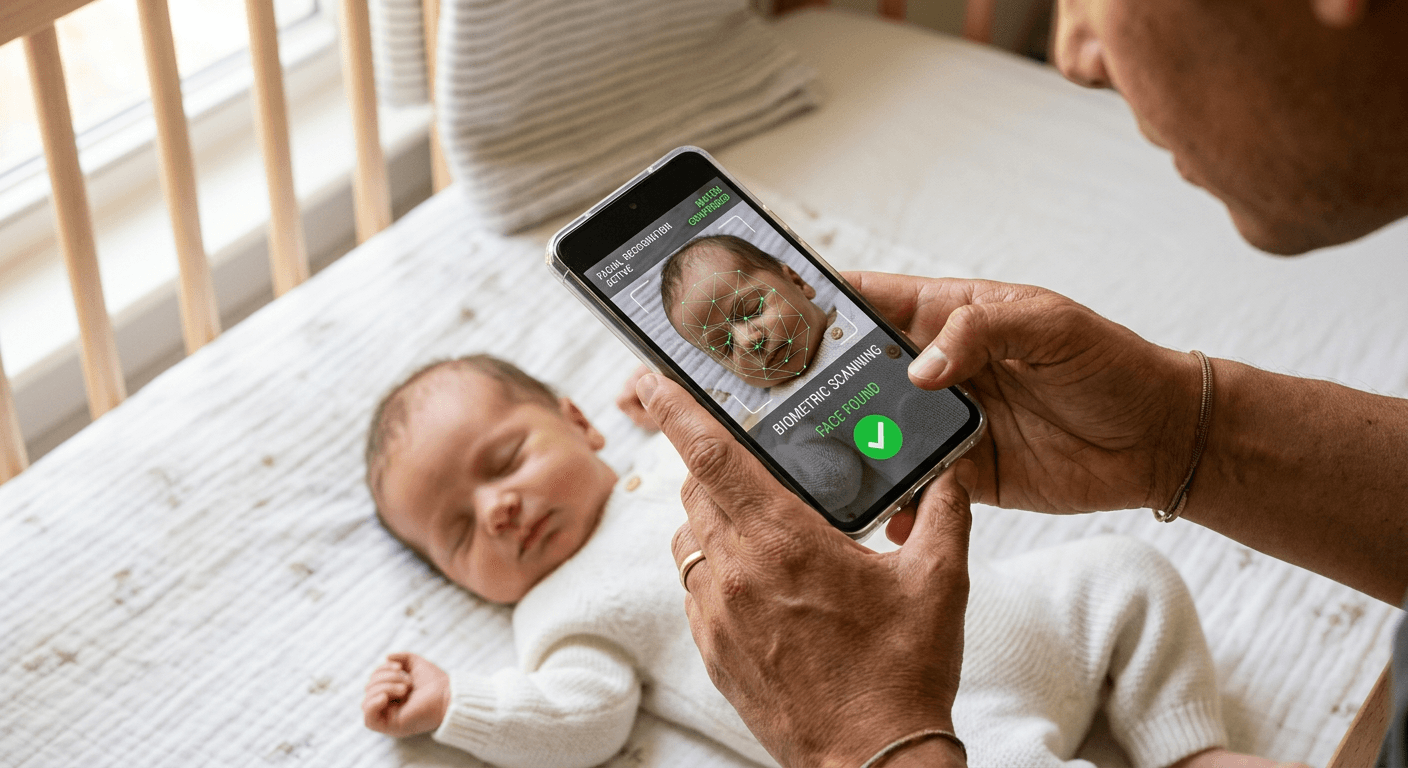
Staring at a smartphone screen, you wonder if the slight shadow under an infant's chin is enough to trigger a Department of State rejection letter six weeks from now. Every applicant faces this exact bottleneck. The space between taking a picture at home and handing a physical document to a postal worker is where the most critical errors happen. To avoid processing delays, applicants increasingly rely on software to check passport photo online against strict government biometrics. Doing this manually leaves too much room for subjective interpretation, and a rejected image sets a travel timeline back by months. Choosing the right validation platform requires understanding how these systems actually measure facial proportions.
Quick Summary
An online validation tool analyzes uploaded images against official government biometric standards to ensure compliance before submission.
- Software identifies background artifacts, head tilt, and lighting inconsistencies.
- Systems range from local device processing to human-in-the-loop verification.
- Automated scanners return results instantly but occasionally miss complex background shadows.
- Knowing where your image data is processed determines the security of the application.
Table of Contents
- Validation Methods for Photo Compliance
- 1. PhotoAiD
- 2. PhotoPass
- 3. Passport Photo Online
- 4. VisaPicPro
- 5. PixID
- Matching the Solution to Your Application
- Recommended Reads
Validation Methods for Photo Compliance
Before uploading sensitive identity documents to a third-party server, you must define the criteria that separate an effective online passport photo checker from a basic cropping tool. The software market segments these platforms based on exactly how the image is analyzed. This axis dictates the processing speed, the privacy of the biometric data, and the commercial model of the tool.
The first category is the Automated AI Scan. These platforms map facial landmarks against a database of geometric requirements. They measure the exact distance from the bottom of the chin to the top of the head, calculate eye level, and detect background impurities. The speed is instantaneous, but the system relies entirely on algorithmic confidence.
The second category is the Human Expert Review. These services route the uploaded image to a physical specialist after the initial software check. The human operator catches edge cases that confuse algorithms, such as a white shirt blending into an off-white wall or glare on corrective lenses. This method takes slightly longer and usually commands a premium price point.
The final category is Local Browser Processing. Rather than transmitting the image file to a remote cloud server, the validation script downloads to your device and executes locally. The data never leaves your machine. This approach appeals to users handling sensitive files, though it relies heavily on the processing power of your own hardware.
Practical rule: Never rely on a validation tool that cannot specify which exact biometric parameter triggered a failure.
If you are navigating varying standards for different countries, understanding these structural differences prevents costly rejections. A platform categorizing itself under one of these methods will fundamentally change your workflow. Review the US & International Baby Passport Photo Requirements & Guides to see how regional rules interact with these validation methods.
| Product | Validation Method | Features | Pros | Cons | Target Audience |
|---|---|---|---|---|---|
| PhotoAiD | Human Expert Review | AI check + human review, compliance guarantee | 100% compliance guarantee, dual-layer checks, highly rated | Free tier requires perfect background, manual review adds time, premium pricing | Tight travel deadlines |
| PhotoPass | Automated AI Scan | 10-point scan, browser size check, 24h deletion | Deletes files in 24 hours, free size check, fast scanning | Biometric check costs $2.99, no human oversight, cloud-dependent | Privacy-conscious users |
| Passport Photo Online | Human Expert Review | Premium prep, prints and delivery, acceptance guarantee | Delivers physical prints, complete preparation, double money back | Very expensive, overkill for digital only, slower fulfillment | Users needing physical prints |
| VisaPicPro | Local Browser Processing | 7 biometric standards, client-side validation, no server upload | Total data privacy, free daily standard check, no mandatory fees | Can crash old phones, lacks expert review, no physical prints | Technically inclined users |
| PixID | Automated AI Scan | 100+ automated checks, digital files, no face alterations | Forbids AI alterations, high threshold for acceptance, money-back guarantee | Will reject poorly lit photos, no AI fixes allowed, no physical prints | Users with well-lit original photos |
1. PhotoAiD
You just took forty continuous photos of a squirming toddler and need absolute certainty that at least one of them meets government specifications. PhotoAiD operates as a dual-layered verification platform built for applicants who cannot afford a processing delay. By merging rapid algorithmic assessment with the final oversight of a trained operator, the system guarantees a thorough Human Expert Review before approving any file.
The mechanism begins with an initial software pass that maps facial geometry and crops the image to the required dimensions. If the software flags an anomaly, or if the user pays for the background removal feature, the file is routed to a human expert. This specialist manually reviews the output against official guidelines to ensure no artificial artifacts compromise the image. According to its Trustpilot page, over 13,000 customer reviews give the service a 4.7 out of 5 rating. The company offers a 100% compliance guarantee, promising to refund double your money if the final photograph fails at the passport office. The system works efficiently.
Double-layered verification shifts the risk
The true constraint of this platform appears in its free offering. It provides a free validation check, but this option requires you to capture the photo in front of a perfectly white or off-white wall. Because background removal is strictly a paid feature, any shadows or structural textures behind the subject will render the free check useless, forcing you into the premium tier.
I would prioritize this service if you are submitting applications against a strict travel deadline and are willing to pay a premium to shift the compliance risk away from yourself.
Pros
- Dual-layer verification minimizes rejection risks.
- Financial guarantee covers double the purchase price.
- Manual review catches subtle lighting inconsistencies.
Cons
- Free validation requires an immaculate physical background.
- Background removal sits behind a strict paywall.
- Human review introduces a slight processing delay.
2. PhotoPass
According to its own published data, PhotoPass deletes uploaded photos from its AWS servers within 24 hours to maintain user privacy. This system is a streamlined compliance scanner designed for privacy-conscious applicants who need rapid feedback. Operating strictly under the Automated AI Scan category, it avoids human intervention entirely in favor of speed and data hygiene.
The architecture divides the process into two distinct phases. First, it offers a free browser-based file size and format properties checker tailored for U.S. passports. This initial step runs without uploading files to a processing API, allowing users to verify basic file integrity instantly. For biometric validation, the paid document preparation tier executes a 10-point automated compliance scan. This scan measures the strict geometric requirements of the face, calculates the eye level, and assesses the lighting gradients. This premium check can be purchased for $2.99.
Privacy controls dictate the processing infrastructure
The limitation here is that the free tier only evaluates the file container, not the biometric content. To actually determine if the facial proportions meet government standards, you must cross the paywall and initiate the 10-point scan. Users expecting a comprehensive evaluation for free will find themselves restricted to basic file property readings.
Consider utilizing this scanner when your primary concern is strict data retention, provided you are comfortable paying a small fee for the actual biometric analysis.
Pros
- Cloud storage is wiped completely within 24 hours.
- Initial file format check requires no server API upload.
- Automated ten-point scan delivers immediate results.
Cons
- Comprehensive biometric validation requires a paid transaction.
- Lack of human oversight means complex shadows may trigger false positives.
- Free tier offers no geometric facial mapping.
3. Passport Photo Online
The applicant stands in a pharmacy line waiting for a physical print, only to realize the kiosk's aggressive flash washed out their facial features entirely. Passport Photo Online targets this exact scenario by offering a premium preparation suite for users who demand end-to-end processing and physical delivery. While the system utilizes software to crop and resize, it provides a complete Human Expert Review by integrating manual oversight directly into the fulfillment pipeline.
The platform operates by ingesting the user's raw file, cropping it to specific document dimensions, and running a verification pass to confirm biometric standards. Once validated, the system generates a compliant digital file or prepares a physical print. The service charges $16.95 for digital-only pictures, increases to $19.95 for printed copies that include direct delivery, and backs its process with a 100% acceptance guarantee that offers double your money back in the event of a rejection. The platform maintains strong positive feedback across independent customer review sites. You can consult the Refund Policy page of your chosen vendor to see how these guarantees are typically structured.
Fulfillment infrastructure inflates the baseline cost
The high price point drastically limits the tool's utility for casual or routine checks. Paying nearly twenty dollars to validate a single image is financially impractical if you only need digital confirmation before applying online, making this platform a poor fit for users with their own printing hardware.
I would hold off on this platform if you only need quick digital validation, but it makes total sense if you require physical prints shipped directly to your door without visiting a store.
Pros
- Physical prints are mailed directly to the applicant.
- Backed by a double-refund financial guarantee.
- Comprehensive manual review prevents kiosk errors.
Cons
- Baseline cost is significantly higher than algorithmic alternatives.
- Digital-only tier remains unusually expensive.
- Physical delivery introduces postal wait times.
4. VisaPicPro
Local validation ensures that the image array never leaves your device's memory pool during the entire inspection process. VisaPicPro is a strictly client-side validation utility geared toward technically inclined users who want absolute control over their data footprint. By executing entirely within the Local Browser Processing category, it sidesteps the privacy concerns associated with cloud storage.
When you initiate a session to find a passport photo checker online free of server uploads, the platform downloads its validation script directly to your local browser cache. It then evaluates the image against seven distinct biometric standards using your device's own CPU. The application confirms head sizing, eye placement, and background consistency without ever transmitting the photograph to an external server. The platform provides a free daily standard download, allowing users to process their images at no mandatory cost. Optional donations starting at $1 are accepted to support the continued development of the tool. It runs silently.
Client-side architecture removes server vulnerabilities
Because the script relies completely on the processing capability of the host device, it struggles under heavy loads. Attempting to run the high-resolution biometric script on older smartphones frequently results in browser crashes or frozen screens, forcing the user to restart the entire workflow from scratch.
Use this locally executed tool when processing highly sensitive documents for minors where cloud server uploads represent an unacceptable security risk.
Pros
- Total elimination of cloud server data transmission.
- Allows one free standard download every single day.
- Validates images against seven strict biometric parameters.
Cons
- Heavy processing demands can crash older smartphone browsers.
- Relies entirely on the user's hardware capabilities.
- Offers no manual expert review for complex edge cases.
5. PixID
Where other platforms aggressively emphasize their ability to digitally fix poor lighting or erase cluttered backgrounds, this software strictly forbids alterations. PixID operates as a rigid biometric scanner tailored for official identity document renewals where authenticity is paramount. Positioned in the Automated AI Scan category, it focuses on evaluating reality rather than improving it.
The system runs the uploaded photograph through an intensive algorithmic gauntlet. It performs over 100 automated checks on the file, verifying everything from pixel density to precise facial symmetry. Crucially, the platform applies no AI face alterations, ensuring the resulting file is a true, unmanipulated representation of the applicant. The service provides digital files compliant with official regulations for $4.99. If the final online passport photo upload is rejected by the governing authority, the platform provides a standard money-back guarantee. For users navigating strict regional requirements, such as those detailed in the United Kingdom Baby Passport Photo Guide, unaltered images are often a legal necessity.
Practical rule: Unaltered processing guarantees compliance only if the original environment mimics a professional studio.
Strict unaltered processing avoids compliance triggers
The deliberate lack of AI enhancement means this tool is entirely unforgiving of poor source material. If your initial photograph has minor lighting imbalances or a slightly textured background, the system will outright reject the file rather than attempt to salvage it, requiring you to physically reshoot the image.
Choose this strict evaluator when you already possess a perfectly lit image and need mathematical certainty that it passes algorithmic government checks.
Pros
- Prevents automated rejection due to unauthorized digital manipulation.
- Executes over one hundred discrete biometric measurements.
- Highly affordable price point for comprehensive digital files.
Cons
- Refuses to correct minor lighting or background flaws.
- Forces applicants to reshoot rather than repair marginal photos.
- Provides no physical fulfillment or printing options.
Matching the Solution to Your Application
The validation tool you select must align with your technical constraints and your travel timeline. Falling back on the wrong verification method will cost you days in processing time and force you to repeat the photography process.
If your bottleneck is data privacy and security, Local Browser Processing is the only acceptable route. Executing scripts directly on your own hardware guarantees that sensitive images of your family never sit on a remote server. This approach requires a modern smartphone or computer to handle the local processing load, but it entirely removes the anxiety of data breaches.
For applicants dealing with tight deadlines and poor indoor lighting, a Human Expert Review is the safest path forward. While these services charge a premium and introduce a slight delay, the manual oversight catches the specific shadows and background textures that algorithms miss. The financial guarantees provided by these platforms shift the burden of compliance away from the user.
When you already have a well-lit photograph and simply need to confirm the geometric proportions quickly, an Automated AI Scan is the most efficient choice. These platforms instantly measure the exact distances required by government agencies, allowing you to proceed with an online application confidently and without paying for unnecessary manual labor.