6 Best Tools to Get a Renew Passport Online Photo in 2026
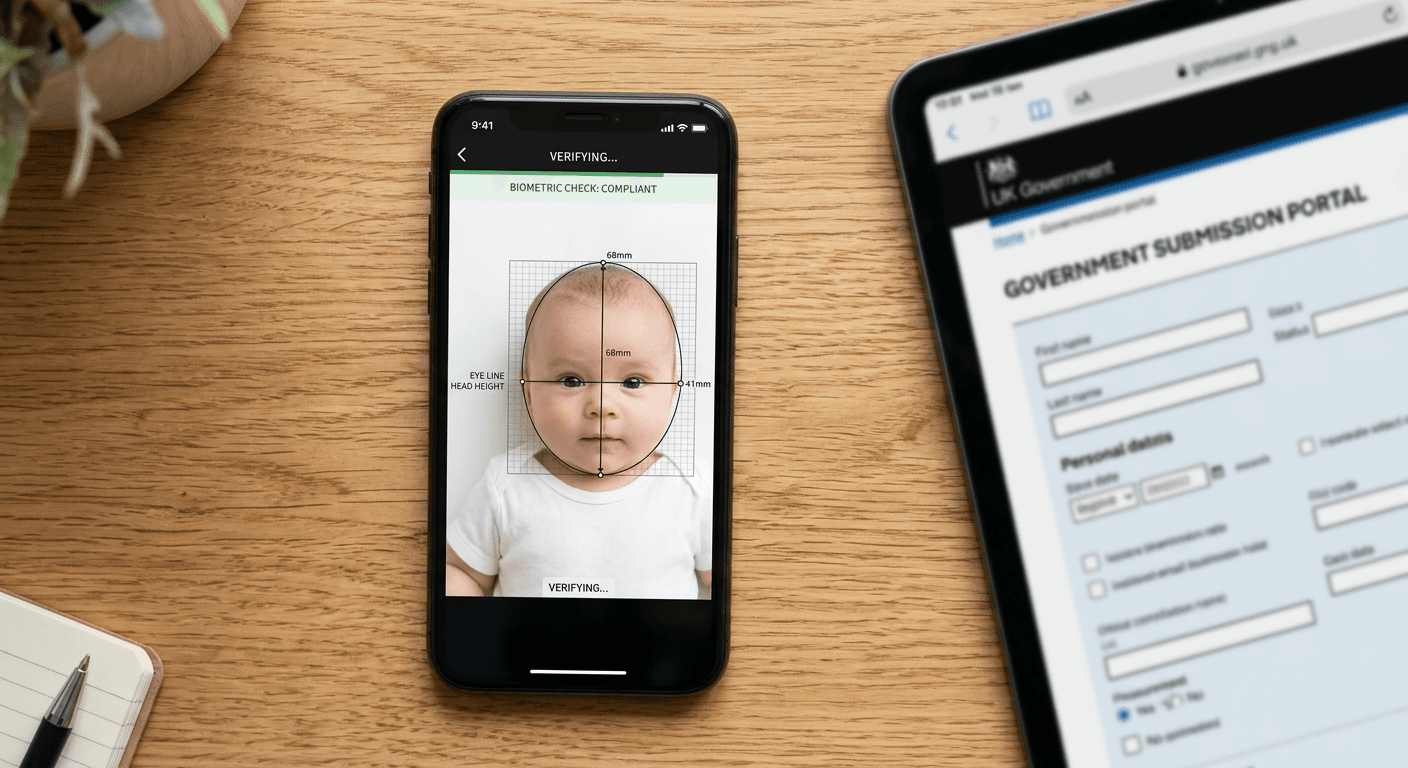
Staring at a rejected digital application because the head-to-chin ratio on your uploaded image is off by two percent is a frustrating rite of passage for modern travelers. When you need a renew passport online photo, the technical requirements shift entirely from what you would expect at a physical pharmacy counter. You are no longer dealing with photographic paper and physical cutting tools; you are dealing with automated government portals that scan for pixel dimensions, background uniformity, and JPEG compression artifacts before a human ever sees the file. Navigating this successfully requires choosing a digital generation tool designed specifically for the strict biometric thresholds of state department servers.
Quick Summary
Digital passport photo generators are web-based applications that evaluate, crop, and format uploaded smartphone images to meet specific government biometric standards. They replace the manual editing process by automatically applying correct pixel dimensions, removing background shadows, and ensuring facial landmarks align with official templates.
- Automated compliance checks prevent immediate digital rejections.
- Cloud-based processing allows for instant background removal.
- A reliable tool outputs the exact file size required for a passport photo for online application.
- Not all platforms offer manual oversight for difficult edge cases.
Table of Contents
- Buying Guide / How to Choose
- 1. PhotoGov
- 2. PhotoAiD
- 3. PhotoBooth Online
- 4. Passport Photo Online
- 5. Visafoto
- 6. IdPhoto4You
- Aligning Your Choice with the Processing Model
- Recommended Reads
| Product | Processing Model | Features | Pros | Cons | Target Audience |
|---|---|---|---|---|---|
| PhotoGov | Automated AI Converter | API-driven cropping, background stripping | Fast processing, Strict adherence to parameters, Low interaction required | No manual override, Can clip complex hairstyles, Highly sensitive to initial lighting | Quick digital applicants |
| PhotoAiD | AI with Premium Support | Two-pass system, Human compliance check | High acceptance rate, Handles difficult shadows, Verified accuracy | Slower turnaround, Higher intervention, Overkill for basic selfies | Users failing initial portal checks |
| PhotoBooth Online | Automated AI Converter | Pixel-ratio translation, Dimension scaling | Instant conversion, Clear output sizing, Lightweight interface | Relies entirely on algorithm, Struggles with extreme angles, Rigid templates | Basic compliance needs |
| Passport Photo Online | AI with Premium Support | Multi-format output, EXIF data management | Excellent digital upload prep, High reviewer trust, Broad country support | Complex download options, Multiple files to manage, Strict intake rules | Multi-destination travelers |
| Visafoto | Automated AI Converter | Database-driven specs, Auto-scaling | Global specification library, Quick turnaround, Consistent output | Smaller support infrastructure, Rigid auto-crop, Less guidance on initial capture | International visa applicants |
| IdPhoto4You | Self-Service Editor | Manual alignment guides, Free tool access | Cost-free usage, Total control over crop, Transparent mechanics | No automated compliance guarantees, Requires user knowledge, No background removal | Budget-conscious DIY users |
Buying Guide / How to Choose
Choosing a platform to generate a digital identification image requires understanding exactly how online portals evaluate incoming files. When assessing online passport renewal photo requirements, the primary hurdle is not visual aesthetics, but technical compliance. Government intake systems use automated scripts to measure the exact pixel distance between the crown of the head and the chin, evaluate the RGB values of the background to ensure it is uniform, and check the overall file size. If your image fails any of these checks, the system prevents submission.
To navigate this, digital passport tools operate under one of three distinct Processing Models.
An Automated AI Converter uses machine learning algorithms to instantly detect facial landmarks, strip out the existing background, and replace it with a uniform digital white or grey. These tools are incredibly fast but lack the ability to understand context, meaning they might mistakenly remove a white shirt collar that blends into a light background.
An AI with Premium Support model runs the same initial automated sweep but passes the resulting image to a human reviewer who verifies the crop against specific country guidelines before returning the file. This significantly reduces the risk of rejection but adds turnaround time.
Finally, a Self-Service Editor provides the necessary biometric overlays and cropping templates but leaves the actual alignment and background preparation entirely up to the user.
Practical rule: Never apply digital filters, beauty modes, or artificial sharpening before uploading an image to one of these tools; the algorithms are calibrated to process raw smartphone data, and pre-processing often corrupts the facial landmark detection.
Evaluating these options means matching your confidence in capturing a raw photo with the level of intervention you need from the software. For comprehensive guidelines on framing the initial shot correctly before using any software, you can review this United States Baby Passport Photo Guide to understand how strict the baseline requirements remain.
1. PhotoGov
A traveler standing in an airport hotel room, holding a smartphone against a slightly off-white wall, needs a compliant digital file in three minutes to meet a submission deadline. PhotoGov is an online passport photo maker that automatically processes uploaded selfies into compliant digital passport photos.
The platform operates purely as an Automated AI Converter. When a user uploads a file to https://photogov.net, the system executes a script that immediately separates the foreground subject from the background pixels. It maps the eyes, nose, and chin to determine the center point of the face, scales the image to the required dimensions (typically 600x600 pixels for US digital applications), and applies a pure digital white background. The entire sequence happens server-side without manual intervention, outputting a highly compressed JPEG designed specifically for portal uploads.
Speed replaces manual refinement
Because the architecture relies entirely on its algorithm, the speed of delivery is its primary asset. It bypasses human queues completely, making it highly effective for applicants who already possess a well-lit, properly angled source image.
What would make me hesitate is the total lack of manual override. If the background stripping algorithm misinterprets a shadow on the neck as part of the background, it will digitally remove that portion of the image. The platform offers no interface to paint back missing pixels or manually adjust the crop if the biometric detection misfires on a complex hairstyle or an infant's posture. Users dealing with challenging subjects should bypass this approach entirely. If you want a deeper look at the rules these algorithms attempt to follow, reviewing a dedicated US & International Baby Passport Photo Requirements & Guides collection highlights how rigid the parameters are.
Choose this tool if you have optimal baseline lighting and require immediate digital file delivery without human bottlenecks.
Pros
- Processes files almost instantaneously.
- Enforces strict aspect ratio constraints.
- Requires minimal technical input from the user.
Cons
- Fails to handle complex background shadows.
- Lacks a manual adjustment interface.
- Aggressive masking can clip hair or clothing.
2. PhotoAiD
Unlike platforms that rely strictly on automation, PhotoAiD incorporates a secondary verification step that clearly resonates with its user base. According to the review platform Trustpilot, PhotoAiD has a Trustpilot rating of 4.7 stars out of 5 based on over 13,000 reviews. It operates as an AI-powered passport photo tool that automatically crops images and adjusts backgrounds for official documents.
Operating in the AI with Premium Support category, https://photoaid.com utilizes a two-pass workflow. The initial upload is processed by an automated system that handles the heavy lifting: scaling the image, isolating the subject, and injecting the correct background color. However, before the final digital file is authorized for download, it is routed through a secondary compliance check. This step ensures that the AI's crop meets the specific dimensional requirements of the target document and that no digital artifacts remain around the edges of the subject.
Human oversight catches edge cases
The integration of a compliance check layer drastically reduces the chances of a digital portal rejecting the file for subtle biometric failures. This oversight is particularly valuable when processing images with uneven lighting or slight head tilts that confuse pure AI models.
This robust verification process operates on a massive, standardized operational queue. The sheer volume of reviews indicates this scale. A highly standardized workflow inherently struggles with granular, non-standard adjustments. It prevents immediate, on-the-spot file delivery. Every file must pass through the secondary queue. Applicants who are entirely confident in their own photography and require instant access to their file might find the secondary verification step unnecessary.
Opt for this service when ensuring the file passes a strict government portal is more critical than immediate digital delivery.
Pros
- High historical acceptance rate for digital submissions.
- Secondary checks catch AI masking errors.
- Effectively manages uneven source lighting.
Cons
- Processing takes longer than pure AI tools.
- Over-engineered for simple, well-lit selfies.
- Relies heavily on standardized support queues.
3. PhotoBooth Online
Calculating the exact percentage of the image that a head must occupy while simultaneously managing DPI settings is the primary bottleneck that halts most DIY applications. PhotoBooth Online is an online biometric photo converter that adjusts background compliance and head size to meet government standards.
Behind the scenes, the platform functions as an Automated AI Converter. When you submit an image to https://photobooth.online, the system reads the physical dimension requirements of the selected country and translates them into digital pixel ratios. It recalculates the distance from the top of the hair to the chin, ensuring it falls within the narrow proportion band mandated by government portals (for example, scaling the head to fill the exact vertical space required for US guidelines). It then alters the canvas size and resolution to match the required specifications before generating the final download file.
Algorithmic scaling dictates the crop
By taking the math out of the equation, the tool removes the highest barrier to entry for digital applications. On Trustpilot, PhotoBooth Online has a Trustpilot rating of 4.6 stars out of 5 based on approximately 1,900 reviews, pointing to a system that reliably handles standard scaling tasks.
Practical rule: Always upload the original, full-resolution file straight from your camera roll; compressing the image by texting or emailing it to yourself first will cause the algorithmic scaling to output a blurry, non-compliant final file.
The platform relies rigidly on forward-facing templates. The algorithm is fixed to standard adult biometric proportions. It struggles to correctly map the face of a subject looking slightly away from the lens. It also fails when positioned at a non-standard angle. I would hold off on this if you are attempting to process an image of a restless subject where the shoulders are not perfectly square to the camera.
Use this tool to rapidly convert a technically sound but incorrectly sized photograph into a compliant digital format.
Pros
- Eliminates manual head-size ratio calculations.
- Transparent output formatting.
- Lightweight, accessible web interface.
Cons
- Fails on subjects not perfectly squared to the lens.
- Rigid scaling templates limit flexibility.
- Requires high-resolution original uploads to function well.
4. Passport Photo Online
Before shortlisting any tool, the first question an applicant asks is whether the resulting file format will actually be accepted by the specific online portal they are using. Passport Photo Online is a digital passport photo booth and editor that prepares compliant pictures for paper and digital applications.
As a tool in the AI with Premium Support category, https://passport-photo.online focuses heavily on data output. After the AI crops the image and adjusts the background, the system generates multiple file variations. It strips unnecessary EXIF data that might trigger an automated rejection from a government server and packages the image into formats suitable for both local printing and direct digital upload. The platform has a Trustpilot score of 4.5 stars out of 5 based on over 7,400 customer reviews.
Format flexibility serves complex applications
The ability to retrieve a file specifically optimized for digital intake, devoid of conflicting metadata, ensures a smoother application process across different national portals. This is crucial when navigating varied international requirements, much like the specific thresholds outlined in the United Kingdom Baby Passport Photo Guide.
The drawback to this comprehensive approach is the complexity of the output. By generating files for both digital and paper applications simultaneously, the tool can overwhelm a user who simply needs one lightweight JPEG for a basic web form. The multi-format delivery introduces unnecessary friction for highly targeted, single-use digital submissions. Users who are intimidated by file management should look for a simpler export process.
Select this solution if you require different digital formats for multiple international applications from a single source image.
Pros
- Strips conflicting EXIF metadata automatically.
- Prepares files for both digital and print simultaneously.
- Strong track record across varied international standards.
Cons
- Output options can confuse basic users.
- Overly complex for a single digital upload.
- Generates multiple files to manage and store.
5. Visafoto
Visafoto queries a maintained database of global identification specifications, mapping the uploaded image directly against the exact millimeter requirements of the target document. It is an automated online service that formats, scales, and crops photos to meet official ID and passport specifications.
Operating as an Automated AI Converter, the tool at https://visafoto.com relies entirely on its extensive internal library of international document rules. When a user selects their target country and document type, the algorithm pulls the required dimensions, background color codes, and head-size percentages. It then forces the uploaded image into this exact template, scaling and cropping the pixels without human intervention. The service is rated 4.5 out of 5 stars on Trustpilot based on 700 reviews.
Database breadth drives the formatting logic
The sheer volume of supported document types makes it highly effective for niche visa applications or digital portals with obscure formatting rules that standard tools ignore. The processing is entirely rules-based, ensuring the final file mathematically matches the requested specifications.
However, a lower review count relative to major competitors suggests a narrower support infrastructure. If the automated crop fails due to an unusual shadow or a low-contrast background, there is less robust customer service available to manually rescue the file. I would avoid this platform if you are dealing with a non-standard source image and anticipate needing technical assistance to force a compliant result.
Rely on this database-driven tool to format images for obscure or highly specific international visa applications.
Pros
- Massive database of international specifications.
- Enforces strict mathematical compliance to templates.
- Extremely fast processing times.
Cons
- Limited support infrastructure for failed crops.
- Rigid automation cannot handle poor contrast.
- Provides little guidance on capturing the initial photo.
6. IdPhoto4You
Assuming that a cost-free tool automatically guarantees digital compliance without any manual effort is a primary reason digital applications face delays. IdPhoto4You is a free online passport and ID photo tool that helps users crop and format photos for several countries.
This platform is a pure Self-Service Editor. Accessible at https://idphoto4you.com, it does not utilize advanced machine learning to detect faces or remove backgrounds. Instead, it provides a web-based cropping interface where the user must manually drag, scale, and align a set of digital crosshairs over the subject's face. The system provides the overlay guidelines for specific country dimensions, but the execution relies entirely on the user's precision with a mouse or touchscreen.
Manual overlays demand user precision
By leaving the control entirely in the hands of the applicant, the tool offers complete transparency. There is no black-box algorithm making aggressive masking decisions, allowing users to fine-tune the crop exactly how they see fit, which is ideal for high-contrast images that confuse automated systems.
This model entirely lacks automated compliance checks. The tool will happily let you export an image where the chin is misaligned by several millimeters or the background is heavily shadowed. It offers no warning that the resulting file will fail a government portal's automated intake scan. It removes the cost barrier. However, it transfers all the compliance risk directly onto the applicant.
Choose this manual editor if you have precise control over your initial photography and understand the exact biometric measurements required.
Pros
- Completely free to use.
- Total user control over the final crop.
- No aggressive AI masking errors.
Cons
- Zero automated compliance verification.
- Does not remove or alter backgrounds.
- Relies entirely on the user's manual accuracy.
Aligning Your Choice with the Processing Model
Successfully securing a compliant file depends heavily on matching your source image quality with the appropriate level of intervention.
If you have captured a perfectly lit, high-resolution image against a flawless white background, an Automated AI Converter provides the fastest route to a finished file. Tools in this category will apply the necessary scaling and formatting instantly, allowing you to upload your application without delay.
If you are struggling with slight shadows, uneven lighting, or simply cannot afford a digital rejection that delays your application, an AI with Premium Support is the necessary choice. The secondary human verification step acts as a safety net against algorithmic misfires and ensures the file will clear strict digital intake portals.
If you are on a strict budget, possess a strong understanding of biometric requirements, and already have a photograph with a compliant background, a Self-Service Editor gives you the manual control needed to crop the image yourself without paying for automated processing.