A Complete Guide to Meeting Infant Passport Photo Requirements in 2026
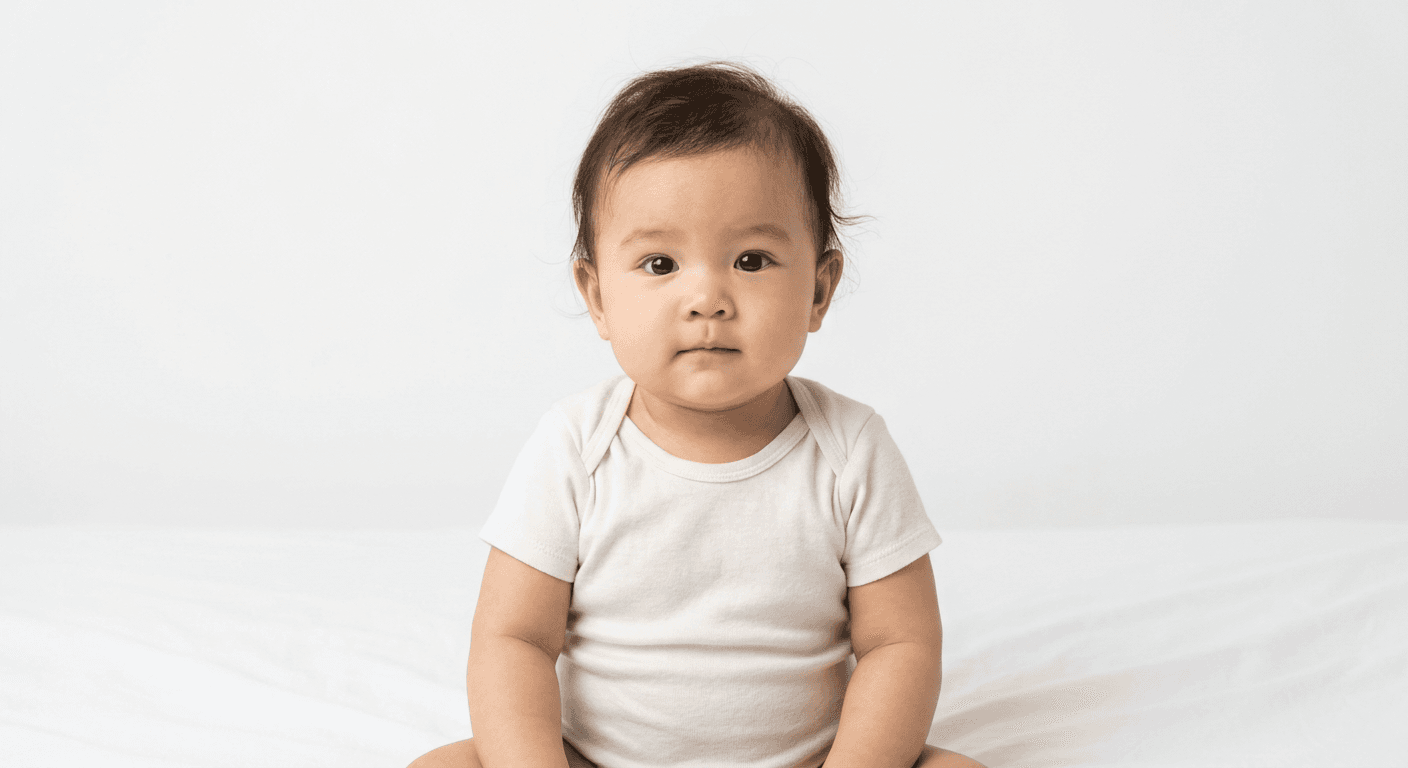
Capturing a compliant photograph of a newborn or infant can feel like a daunting task, especially when faced with the rigid standards set by government agencies. However, mastering the process is entirely achievable with the right preparation. Understanding the nuances of infant passport photo requirements ensures that your application proceeds smoothly without the frustration of rejections or delays.
Quick Summary
Successfully capturing an infant's passport photo requires a neutral background, even lighting, and a clear, front-facing view of the child's face. By using a controlled environment and a high-resolution smartphone camera, parents can meet official standards.
- Ensure the child is looking toward the camera.
- Use a plain white or off-white backdrop.
- Remove all shadows through balanced, indirect lighting.
- Keep a neutral expression with eyes open.
Table of Contents
- Understanding Passport Photo Rules
- Essential Passport Photo Instructions
- Technical Passport Photo Guidance
- Common Pitfalls and Troubleshooting
- Frequently Asked Questions
- Recommended Reads

Understanding Passport Photo Rules
Passport offices enforce strict passport photo rules to ensure that biometric facial recognition systems can accurately identify the individual. For infants, the primary challenge is maintaining the mandatory posture while ensuring the photo remains professional. The face must be clearly visible, unobstructed by pacifiers, toys, or hands, and the expression should be as neutral as possible.
Most jurisdictions require the child to be centered in the frame. While it is understood that infants may have difficulty holding their heads perfectly upright, the head must not be tilted, and both ears should ideally be visible. Government agencies generally allow for some leeway regarding the "neutral expression" requirement for newborns, but open eyes are non-negotiable. If you are struggling with these constraints, specialized US baby passport photo tools can help automate the alignment process.
Essential Passport Photo Instructions
To secure a high-quality image, start by creating a controlled setting. Place the infant on a plain white or light-colored sheet on the floor, ensuring the surface is flat and free of wrinkles. This acts as a clean, uniform backdrop that satisfies most international requirements. If the child is old enough to sit, place them in a high chair covered with a white sheet, or have an assistant hold the child securely while remaining completely out of the frame.
Follow these steps for the best results:
- Lighting: Use natural, diffused daylight. Avoid flash photography, as it often creates harsh shadows behind the infant or reflections on their skin.
- Positioning: Ensure the child is looking directly at the camera. If you need assistance capturing their attention, hold a toy just above the lens, but make sure the toy is not visible in the final photo.
- Clarity: Use a high-quality camera and maintain a stable hold. A blurry image is the most common reason for rejection, so ensure the focus is sharp on the infant's eyes.
- Refinement: Once the photo is taken, use digital tools to crop the image according to specific biometric standards, such as those required for a UK baby passport photo.
Pro Tip: Capture multiple frames in a burst sequence. This increases the likelihood of getting one clear shot where the infant is awake, looking forward, and has a neutral expression.
Technical Passport Photo Guidance
Beyond the pose, you must adhere to technical specifications regarding resolution and proportions. Most countries require a specific head-to-chin ratio, meaning the head must occupy a significant portion of the total frame. The file must also have a sufficient DPI (dots per inch) to prevent pixelation when printed. Professional-grade Canadian baby passport photo standards often highlight the importance of these exact measurements.
If you are handling the editing yourself, ensure that you do not over-edit the photo. Avoid filters that alter the infant’s skin tone or facial features. The image must be a true reflection of how the infant looks in person. If you find the technical aspects like white-balance adjustment and cropping confusing, seeking passport photo help through digital platforms can provide the verification needed to ensure the file meets global biometric requirements.
Common Pitfalls and Troubleshooting
Common issues often arise from subtle errors that are easy to overlook. The most frequent failure is the presence of shadows. Even a slight shadow under the chin or on the background can lead to a rejection. To troubleshoot this, move the infant away from walls to prevent their shadow from being cast onto the background, and use indirect, soft light from multiple angles to fill in dark spots.
Another common pitfall is the presence of obstructions. Parents often accidentally get their fingers in the frame while supporting the infant's head. If you must support the child, ensure your hands are completely concealed by the white sheet or use a support system that is cropped out entirely during the digital processing phase. Finally, always check the specific size requirements for your target country, as they can vary significantly between regions, such as those seen in Australian baby passport photo requirements.
Frequently Asked Questions
- Can my baby be wearing a pacifier in the photo? No, the mouth must be visible and closed. Pacifiers, hats, and large headbands are generally not permitted as they obstruct the face.
- Do my baby's eyes have to be wide open? Yes, the eyes must be clearly visible and open. For newborns, a brief moment of alertness is usually sufficient.
- Can I hold my baby for the photo? Yes, you may hold the baby, but you must ensure your hands, face, and clothing are not visible in the final frame. The background must remain uniform.
- How do I ensure the head size is correct? Most online tools use automated markers to guide you. If you are doing it manually, ensure the head fills approximately 70-80% of the vertical frame height.