Everything to Know About Passport Card Photos
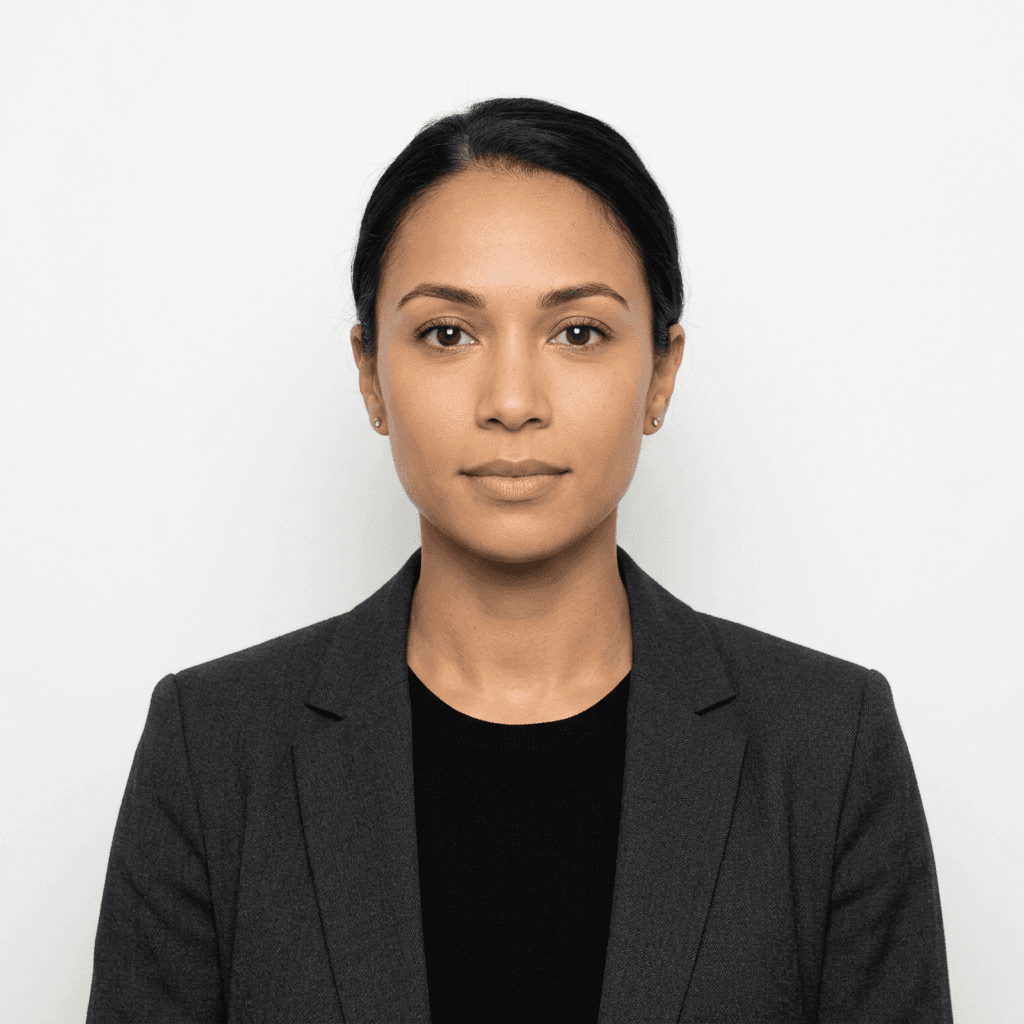
Capturing a valid passport card photo is a critical step for travelers seeking to streamline their identification process for land and sea border crossings. Whether you are preparing for international travel or domestic identity verification, understanding the nuances of a professional passport card photo ensures your application avoids unnecessary processing delays or outright rejection.
Quick Summary
A passport card photo is a standardized, high-quality biometric image adhering to strict government requirements, used for official identification documents allowing land and sea travel. These images must feature a neutral expression, white background, and precise dimensions to ensure accurate facial recognition and compliance with international standards.
- Background: Must be plain white or off-white with no shadows.
- Expression: Neutral face with both eyes clearly open.
- Dimensions: Usually 2x2 inches (51x51 mm) for US standards.
- Attire: Everyday clothing; no uniforms or head coverings (unless religious).
Table of Contents
- Understanding Passport Card Photo Requirements
- Technical Specifications and Dimensions
- Best Practices for Capturing Passport Images
- Avoiding Common Rejection Causes
- Passport Photo Printing and Digital File Handling
- Comparison of Photo Dimensions by Region
- Frequently Asked Questions
- Recommended Reads

Understanding Passport Card Photo Requirements
The regulatory framework governing a passport card photo is designed to facilitate biometric authentication. Government agencies require images that provide a clear, unobstructed view of the applicant's facial features. This is not merely an aesthetic requirement but a functional one, as automated border control systems rely on specific geometric points on the face to confirm identity.
To ensure your submission meets these rigorous standards, it is helpful to explore the official passport photo guide before beginning your application. Authorities explicitly mandate that the photo must be taken within the last six months to reflect your current appearance accurately. Any significant changes, such as facial surgery or dramatic weight loss, may necessitate an updated image even if the previous one is technically within the age limit.
Technical Specifications and Dimensions
For a standard passport card photo, the head must be positioned between 1 inch and 1 3/8 inches (25mm to 35mm) from the bottom of the chin to the top of the head. The framing must be centered, and the image must be taken in full-face view, looking directly at the camera. Failure to adhere to these measurement constraints is the most common reason for application rejection.
Additionally, lighting plays a pivotal role in the technical success of the image. The lighting must be evenly distributed across the face, avoiding harsh highlights or deep shadows that could obscure facial landmarks. If you are handling a specialized case, such as a US baby passport photo, the challenge lies in ensuring the infant's face is fully visible and unobstructed, which requires patience and the correct setup to minimize movement.
Best Practices for Capturing Passport Images
When capturing your own passport photo pictures, the environment is just as important as the camera gear. Choose a location with natural, indirect light, such as a spot facing a window, to minimize glare. Avoid using flash directly, as it often produces a "red-eye" effect or reflective spots on the skin, which can compromise the image's clarity during the scanning process.
Pro Tip: Wear clothing that contrasts slightly with the white background. Avoid white shirts, as they can cause your shoulders to blend into the backdrop, making it difficult for software to define your silhouette properly.
Maintain a neutral expression, which means no smiling or frowning. Mouths must be closed, and eyes must be visible without being blocked by hair or frames. If you wear glasses, it is often safer to remove them entirely to avoid lens glare or frame shadows, even if they are your daily eyewear.
Avoiding Common Rejection Causes
Rejections frequently occur due to poor quality or lack of compliance with formatting rules. Low-resolution images or photos that appear blurry will be denied immediately. Similarly, cropped photos that distort the subject's proportions are unacceptable. Always ensure the image is high resolution, typically at least 600x600 pixels if submitting digitally.
Another frequent issue involves background interference. Avoid busy walls, shadows cast behind your head, or any objects visible in the frame. If you are struggling with specific regional requirements, such as those for a Canada baby passport photo, consult specialized resources to ensure you are meeting the exact dimensions and lighting mandates required by the specific country's passport office.
Passport Photo Printing and Digital File Handling
When it comes to a physical passport photo print out, the paper quality matters significantly. You must use high-quality, glossy or matte photo paper. Regular printer paper with ink-jet droplets is insufficient and often results in colors that fade or bleed when processed by agency scanners. Ensure the printer settings are configured to "high quality" or "photo mode" to capture fine details.
Digital files should be saved in standard formats like JPEG. If you are managing images for different countries, remember that specifications vary wildly; for instance, the requirements for an Australian baby passport photo differ in both size and background tone from American counterparts. Maintaining organized digital files allows you to adjust and reprint as needed without losing the original source image.
Comparison of Dimensions by Region
| Region | Standard Size | Notes |
|---|---|---|
| United States | 2 x 2 inches | Most common globally |
| United Kingdom | 35 x 45 mm | White or off-white background |
| Canada | 50 x 70 mm | Specific photographer stamp needed |
| Australia | 35 x 45 mm | Must be less than 6 months old |
Frequently Asked Questions
Can I wear glasses in my passport photo? No. As of recent updates to most international standards, glasses are not allowed in passport photos to prevent glare and ensure the eyes are perfectly visible for biometric scanning.
What if I have a religious head covering? Religious head coverings are permitted provided that they do not obscure your hairline or cast shadows on your face. You will need to provide a signed statement confirming it is worn daily for religious purposes.
Can I use a filtered or edited photo? Absolutely not. Any form of digital enhancement, background removal via software, or skin smoothing will lead to an immediate rejection. The photo must be an authentic representation of your natural appearance.
How recent must the photo be? Passport photos must be taken within the last six months. They must accurately reflect your current appearance to avoid issues at border control.