How to Meet Every Canada Passport Photo and Document Requirement for Renewal
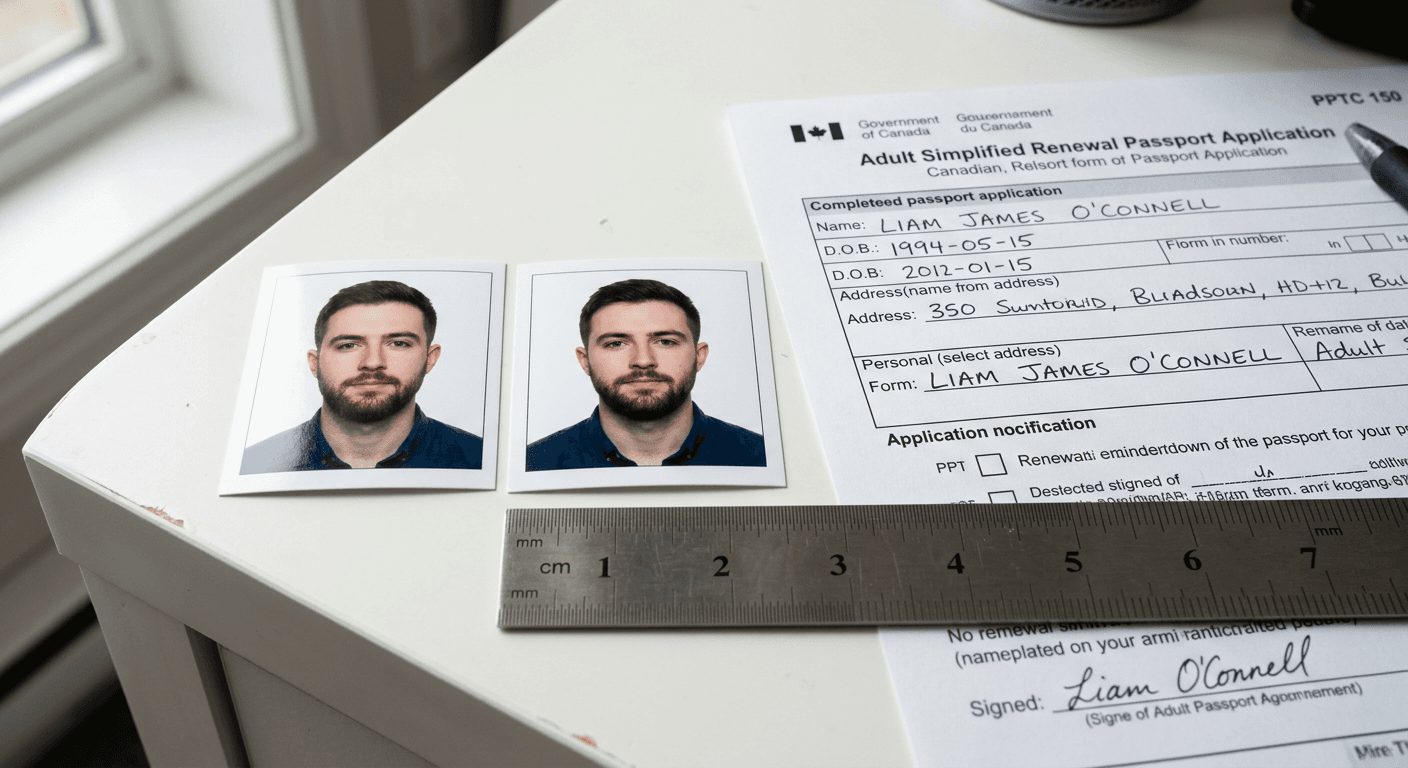
An applicant sits at their desk with a rejected Canadian passport renewal application, staring at a small blue slip pointing to a seemingly minor issue with their photo's lighting. "The photo is too bright" is not just a frustrating setback; it is the most common reason the passport program delays renewals, forcing families to reschedule international travel at great expense. Getting a compliant canada passport photo requires understanding a set of rigid biometric standards that are far stricter than those of other nations.
Quick Summary
Renewing a Canadian passport requires strict adherence to Service Canada's documentation checklist and biometric photo specifications. Failure to meet the precise sizing, lighting, or background requirements will result in an immediate rejection of your application.
- Simplified Renewal Eligibility: Only applies if your current passport is undamaged, issued when you were at least 16, and expired for less than 15 years.
- Photo Dimensions: Must be exactly 50 mm wide by 70 mm high, with the face height measuring between 31 mm and 36 mm.
- Photographer Metadata: Physical mail-in photos must feature the studio name, address, and date taken on the back of one photo.
- Processing Times: Standard mail-in processing takes 20 business days, while urgent requests require in-person visits to specialized sites.
Table of Contents
- Why a canada passport photo rejection happens more often than you think
- Simplified renewal eligibility is a rigid boundary
- Step-by-step document assembly prevents processing delays
- Biometric specs require millimetric precision
- Where the process breaks down: Three common photo failures and how to fix them
- Mail-in vs. digital renewal workflows dictate your preparation
- FAQ
- Recommended Reads
Why a canada passport photo rejection happens more often than you think
Service Canada processes millions of passport applications annually. The rejection rate for first-time submissions is high, and the photo is almost always the culprit. The underlying issue is that Canada does not use the standard international 2x2 inch format. The rectangular 50 mm by 70 mm shape demands a unique spatial composition that automated photo booths in other countries regularly get wrong.
When you submit your application, examiners feed the photo into a biometric verification system. This software measures the precise pixel distance between your eyes, the tip of your nose, and the outer edges of your head. If the image quality is degraded, or if there is even a subtle shadow behind your ears, the algorithm flags the photo as non-compliant.
To verify this before mailing your documents, use a high-precision ruler to measure from the chin to the crown of the head. It must fall strictly within the 31 mm to 36 mm range. A single millimeter outside this boundary triggers an automatic manual override and rejection. For parents navigating these rules for children, matching these measurements is even harder; referencing specialized Canada baby passport photo guidelines can provide the exact tactical adjustments needed to handle infant photography at home.
Simplified renewal eligibility is a rigid boundary
The Canadian passport renewal system has a simplified pathway that is faster and requires fewer documents, but the eligibility criteria are non-negotiable. If you fail to meet even one of the requirements, submitting a renewal form will lead to immediate rejection, and you will have to start over with a full application.
To use the simplified renewal pathway, your previous passport must meet all the following conditions:
- It must be undamaged and never have been reported lost or stolen.
- It must have been issued with a 5-year or 10-year validity period.
- It must have been issued when you were at least 16 years of age.
- It must be valid or have expired within the last 15 years from the date Service Canada receives your application.
- It must share the exact same name, date of birth, and place of birth as your current legal identity.
If your passport was damaged - even minor water damage, a torn page, or unauthorized markings - you are disqualified. You must instead submit a General Application (form PPTC 150), which requires original proof of citizenship, a guarantor, and two references who have known you for at least two years.
Practical rule: Never attempt to hide minor water damage on your current passport. Service Canada examiners inspect physical passports under specialized light sources; if they detect structural compromise, your renewal will be rejected and classified as a general application.
Step-by-step document assembly prevents processing delays
Assembling the renewal package requires methodical execution. Missing signatures, incorrect fees, or outdated forms will put your application in a holding queue, causing delays that can last several weeks.
The assembly checklist consists of:
- The Completed Application Form (PPTC 054): Complete every section in black or dark blue ink. Write "N/A" (Not Applicable) in fields that do not apply to you rather than leaving them blank. This proves to the automated optical character recognition system that you did not simply miss a field.
- Your Current Passport: Submit your actual, physical passport. It will be cancelled and returned if you select that option on the form.
- Two Identical Photos: These must meet the exact size standards. Only one photo requires the date and studio details written on the back.
- The Required Fees: According to official Service Canada schedules, a renewal costs $120 CAD for a 5-year passport and $160 CAD for a 10-year passport within Canada. From the US, the fees are $190 CAD and $260 CAD. Complete the payment section with credit card details or include a certified check.
Ensure you sign and date all pages of the form. Your signature must match the signature in your current passport. If your handwriting has changed significantly over ten years, practice signing to ensure consistency, as automated signature-matching software is used during the intake phase.
Biometric specs require millimetric precision
Unlike other countries where minor deviations are overlooked, Canadian processing facilities use specialized physical templates to verify photos instantly upon arrival. The background must be solid white or a very light, uniform color, with balanced lighting across your face.
Let us examine the exact spatial requirements:
| Dimension | Specification | Critical Margin of Error |
|---|---|---|
| Frame Width | 50 mm (2 inches) | +/- 0 mm |
| Frame Height | 70 mm (2.75 inches) | +/- 0 mm |
| Face Height (Chin to Crown) | 31 mm to 36 mm | Must not exceed 36 mm or drop below 31 mm |
| Positioning | Centered, eyes in middle zone | Face must align with biometric grid |
| Resolution | Minimum 300 DPI (printed) | Must have no visible pixelation or grain |
| Paper Type | High-quality photographic paper | Matte or glossy; heavy-weight only |
For applicants traveling frequently across jurisdictions, these dimensions can be confusing. To clarify, you can review our international passport photo specifications to see how Canadian standards contrast with US and UK sizes.
One common point of confusion is the "crown." The crown is the top of your head, or where the skull would be if you had no hair. It is not the top of a hairstyle or a hat. If cropped based on hair volume, your face will appear too small, falling below the 31 mm threshold. Ensure that whoever takes or processes your photo understands this distinction.
Where the process breaks down: Three common photo failures and how to fix them
Even when utilizing professional services, applications fail. Understanding the mechanical reasons behind these failures allows you to catch errors early.
1. The Shadow Trap
Biometric facial recognition algorithms rely on contrast. Shadows behind your ears or across the background disrupt this contrast, causing system errors.
- The Symptom: A slight gray gradient on the white wall behind your shoulders, or a dark shadow cast by your jawline.
- The Fix: Stand at least 0.5 meters (1.5 feet) away from the background wall to disperse shadows. Position two light sources at a 45-degree angle on both sides of your face to balance illumination.
2. The Chin-to-Crown Compression
Many retail photo counters use automated templates programmed for US 2x2 inch photos, which distorts the aspect ratio when scaled to Canada's 50x70mm size.
- The Symptom: Your face looks elongated, or the distance from your chin to the top of your head measures 38 mm or more.
- The Fix: Explicitly demand the 31 mm to 36 mm face height. If the printer cannot adjust it, use a dedicated template tool to lock the aspect ratio.
3. The Neutral Expression Breach
Canada has a strict ban on smiling. Smiling alters the natural distance between your eyes, nose, and mouth, rendering biometric data inaccurate.
- The Symptom: A slight upturn of the lips, squinting eyes, or visible teeth.
- The Fix: Keep your mouth completely closed, relax your face, and look directly at the lens. Your eyes must be fully open and clearly visible without glare on your glasses.
4. The Photographer's Stamp Gap
For physical applications, the back of one photo must bear the stamp or handwritten details of the photographer, along with the date taken.
- The Symptom: The stamp is missing, or the ink from the stamp has bled through to the front of the photo.
- The Fix: Ensure you write the service name, physical or digital address, and date clearly on the back of one photo using a non-smudging pen. Do not use heavy gel pens that bleed through and ruin the biometric surface.
Practical rule: Always print your passport photos on genuine, heavy-weight photographic paper. Standard printer paper or light-weight cardstock will be rejected immediately because the scanning machines require a specific paper density.
Mail-in vs. digital renewal workflows dictate your preparation
The pathway you choose dictates how you must handle photo preparation.
Physical Mail-In Workflow
If mailing your application, you must submit physical prints:
- Submit two identical physical prints.
- One print must contain the photographer's stamp or handwritten details: studio name, complete civic address, and the date the photo was taken.
- Keep photos loose; do not staple, glue, or clip them to the application form. Place them in a small protective envelope within your mailing package.
Online Portal Workflow
If using the Service Canada online application portal, you will upload a digital photo file:
- The image must be a high-resolution JPEG or PNG.
- It must meet all biometric constraints. No physical stamp is needed, but the digital file must not show signs of structural alteration or manual retouching.
If you have urgent travel plans within the next 20 business days, bypass both mail-in and online workflows. Book an urgent appointment at a specialized Service Canada passport office, bringing proof of travel and physical prints to receive expedited, same-day or next-day service.
FAQ
Can I take my Canadian passport photo at home?
Yes, you can take the photo at home using a digital camera or a high-quality smartphone. However, the photo must still meet all strict biometric and sizing specifications. For physical mail-in applications, you must print the photo on high-quality photographic paper and write the date and the details of the service or platform used to format the photo on the back of one copy.
Can I wear glasses in my Canadian passport photo?
Yes, you can wear prescription glasses, but your eyes must be fully visible. There must be no glare or reflection on the lenses, and the frames must not cover any part of your eyes. Tinted lenses or sunglasses are not permitted under any circumstances, except for medical reasons supported by a signed doctor's note.
Does my Canadian passport renewal require a guarantor?
If you qualify for the Simplified Renewal process, you do not need a guarantor. You only need to provide two references who are not family members and who have known you for at least two years. If you do not qualify for simplified renewal and must use the General Application form, a qualified guarantor must sign your application and the back of one of your photos.
How long is a Canadian passport photo valid?
Canadian passport photos must have been taken within six months of the date you submit your application. This ensures that the photo represents your current appearance. If you submit a photo that was taken more than six months ago, or if it matches the photo in a passport issued years prior, your application will be rejected.
Recommended Reads
- Read our comprehensive Terms & Conditions for photo verification to understand compliance checks.
- Learn about our 100% Refund Policy on non-compliant photos if an application is rejected.