How to Meet Infant Passport Photo Requirements in 2026
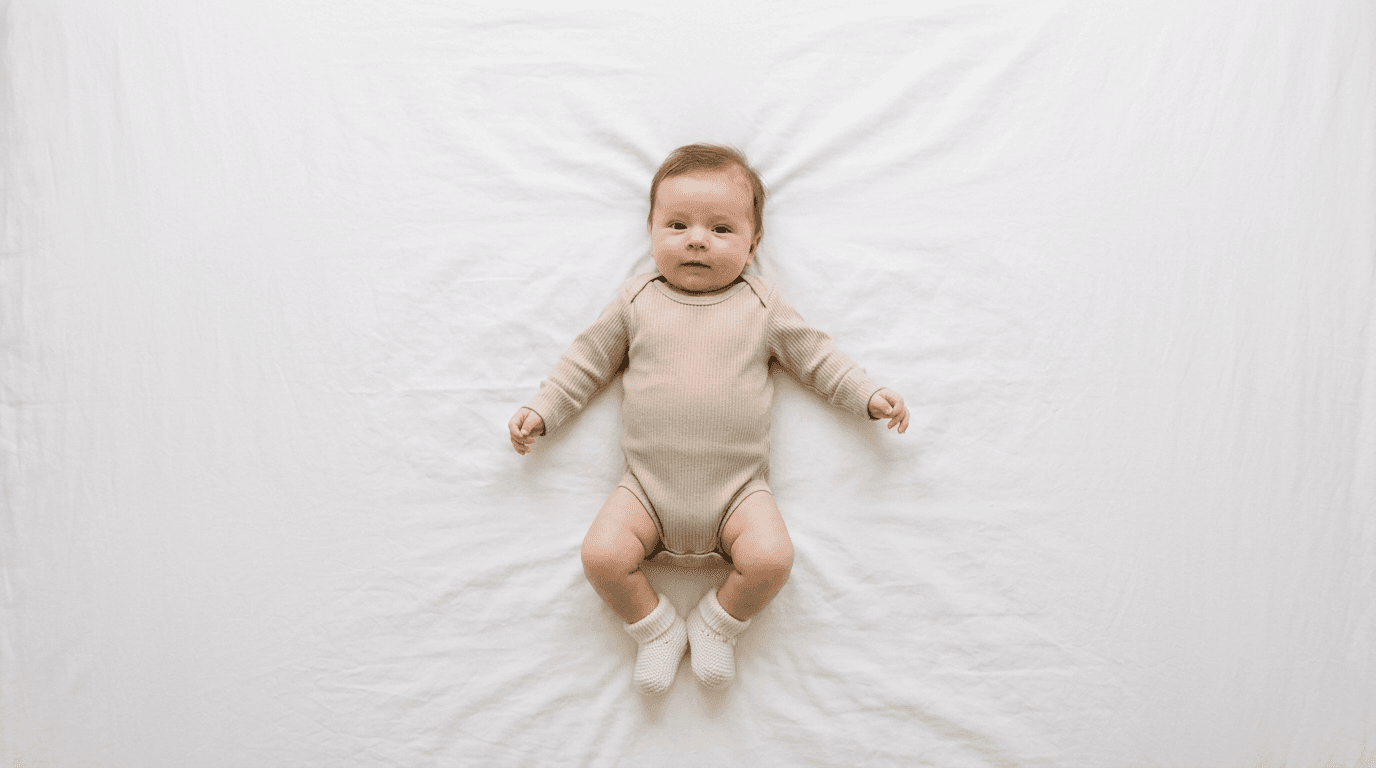
Trying to balance a three-week-old newborn with one hand while holding a smartphone directly above them, desperately waiting for their eyes to open and their head to stop tilting, is a specific kind of exhaustion. A baby does not take direction, yet governments process their travel documents through the exact same biometric verification software used for adults. Understanding infant passport photo requirements means shifting your focus away from capturing a cute passport photo and entirely toward mechanical compliance. The biometric scanner cares only about contrast, proportion, and unobstructed features.
Quick Summary
Government agencies enforce strict infant passport photo requirements that focus on shadow-free lighting, visible facial features, and specific eye and head alignment. While capturing a compliant image of a newborn presents unique physical challenges, understanding the underlying biometric standards prevents weeks of processing delays.
- Infants must have their face entirely visible, with no parental hands, pacifiers, or toys in the frame.
- Lighting must be perfectly even across the face to prevent facial recognition software from misidentifying shadows as structural features.
- A flat, white or off-white background is strictly required, easily achieved by laying the baby on a smooth bedsheet.
- The camera must be held parallel to the baby's face at an appropriate distance to avoid lens distortion.
Table of Contents
- 1. Setting Up the Lighting and Environment
- 2. Positioning the Infant for a Straight-On View
- 3. Timing the Shot for Open Eyes and Neutral Expressions
- 4. Capturing the Image with the Correct Focal Length
- What Usually Causes Government Rejections
- FAQ
- Recommended Reads
1. Setting Up the Lighting and Environment
Why Shadows Cause Immediate Rejections
Biometric verification algorithms measure the distance between specific points on a face. These points include the pupils. They also include the tip of the nose and the edges of the mouth. When uneven lighting casts shadows across one side of a newborn's face, the software often interprets that shadow as a physical deformity or an obscured feature, flagging the image as non-compliant. You cannot simply brighten the image later. Artificial exposure adjustments degrade the resolution. Most passport agencies strictly require 300 DPI.
The mechanics of proper lighting require soft, indirect illumination hitting the face evenly from all sides. Direct flash creates a harsh glare on the forehead and deep shadows behind the ears, which is why professional studios use diffusers. For home setups, placing the baby on the floor near a large window during daytime provides optimal indirect sunlight. If one side of the face remains darker, placing a white piece of cardboard opposite the window bounces the light back onto the shadowed cheek.
The mistake parents make here is attempting this under overhead indoor lighting. Standard ceiling lights cast downward shadows under the baby's eyebrows and chin, immediately invalidating the photograph. Laying the infant on a plain white sheet directly under a dining room chandelier practically guarantees a rejection. For families coordinating international travel, familiarizing yourself with United States Baby Passport Photo Guide parameters emphasizes how critical this flat lighting profile is.
Practical rule: Turn off every artificial light in the room and rely exclusively on daylight filtering through a window to eliminate multi-directional shadows.
2. Positioning the Infant for a Straight-On View

The Mechanics of Head Alignment Without Visible Support
Infants, particularly those under three months old, lack the neck strength to hold their heads perfectly straight. The biometric requirement mandates that both ears (or the edges of the face) are equally visible, with the baby looking directly at the camera lens. Any tilt up, down, or to the side distorts the measurable geometry of the face.
Achieving this alignment relies on gravity and padding rather than manual restraint. Laying the baby flat on their back on a smooth, wrinkle-free white blanket is the standard approach. To stop the head from rolling to one side, you can place rolled-up receiving blankets under the white background sheet, creating a shallow physical channel that gently cradles the head into a forward-facing position. This keeps the support entirely hidden beneath the approved background.
The defining failure in this step is the appearance of a parental hand. Often, a parent will try to physically hold the baby's chin straight just as the photo is taken. Even a single fingertip visible in the frame violates the strict rule against secondary individuals in the photograph. This rule is absolute across global jurisdictions; if you are reviewing the Canada Baby Passport Photo Guide, you will see that extraneous objects or hands result in immediate application denial.
3. Timing the Shot for Open Eyes and Neutral Expressions
Navigating the Wake Window for Biometric Compliance
Unlike adults, who can consciously relax their facial muscles and look into a lens on command, infants cycle through expressions rapidly. While some countries allow newborns to have their eyes closed or partially open, many agencies still require open eyes to establish pupil distance. A neutral expression is mandatory; a crying baby with a wide-open mouth distorts the jawline and cheek measurements.
This step relies entirely on capitalizing on the right biological timing. The optimal window for capturing a compliant image is immediately after a nap and a feeding, when the infant is alert, content, and naturally staring. Using a high-contrast object, like a black-and-white toy, held right next to the camera lens can draw their gaze to the correct spot. The goal is a relaxed, open-eyed stare without the baby actively smiling or crying.
The mistake people make is trying to force a tired or hungry baby into compliance, resulting in dozens of unusable photos featuring closed eyes or distressed expressions. If the infant starts crying, the session must end. Attempting to extract a neutral frame from a burst-mode sequence of a crying child rarely works, as the facial muscles remain tense. When seeking passport photo help from processing agencies, the most common advice is to simply wait for a better wake window rather than fighting the baby's current mood.
4. Capturing the Image with the Correct Focal Length
Distance Prevents Facial Distortion
Smartphone cameras typically use wide-angle lenses by default. When you hold a wide-angle lens too close to a subject, it distorts the features closest to the lens, making the nose appear disproportionately large and the ears unnaturally small. This physical distortion destroys the biometric accuracy of the image, even if the baby's expression and lighting are perfect.
The mechanics of proper capture require shooting from at least four feet (roughly 1.2 meters) away. At this distance, the lens compression flattens the facial features into their true proportions. You must hold the camera perfectly parallel to the floor (and the baby's face); angling the phone down from near the baby's feet or up from their head introduces vertical distortion. Use the smartphone's optical zoom (typically the 2x or 3x setting) to frame the baby's head and upper shoulders, leaving plenty of negative space around the head for final cropping.
The failure mode here is capturing a highly distorted image by hovering inches from the baby's face to get a "clearer" shot. Parents often assume filling the frame physically is better than zooming in. If you are preparing documents for European travel, consulting the United Kingdom Baby Passport Photo Guide reinforces that maintaining exact head-to-image proportions requires a distortion-free source file.
What Usually Causes Government Rejections
When a government agency rejects a submitted photograph, they rarely provide a detailed technical breakdown, instead checking a generic box regarding compliance. These failures often look similar at a glance but stem from entirely different root causes that require specific corrections.
- The background exhibits texture or wrinkles: This occurs when the baby is placed on a towel or a crumpled sheet. The scanner interprets the shadows of the wrinkles as secondary objects. The fix is to iron a thick white bedsheet and pull it taut before placing the baby down.
- The face has uneven coloring or localized shadows: This happens when indoor lighting competes with natural window light, creating a mixed color temperature and localized shadowing under the chin or beside the nose. The fix is to turn off all artificial lights and use only diffused natural daylight.
- The head proportion is rejected despite careful cropping: This is the result of wide-angle lens distortion caused by holding the smartphone too close to the infant's face. The fix is to stand further back (at least four feet), switch to the telephoto (2x or 3x) lens, and ensure the camera remains perfectly parallel to the subject. This is the most frequent hidden cause of biometric failure.
- Foreign objects are detected in the frame: A parent's finger supporting the neck, a pacifier clip resting on the shoulder, or a patterned shirt collar competing with the jawline all trigger this rejection. The fix requires removing all accessories and using hidden rolled blankets under the background sheet for head support.
FAQ
Can a newborn have their eyes closed in the photo?
Some jurisdictions explicitly permit infants under a certain age (often under six months or one year) to have their eyes closed or partially open, acknowledging the difficulty of the task. However, this is not a universal rule. You must verify the specific regulations for your target country before submitting an image with closed eyes.
What should the infant wear for the photograph?
Dress the baby in everyday clothing that strongly contrasts with the plain white background. Avoid white or very light-colored outfits, which can blend into the background and cause the software to fail when mapping the edges of the shoulders. Remove all headbands, bows, and hats.
Can I use a car seat instead of laying the baby on the floor?
Yes, placing a white sheet over a car seat allows the baby to sit in a slightly reclined position, which often provides better natural head support. The strict requirement remains that the sheet must cover all buckles, straps, and patterns of the car seat entirely.
How much space should I leave around the baby's head?
Always capture a wider shot than you think you need. Ensure the baby's entire head, shoulders, and a significant amount of the white background are visible in the raw image. This allows for precise digital cropping later to meet the specific millimeter dimensions required by the passport agency.