Jamaican Passport Photo Requirements and Compliance Standards
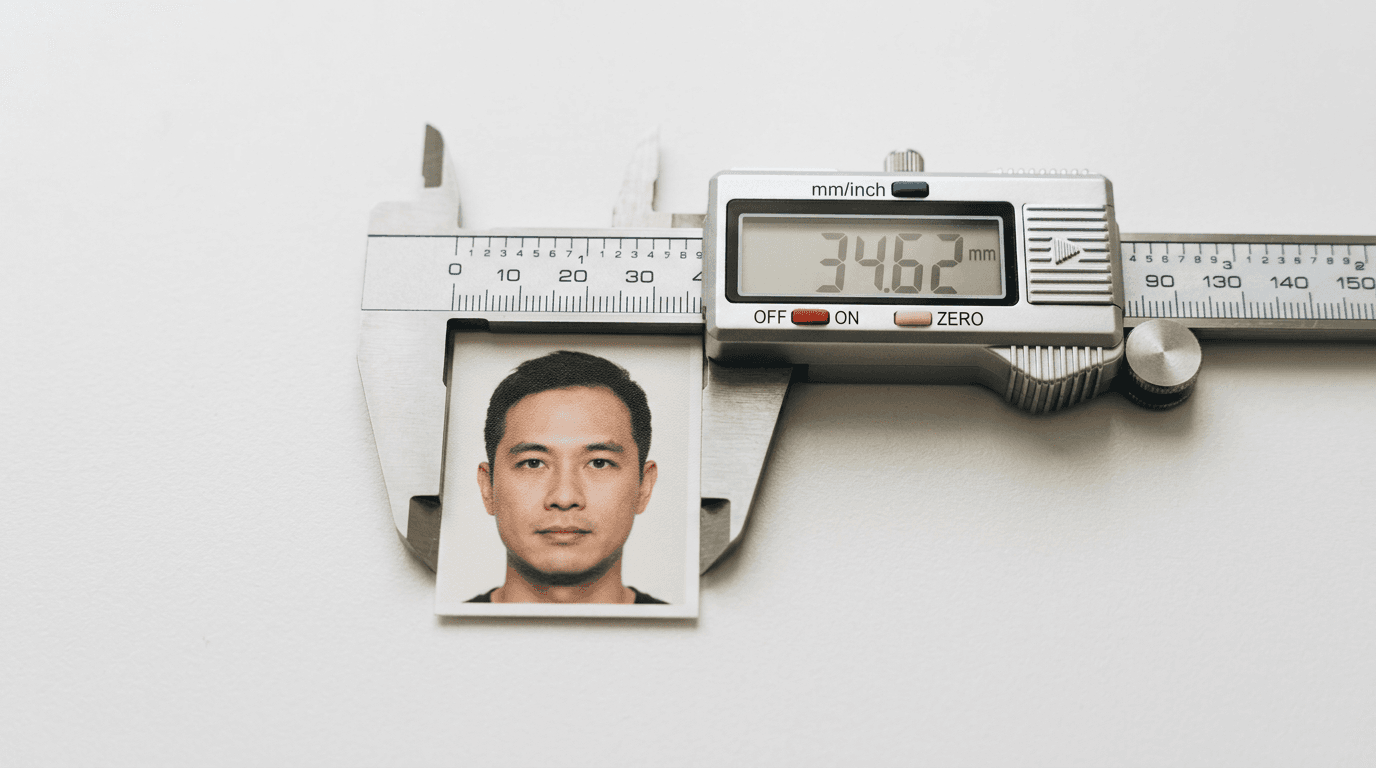
The consulate clerk sliding an application packet back across the desk because a photograph fails biometric scanning is a frustrating, expensive, and entirely avoidable moment. It is also the most common procedural failure in the documentation process. Meeting Jamaican passport photo requirements requires far more than just capturing a clear image of the applicant's face. It demands strict adherence to physical dimensions, facial proportions, contrast ratios, and print quality standards designed for automated facial recognition software, not human aesthetics.
Whether applying from Kingston or submitting documentation through a foreign embassy, the parameters for facial mapping and lighting exposure leave zero margin for error. Applications are routinely delayed for weeks because a shadow falls across the neck, a shoulder blends into the background, or an image was trimmed incorrectly to fit a standard template.
Quick Summary
A compliant Jamaican passport photograph is a 45mm by 35mm physical or digital image featuring a neutral expression against a plain white background, adhering to strict biometric proportions.
- Dimensions: Exactly 45mm high by 35mm wide.
- Facial coverage: The distance from the chin to the crown of the head must measure between 25mm and 35mm.
- Lighting: Flat, diffused light with zero drop shadows on the face or the background.
- Attire limitations: No camouflage clothing, and high-contrast colors are required to distinguish the shoulders from the background.
- Infant rules: No pacifiers, toys, or supporting hands may be visible in the frame.
Table of Contents
- Where standard dimensions warp biometric mapping
- Why background lighting triggers algorithmic rejection
- How infant physiology complicates flat-plane photography
- Why apparel and eyewear violate contrast rules
- What physical certification adds to the print surface
- How digital compression destroys mandatory DPI parameters
- FAQ
- Recommended Reads
Where standard dimensions warp biometric mapping
The most frequent error applicants make when living outside of the Caribbean or the United Kingdom is submitting photographs cut to the wrong base dimensions. The Jamaican passport system operates on the Commonwealth standard: the image must be exactly 45mm tall and 35mm wide.

When applicants attempt to use standard US 2x2 inch (51x51mm) photographs, the application is immediately rejected. The critical failure occurs when people attempt to trim a 2x2 inch photograph down to the 45x35mm size using scissors. When reviewing Jamaica passport photo requirements, the interaction between the outer dimensions and the internal facial framing is where compliance breaks down.
Biometric scanners rely on a specific geometrical template. The distance from the bottom of the applicant's chin to the crown of their head (the top of the skull, ignoring hair volume) must fall strictly between 25mm and 35mm. This ensures the face fills the vast majority of the image frame while still leaving an essential border of background space. If you take a standard US photograph - where the head is sized to fill a 2-inch square - and physically cut off the edges to make it 35mm wide, the head becomes disproportionately massive within the new, smaller frame. The chin-to-crown measurement will easily exceed the 35mm maximum limit, causing the facial recognition software to fail because it cannot locate the necessary background padding around the cheeks and hair.
Furthermore, the posture inside that frame must be perfectly vertical. Biometric software calculates the interpupillary distance (the space between the eyes) and the distance from the nose to the ears. Any "yaw" (turning the head slightly to the left or right) or "pitch" (tilting the chin up or down) distorts these measurements. The camera lens must be exactly parallel to the plane of the applicant's face.
Practical rule: Before printing, overlay a digital millimeter grid on your image. If the space from the tip of the chin to the top of the skull is less than 25mm, the image will be rejected for being too far away; if it is over 35mm, it will be rejected for being too close.
Why background lighting triggers algorithmic rejection
Jamaican authorities require a plain white background. However, a white wall is not inherently a white background to a camera sensor. The mechanism of lighting dictates how the algorithm separates the applicant's geometry from the space behind them.
When an applicant stands flush against a wall, the flash or room lighting casts a harsh drop shadow directly behind the neck and ears. To human eyes, this shadow is easily ignored. To a biometric scanner measuring the exact curve of the jawline to verify identity, a dark shadow blending into the neck creates an asymmetrical blob. The algorithm cannot find the edge of the face, and the photo is flagged as invalid.
To prevent drop shadows, the applicant must step at least 1.5 meters away from the background. This allows the primary light source to fall exclusively on the subject, while the background remains evenly illuminated by ambient light.
The temperature of the light also causes failures. Standard indoor household bulbs emit a warm, yellow-orange light (around 2700K on the Kelvin scale). When an image is captured under these conditions, it applies a heavy orange color cast to the skin and turns the white background into a murky yellow. Passport agencies require true-to-life skin tones. If the white balance is incorrect, the image is deemed altered. Lighting must be daylight-balanced (around 5500K) and diffused evenly across both sides of the face to eliminate gradient shadows where one side of the nose is bright and the other is dark.
Comparison Table: Regional Photo Specifications
| Specification | Jamaican Passport | US Passport | Impact of Mismatch |
|---|---|---|---|
| Outer Dimensions | 45mm x 35mm | 2x2 inches (51x51mm) | Scanner rejection due to crop boundaries |
| Chin-to-Crown | 25mm - 35mm | 25mm - 35mm | Proportion distortion if cut to fit |
| Background | Plain White | White or Off-White | Algorithmic failure to isolate silhouette |
| Expression | Strictly Neutral | Neutral | Rejection for altered facial mapping |
How infant physiology complicates flat-plane photography
Acquiring a compliant photograph of a newborn or an infant introduces severe physiological constraints that do not apply to adults. The biometric standards remain largely the same: the face must be centered, the eyes must be open, the background must be white, and the proportions must align with the 25-35mm chin-to-crown rule. Achieving this with a subject lacking neck control requires specific workarounds.
The absolute rule for infant documentation is that no external support can be visible in the frame. If a parent's hand is seen holding the back of the baby's head, or if a parent's shoulder is visible in the background, the photo is void.
The standard approach involves laying the infant flat on their back on a plain white sheet. However, this creates two distinct failure modes. First, the infant's head sinks backward, exposing the nostrils and shortening the perceived distance between the chin and the forehead (pitch distortion). Second, the overhead lighting casts deep, unfixable shadows under the chin and along the collarbone.
To fix the geometry, place a small, rolled-up white towel under the sheet, resting beneath the baby's neck. This elevates the chin parallel to the camera lens and allows light to reach the neck, eliminating the shadow.
Another common error when photographing infants from above is lens distortion. When using a smartphone, the default wide-angle lens requires the photographer to hold the device very close to the baby's face to fill the frame. This proximity creates a "fisheye" effect, elongating the nose and pushing the ears backward. Biometric scanners flag this as a deformed facial structure. The camera must be positioned at least four feet away, using optical zoom to frame the face, thereby compressing the image and flattening the facial features accurately.
Parents navigating this process often turn to specialized platforms. Reviewing the United States Baby Passport Photo Guide highlights similar strict biometric constraints regarding infant posture and visibility that apply across international borders.
Why apparel and eyewear violate contrast rules
What an applicant wears drastically impacts the success of the scan. The algorithm must be able to clearly identify where the applicant's shoulders end and the background begins. If an applicant wears a white or pale grey shirt against a white background, the shoulders "blow out" and merge with the wall. The resulting image looks like a floating head, which the software cannot process. High-contrast, dark-colored clothing is mandatory to create a sharp silhouette.
Additionally, Jamaican law strictly prohibits civilians from wearing camouflage prints of any kind. A passport photograph featuring camouflage clothing will be immediately rejected by the consulate, regardless of how perfect the lighting and dimensions are.
Eyewear presents another mechanical failure point. Even if the applicant wears glasses daily, submitting a photograph with them is highly risky and generally discouraged unless medically necessary (which requires an accompanying doctor's note). The curvature of glass lenses catches the camera flash, creating a cluster of bright white pixels - known as glare - directly over the iris or pupil. The facial recognition engine reads this glare as a missing eye and aborts the scan. Furthermore, thick frames often cast heavy shadows into the eye sockets or physically obscure the orbital bone, which is a primary reference point for facial mapping.
What physical certification adds to the print surface
Unlike entirely digitized systems, many Jamaican passport applications - especially first-time applications, renewals for minors, or replacements for lost passports - require a physical photograph to be certified by an authorized official. This official (such as a Justice of the Peace, Notary Public, or Minister of Religion) must sign and date the back of one of the photographs, writing a specific declaration: "I certify that this is a true photograph of [Applicant's Name]."
This certification requirement dictates the physical material of the photograph. The image must be printed on high-quality photographic paper that can absorb and hold ink without smudging. Glossy photo paper, while common in retail photo kiosks, actively resists ink. If a Notary signs the back of a glossy print and the ink smears into an illegible streak before it dries, the certification is invalid, and the entire application must be resubmitted.
Practical rule: Always request matte-finish photographic paper. Before asking your certifier to sign the back of the actual passport photo, have them test their pen on a discarded scrap of the same photo paper to ensure the ink bonds without transferring to the front of the neighboring photos.
The photos must also remain free of physical damage. Paperclips, staples, or heavy creases from folding the application packet will crack the emulsion on the photo paper. If a crack runs through the facial area, the scanner will read it as a facial scar or biometric anomaly.
How digital compression destroys mandatory DPI parameters
For applications that permit digital uploads, or for files being prepared to print at a local pharmacy kiosk, the hidden metadata of the image is just as critical as the visible framing. The Jamaican standard requires a resolution of 300 DPI (Dots Per Inch) to ensure the image retains enough sharpness for the scanner to map the pores, iris patterns, and fine lines of the face.
The most common way applicants accidentally destroy their DPI is by transferring the photo from their smartphone to their computer using social media or messaging apps. When a 12-megapixel photograph is sent via WhatsApp, Facebook Messenger, or even some email clients, the platform applies a heavy compression algorithm to save bandwidth. This strips the EXIF data, reduces the physical dimensions, and drops the resolution from 300 DPI to 72 DPI.
When a 72 DPI image is printed, the printer attempts to stretch limited data across the 45x35mm physical space. The result is interpolation - the software guesses what pixels should exist between the actual pixels. This causes blurring around the edges of the jaw and pixelation in the eyes. To the human eye, it looks slightly soft; to a biometric scanner, the micro-geometry of the face is effectively missing.
To preserve resolution, images must be exported directly from the camera roll via direct cable connection or cloud storage folders that do not compress the files. Understanding this data preservation is crucial for any international documentation, a standard reflected in the Canada Baby Passport Photo Guide and the United Kingdom Baby Passport Photo Guide, which both enforce strict 300 DPI minimums.
Because the cost of failure includes lost application fees and months of delay, mitigating risk through precise formatting is paramount. Applicants should prioritize getting the technical specifications right on the first attempt, or look for solutions that offer compliance guarantees backed by a 100% Refund Policy if the consulate rejects the formatting.
FAQ
Can I wear a head covering in my Jamaican passport photo?
Head coverings are only permitted for strict religious or medical reasons. If worn, the covering must not cast any shadows on the face, and the full facial features from the bottom of the chin to the top of the forehead must be completely visible.
Are pacifiers or toys allowed in infant passport photos?
No. The infant's mouth must be closed (as much as naturally possible), and no foreign objects, including pacifiers, hands, or toys, may be visible in the frame.
Can I smile in my passport photo?
No. Jamaican requirements dictate a strictly neutral expression with the mouth closed. Smiling alters the shape of the cheeks and eyes, which disrupts the biometric mapping geometry.
Does my hair need to be tied back?
Your hair does not need to be tied back, but it must not obscure any part of your face. Both edges of your face and the structural lines of your jaw must be clearly visible against the background.
What should I do if my photo is rejected?
You will need to retake the photograph adhering to the specific failure reasons provided by the consulate, reprint it on appropriate paper, obtain a new signature from a certifier if physical certification is required, and resubmit the application.