Jamaican Passport Photo Requirements: What Causes Rejections
You wait months for a passport appointment at the consulate, hand over the thick application packet, and watch the clerk slide your documents back across the desk. The photograph’s aspect ratio is off by just a few millimeters, rendering the entire submission invalid. Navigating the exact jamaican passport photo requirements requires understanding that consular officers and border security agencies do not evaluate images based on visual appeal. They evaluate them as biometric data sets. Every shadow, crop, and pixel density metric must perfectly align with the Passport, Immigration and Citizenship Agency (PICA) scanning software, or the application stops moving forward.
Quick Summary
Meeting the strict standards for a Jamaican passport photo requires precise biometric framing, unedited backgrounds, and exact physical print dimensions. Failing to match these specifications remains the leading cause of application delays for both adults and infants.
- Physical prints must measure exactly 45mm high by 35mm wide.
- The face must cover 25mm to 35mm from the chin to the crown of the head.
- Backgrounds require a plain white or off-white surface with zero shadows.
- Infants must have both eyes open without visible parental support.
- Print resolution must meet a 300 DPI minimum on high-quality photographic paper.
Table of Contents
- Why Biometric Scanners Reject Standard Photo Dimensions
- How Inconsistent Background Lighting Invalidates Facial Topography
- Why Securing Infant Biometrics Requires Specialized Techniques
- Where Digital Alteration Crosses the Legal Threshold
- Why Retail Thermal Printers Outperform Home Inkjet Setups
- FAQ
- Recommended Reads
Why Biometric Scanners Reject Standard Photo Dimensions
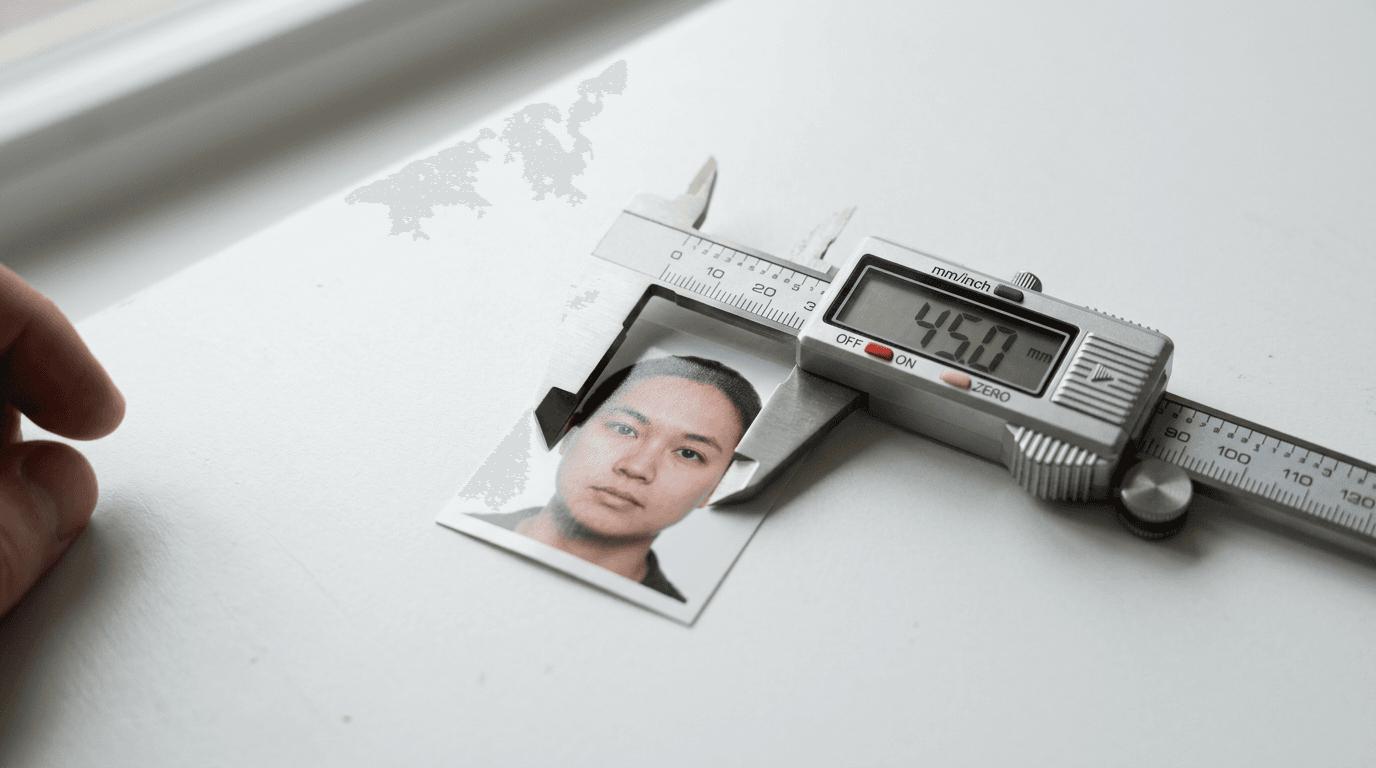
The most frequent failure point at the consular desk originates at the retail pharmacy photo counter. Standard photo processing equipment in the United States defaults to a 2x2 inch (51mm by 51mm) square cut. Handing a 2x2 inch photograph to a Jamaican official results in an immediate rejection. The strict jamaica passport photo requirements mandate a rectangular physical dimension of exactly 45mm in height and 35mm in width.

This exact sizing is not an arbitrary preference; it governs the calibration of PICA’s biometric scanning software. When the photograph is scanned into the system, the algorithm searches for the pupillary distance - the exact measurement between the centers of the eyes - to verify identity. For the software to calculate this accurately, the face within the 45mm by 35mm frame must measure between 25mm and 35mm from the bottom of the chin to the top of the head (the crown).
If the face is too large (exceeding 35mm), the scanner cannot map the outer edges of the jawline and the ears. If the face is too small (under 25mm), the pixel density mapping the eyes drops below the threshold required for biometric authentication. Furthermore, the framing must leave a distinct upper margin. There must be a gap of 3mm to 5mm between the top of the applicant's head and the upper edge of the photograph. While the United States Baby Passport Photo Guide specifies a square 51mm frame that leaves room for slightly different margins, Jamaican authorities utilize a distinct rectangular layout that penalizes minor framing errors heavily.
How Inconsistent Background Lighting Invalidates Facial Topography
Background rules extend far beyond simply finding a light-colored wall. The requirements dictate a plain white or off-white background completely free of patterns, textures, or shadows. From a technical perspective, the background serves as a high-contrast canvas that allows the algorithmic edge-detection software to isolate the applicant's silhouette.
When a subject stands too close to the background wall, the overhead lighting casts a sharp drop-shadow behind the neck or shoulders. To a human clerk, this is obviously a shadow. To the biometric software, that shadow registers as a physical extension of the jawline or hair, fundamentally altering the shape of the face in the digital record and triggering an automatic failure.
Color temperature plays an equally critical role. Mixed ambient lighting - such as a warm tungsten desk lamp (around 2700 Kelvin) illuminating one side of the face, and cool daylight from a window (around 5500 Kelvin) illuminating the other - creates a split color cast. This dual lighting destroys the natural skin tone representation required by international travel documentation standards. The strict baseline for contrast and illumination mirrors the metrics detailed in the Canada Baby Passport Photo Guide, where mixed lighting triggers automatic rejection before the application even reaches final processing.
Practical rule: Position the subject facing a natural light source, stepping at least three feet away from the background wall to ensure any cast shadows fall toward the floor rather than directly onto the visible backdrop.
Why Securing Infant Biometrics Requires Specialized Techniques
Infants present the highest risk for passport photo rejections. They cannot follow instructions, hold their posture, or maintain direct eye contact with a camera lens. Despite these limitations, the biometric requirements for infants remain largely unforgiving. PICA requires both eyes to be open, the mouth to be closed (or as close to closed as physically possible for a newborn), and the face to be entirely unobstructed.
The most common failure mode for infant photography is parental visibility. The regulations strictly prohibit the appearance of any support structure. If a parent's hand, arm, or fingers are visible holding the child up - even if those fingers are blurred in the background - the photograph is void. Comparing various national standards through comprehensive US & International Baby Passport Photo Requirements & Guides reveals how specific PICA’s facial mapping software actually is when detecting foreign objects in the frame.
When to Rely on the Overhead Sheet Method
Attempting to hold a newborn upright in a chair guarantees failure. Instead, the overhead method provides the necessary support while eliminating parental interference. Lay a thick, plain white bedsheet on a firm, flat surface. The sheet must be pulled taut; heavy wrinkles create micro-shadows that the scanning software misinterprets as textures or background patterns.
Lay the infant flat on their back. If the child’s head rolls to the side, roll two small white towels and place them under the sheet on either side of the head to create a subtle cradle. This keeps the face pointing straight up toward the camera lens without introducing visible hands or props into the final frame.
Why Forced Flash Ruins Retinal Mapping
Modern smartphones often default to firing a harsh LED flash in indoor settings. For adult subjects, this washes out the skin. For infants, it ruins the biometric data entirely. An infant's irises do not contract as quickly as an adult's. When a flash fires, it illuminates the blood vessels behind the retina, resulting in severe red-eye.
Because international travel regulations strictly forbid digital retouching, you cannot use software to correct the red-eye later. Submitting a photograph with digitally altered eyes results in a fraud flag on the application. You must rely purely on indirect natural lighting to capture the irises accurately.
Where Digital Alteration Crosses the Legal Threshold
There is a strict boundary between formatting an image and altering it. Formatting involves cropping the dimensions to exactly 45mm by 35mm and ensuring the file meets resolution standards. Leveraging a dedicated US Baby Passport Photo Maker automates the complex geometric cropping required to achieve the exact 25mm to 35mm chin-to-crown ratio without manual guesswork.
Alteration, however, involves manipulating the pixel data of the subject. Using filters to smooth skin texture, erase temporary blemishes, or digitally remove a pacifier clip from the collar is entirely illegal. Consular review systems frequently inspect the EXIF metadata of digital files. If the software detects patterns consistent with clone-stamping or blurring tools, the application is rejected under the presumption of tampering.
Background removal requires extreme precision. If an automated tool removes the background but accidentally clips the outer edge of the subject's ear or hair, the biometric silhouette is destroyed. Valid automated processing must isolate the subject perfectly, replacing the background with a pure white digital canvas (255, 255, 255 RGB values) without compromising a single pixel of the applicant's physical features. If you encounter issues identifying the correct lighting environments in your home before processing, consulting a dedicated Help Center can provide troubleshooting steps for difficult ambient lighting scenarios.
Why Retail Thermal Printers Outperform Home Inkjet Setups
Capturing the perfect image is only half the process; rendering the physical print introduces an entirely new set of failure modes. Jamaican authorities require a minimum print resolution of 300 Dots Per Inch (DPI). The image must be sharp, in continuous focus, and printed on high-quality matte or glossy photographic paper.
Home inkjet printers are uniquely unsuited for this task. Inkjet technology operates by spraying microscopic dots of ink onto the paper. When viewed up close by a consular clerk or a scanning lens, these dots create a visible grid pattern known as dithering. This grid breaks up the smooth transition of skin tones and interferes with the edge-detection algorithms mapping the face.
Retail photo kiosks at pharmacies and shipping centers utilize thermal dye sublimation printers. Instead of spraying separate dots, dye sublimation uses heat to vaporize colors and transfer them onto the paper in continuous, seamless tones. This creates a photograph that perfectly mimics traditional chemical film processing, ensuring the biometric scanner reads a smooth, uninterrupted face rather than a digital matrix. When utilizing automated processing solutions that output digital files for retail printing, verify they are backed by a 100% Refund Policy to protect your application timeline against unexpected compliance failures.
Practical rule: Never attempt to cut a standard 4x6 inch print down to the 45x35mm size using household scissors; always use a dedicated photograph guillotine or a craft knife with a metal ruler to ensure the edges are perfectly straight and free of fraying.
FAQ
Can my child wear glasses in a Jamaican passport photo?
No. PICA regulations mandate the complete removal of all eyeglasses, regardless of whether they are prescription or non-prescription. This rule exists to prevent light glare on the lenses and to ensure the frames do not obscure the orbital region of the eyes.
What paper type is required for the physical prints?
The photographs must be printed on high-quality photographic paper. Both matte and glossy finishes are acceptable, provided there is no textured surface (such as a canvas or pearl finish). Standard printer paper, cardstock, or heavy bond paper will trigger an immediate rejection.
Does a newborn need their eyes fully open for the photo?
Yes. While some international jurisdictions offer leniency for infants under six months of age, Jamaican regulations stipulate that the applicant's eyes must be open and clearly visible. The biometric scanning software requires iris mapping regardless of the applicant's age.
Are head coverings permitted for religious reasons?
Head coverings are permitted exclusively for religious or documented medical purposes. However, the covering must not cast any shadow across the face, and it must be pulled back far enough to reveal the entirety of the facial features, from the bottom of the chin to the top of the forehead, and edge-to-edge across both cheeks.
Can I smile in a Jamaican passport photo?
No. You must maintain a strictly neutral expression with your mouth closed. Smiling alters the natural shape of the jawline, raises the cheekbones, and squints the eyes, which disrupts the baseline facial topography required by the digital mapping algorithms.