Renewing Your Passport: Photo Requirements for Online Applications
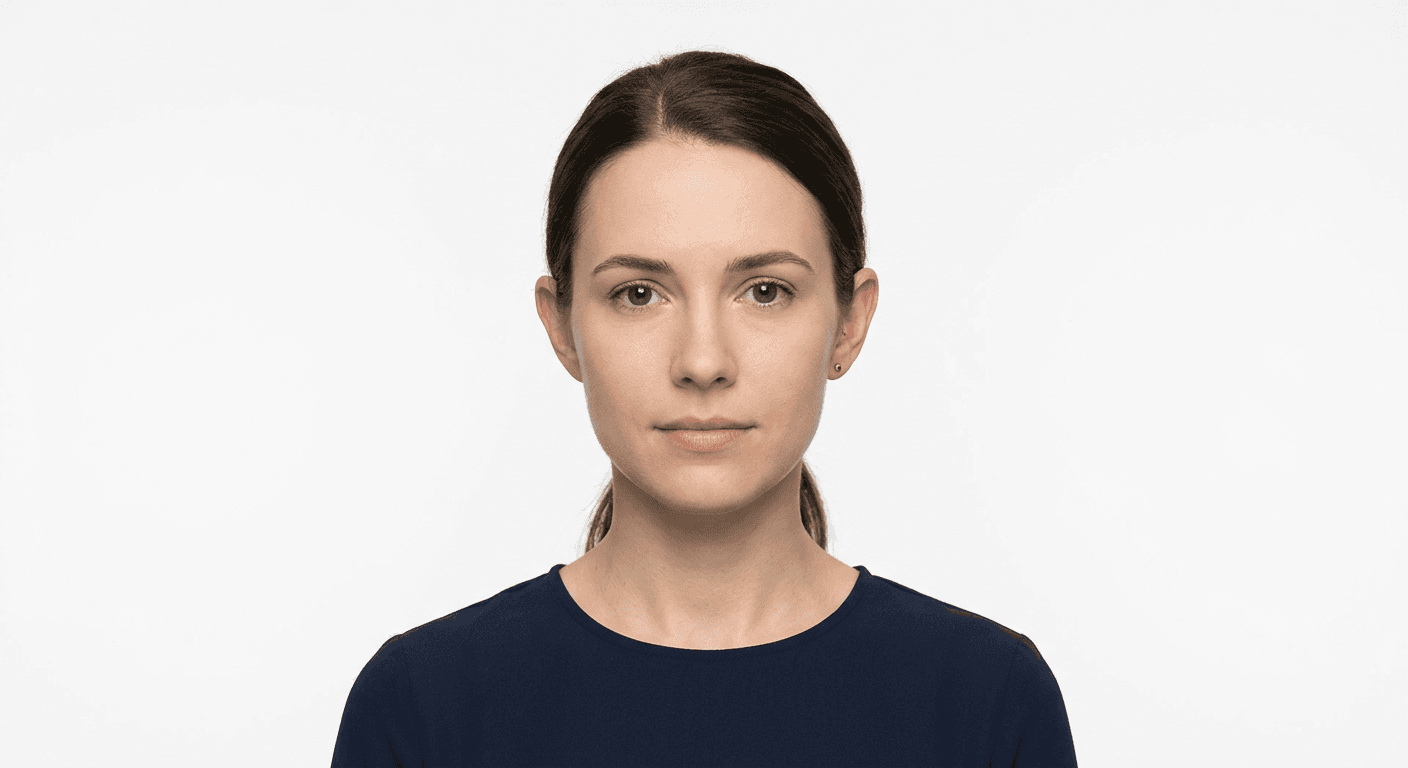
Successfully completing your passport application from the comfort of your home requires strict adherence to technical standards. When you aim to renew passport online, the image you submit serves as the primary biometric identifier for your travel document. Unlike physical applications where an officer might manually review a print, online portals utilize automated facial recognition software to verify identity, making adherence to official guidelines non-negotiable.
Quick Summary
Renewing your passport online requires a high-quality, compliant digital photograph that meets specific biometric standards. Applicants must ensure their image is clear, properly lit, and captured against a plain white background to pass automated verification systems without delays in processing.
- Capture images in high-resolution color formats.
- Maintain a neutral expression with both eyes clearly visible.
- Ensure uniform lighting to eliminate shadows on the face or background.
- Adhere to specific pixel dimensions and file size limits defined by your issuing authority.
Table of Contents
- Understanding digital photo requirements
- Essential setup for your renewal photo
- Step-by-step guide to capturing your photo
- Common pitfalls and troubleshooting
- FAQ
- Recommended Reads

Understanding digital photo requirements
When you prepare a digital photo for passport renewal, you are essentially creating a data file that must interface with government identity databases. The primary requirement is consistency. Automated systems look for the distance between your eyes, the alignment of your chin, and the contrast between your silhouette and the background. If the file does not meet the specific pixel density or color profile, the application will trigger an automated rejection notice before a human ever reviews your documents.
Beyond basic dimensions, you must consider the file composition. Most government agencies require a JPEG format with a specific aspect ratio, typically 2:3 or 3:4, depending on the country. For those looking for specific regional guidance, checking a detailed guide for Canadian passport photos helps visualize how these technical thresholds vary across jurisdictions. It is vital to avoid any form of digital manipulation, including skin smoothing filters or background removal software that leaves artifacts around the hair, as these are flagged by security algorithms.
Essential setup for your renewal photo
The environment in which you photograph yourself is just as important as the camera you use. You must secure a plain, off-white or white background with no patterns, shadows, or textures. Even subtle shadows cast on the wall behind you can confuse facial recognition software, leading to the assumption that the photo is not professional or that it contains obstructions.
Lighting should be soft and diffuse. Avoid using a direct camera flash, which creates "red-eye" and harsh reflections on the forehead or nose. Instead, face a window with natural, indirect daylight to ensure your features are evenly illuminated. Many applicants find that following the best practices outlined in a US baby passport photo guide provides an excellent foundation for understanding how to maintain uniform lighting even for adult portraits.
Step-by-step guide to capturing your photo
- Prepare the area: Find a well-lit space against a white wall. Remove any wall decor, posters, or cluttered items that might appear in the background frame.
- Position your camera: Set your device at eye level. Do not tilt the camera up or down, as this distorts the facial geometry required for biometric mapping.
- Frame the shot: Stand approximately 4-5 feet away from the lens. Ensure your head and upper shoulders are visible, leaving enough headroom for the software to crop correctly according to official requirements.
- Maintain neutral posture: Look directly into the lens. Keep your mouth closed and maintain a neutral expression. Avoid smiling, squinting, or wearing headgear unless required for religious or medical purposes.
- Capture multiple shots: Take several images to account for minor movements. Review them to ensure there are no reflections from glasses or shadows obscuring your eyes.
- Format and verify: Save the file in the required format and use an online validator tool to ensure the aspect ratio and resolution meet the specified requirements for your online passport renewal photo.
Pro Tip: If you wear glasses, take them off for the photo. Even if they are necessary for daily vision, the glare from lenses is the most common reason for digital passport photo rejection.
Common pitfalls and troubleshooting
One common error occurs when applicants try to resize or compress their images too aggressively. While the file must be under a certain size—often 240KB to 10MB—excessive compression destroys the fine detail of the eyes and skin texture, which are essential for biometric confirmation. Always maintain the original quality captured by your high-resolution camera before final formatting.
Another frequent issue involves "editing" the background. Modern AI background removers often leave jagged edges or halos around hair, which are easily detected by automated systems. If your background is not perfect, it is safer to re-shoot against a proper white wall than to attempt a digital fix. If you encounter issues with specific image standards, you can consult the general passport photo guide to review standard international protocols.
FAQ
Can I use a selfie taken with my smartphone? Yes, provided the phone has a high-quality camera and you follow the framing and lighting guidelines. Ensure you use the rear-facing camera for better resolution rather than the front-facing selfie camera.
What if my digital photo is rejected? Most online portals will provide a reason for the rejection, such as "low contrast" or "incorrect head size." Carefully read the feedback and adjust your lighting or position accordingly before uploading a new attempt.
Do I need to wear specific clothing? Wear normal street attire. Avoid uniforms, camouflage, or white shirts that blend into the white background. Your shoulders must be clearly visible against the backdrop.
How long can I use my renewed photo? Passport photos should be as recent as possible, usually taken within the last 6 months. Using an old photo that does not reflect your current appearance can lead to delays at border crossings.