Standard US Passport Photo Size and Dimensions
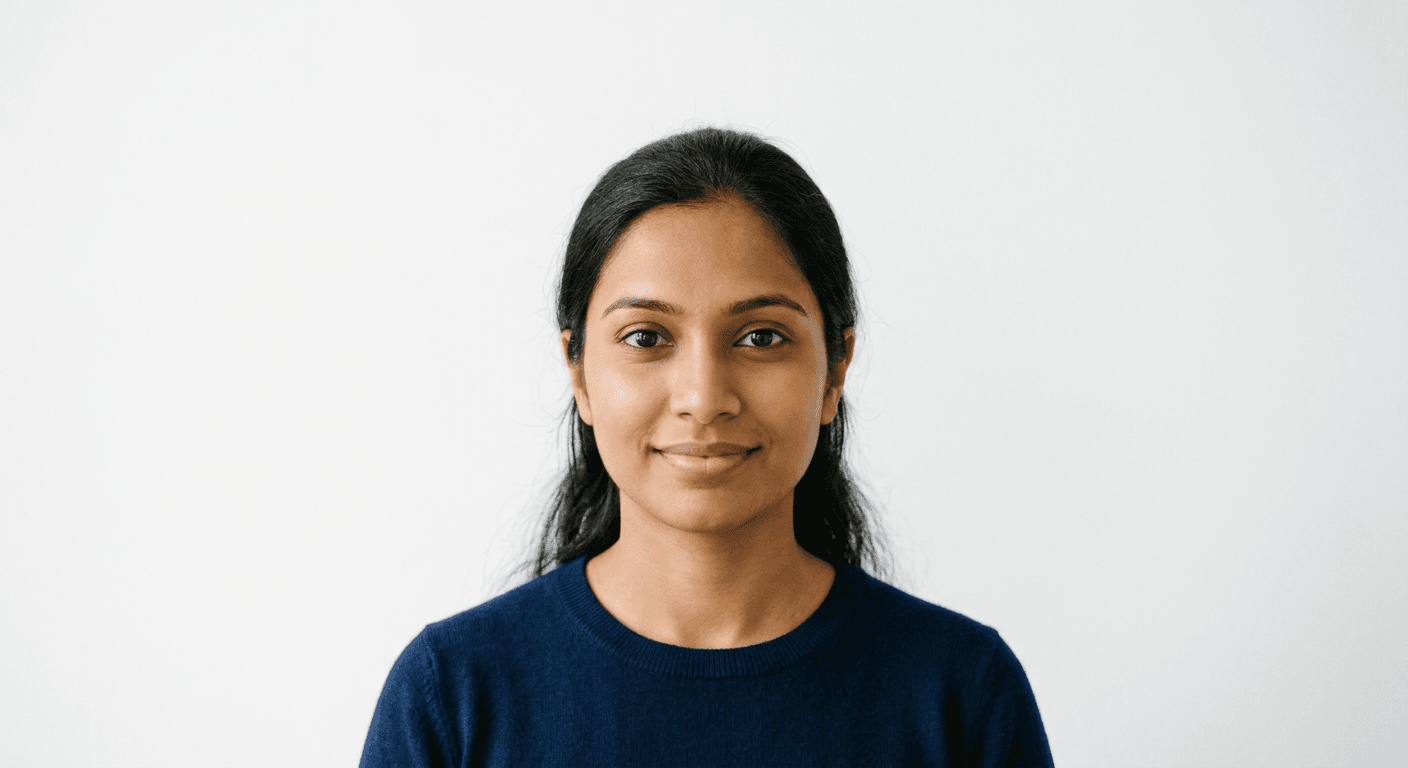
Trying to navigate the bureaucracy of a passport application feels a bit like trying to solve a Rubik's cube in the dark. You have the forms, the fees, and the endless waiting, but the one thing that trips up almost everyone? The standard us passport photo. It sounds simple - just snap a shot and print it out - but the government has a very specific set of eyes on those dimensions.
Quick Summary
A standard US passport photo must be exactly 2 inches by 2 inches (51 mm x 51 mm) in size. The applicant's head must be centered, measuring between 1 inch and 1.375 inches from the bottom of the chin to the top of the head.
- Dimensions: 2x2 inches.
- Background: Plain white or off-white.
- Expression: Neutral face or natural smile.
- Glasses: Not permitted in photos.
Table of Contents
- Understanding the US Passport Photo Size
- Key United States Passport Photo Requirements
- Common Mistakes with United States Passport Photos

Understanding the US Passport Photo Size
If you ask me, the obsession with the 2by2 passport photo format is a classic case of "government efficiency" meeting "bureaucratic headache." It is not just about the paper size; it is about the geometry of your face within that square. Think of it like framing a piece of art where the artist is the Department of State and your face is the subject. If your head is too big, the scanner gets confused. If it's too small, they can't verify your identity.
Getting this wrong is the fastest way to turn a two-week processing time into a two-month delay. Before you start cutting your own photos with kitchen shears - please don't - you should look at proper passport photo guidelines to ensure you aren't wasting your time. Precision is the name of the game here.
Why 2x2 Matters
The 2x2 inch requirement is non-negotiable. It is the international standard used by the U.S. to ensure that every applicant's image can be processed by their automated systems. You might think, "Hey, my printer can just scale this up a bit," but that is a rookie mistake. Digital scaling often stretches pixels in ways the human eye misses but a high-res scanner catches immediately.
Key United States Passport Photo Requirements
Aside from the dimensions, the United States passport photo requirements are surprisingly rigid. You need a plain, white, or off-white background. No shadows. No busy wallpaper. No "artistic" filters. It needs to look like a mugshot that went to finishing school.
Here is a checklist to keep you on track:
- Your head must be between 1 inch and 1 3/8 inches (25-35 mm) from the bottom of the chin to the top of the head.
- You must face the camera directly with both ears visible.
- Keep your expression neutral or maintain a natural smile.
- Your eyes must be open and clearly visible.
If you are dealing with a restless toddler, you might find tips for a US baby passport photo incredibly helpful. Trying to get a six-month-old to sit still for a compliant photo is basically an Olympic sport. Honestly, I believe the hardest part is getting them to stop grabbing the camera.
Clothing and Accessories
Leave your hat at home. Religious head coverings are the only exception, provided they do not obscure your hairline or cast shadows on your face. Glasses? Toss them aside. Since 2016, the State Department has banned glasses in passport photos entirely. It doesn't matter if they are your everyday specs; for the sake of the application, they have to go.
Common Mistakes with United States Passport Photos
We have all seen those blurry, dark, or "creative" photos people try to submit. It never ends well. Usually, the mistake is lighting. If you have a lamp directly overhead, you will get weird shadows under your eyes that make you look like you haven't slept since 2019.
Another frequent blunder is the "selfie arm." Stretching your arm out to take the photo creates a distorted perspective. Even if you have the world's best camera, the focal length will make your nose look like a mountain range and your ears disappear. Use a tripod or have a friend stand back a few feet. It makes a massive difference.
- Low resolution prints: Always print at high quality.
- Glossy paper: Use thin, photo-quality paper, not cardstock.
- Editing software: Do not use apps that remove blemishes or change your bone structure; they will flag the photo as altered.
If you find yourself stuck, you can always check out the official help section for more specific troubleshooting. Remember, the goal is to be identifiable. The government wants to see you, not a retouched version of you that looks like an Instagram filter. Keep it clean, keep it centered, and you will be fine.