Top Rated Free Passport Photo Online Tools for 2026
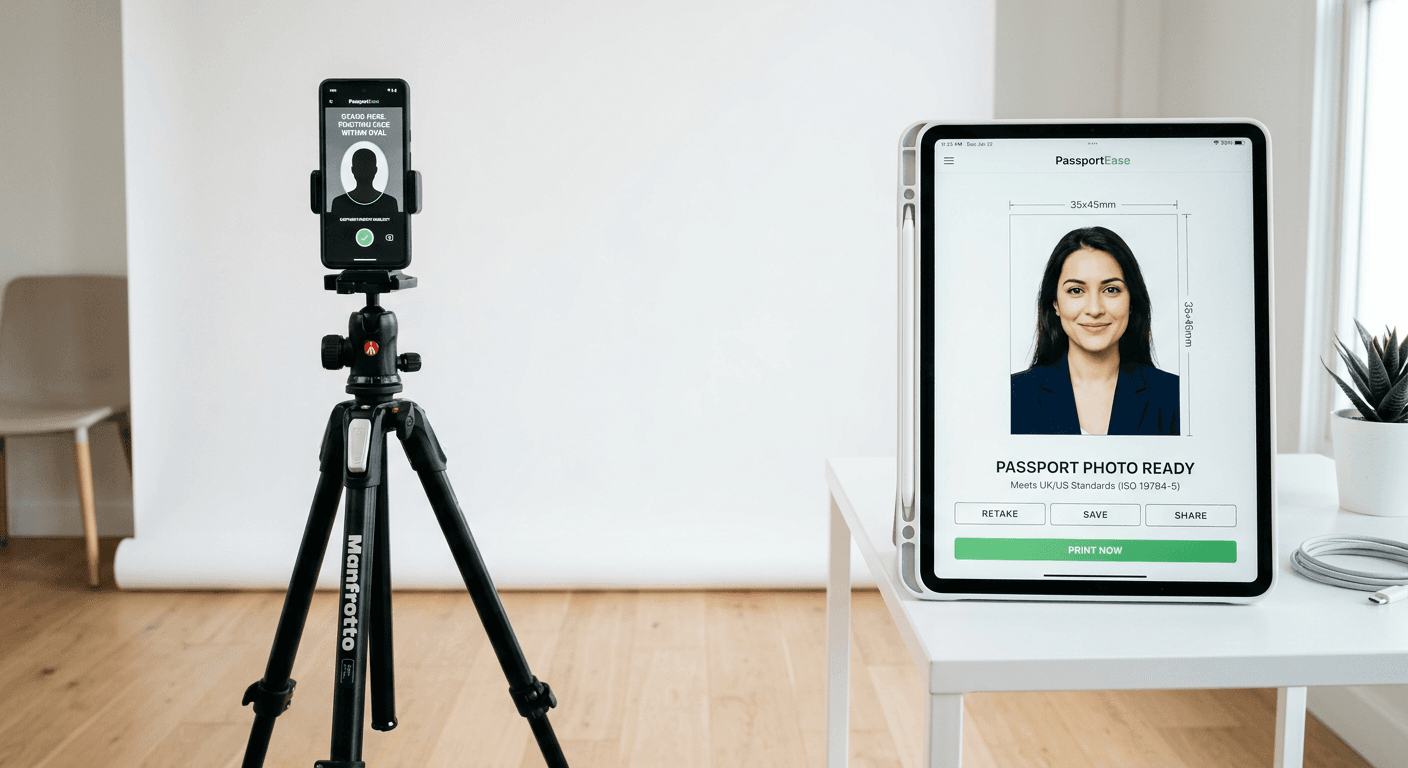
Securing a valid travel document requires meeting strict biometric standards, yet many travelers still rely on expensive professional studio sessions. Utilizing a free passport photo online platform allows you to capture, format, and prepare your application images from the comfort of your home. By leveraging browser-based tools, you can ensure your submission aligns with global government requirements while maintaining complete control over the capture process.

Quick Summary
A free passport photo online generator is a digital utility that automates the cropping, background removal, and sizing of images to meet official biometric standards. These tools ensure your photo complies with strict government mandates, saving time and costs associated with traditional photography.
- Automated biometric validation for global passport standards.
- Instant background removal to meet plain-white requirements.
- High-resolution exports suitable for digital or print applications.
- User-friendly interfaces designed for quick, at-home processing.
Table of Contents
- Comparison Table
- Web-Based Automated Resizers
- Browser-Based Manual Cropping Tools
- Government-Run Photo Validation Services
- How to Choose the Right Tool
- FAQ
- Recommended Reads
Comparison Table
| Category | Features | Pros | Cons | Target Audience |
|---|---|---|---|---|
| AI-Automated Generators | Auto-cropping, BG removal, bio-checks | Extremely fast; high compliance | Often require pay-walls for full resolution | Busy parents, frequent travelers |
| Manual Cropping Tools | Ruler overlays, manual sizing | Completely free; no limits | Prone to human error; no BG removal | DIY enthusiasts; tech-savvy users |
| Official Gov Validators | Compliance auditing only | Verified accuracy | Does not edit or resize photos | Applicants verifying their own work |
Web-Based Automated Resizers
Automated AI tools have transformed the landscape of free passport photo maker services by handling the most difficult technical aspects of biometric compliance. These platforms typically use algorithms to detect facial features, adjust for shadows, and automatically remove non-compliant backgrounds. They are particularly useful for parents needing US passport photo online free options that account for the unique movement patterns of infants.
For most users, these platforms provide the best balance of speed and security. They identify whether the head-to-chin ratio is correct and verify if the image resolution meets the 300 DPI threshold commonly required for official documents. By shifting the workload to a server-side AI, the user only needs to provide a high-quality, well-lit smartphone photograph.
- Pros: Minimal technical knowledge required; handles complex background removal automatically.
- Cons: Some services limit output quality to incentivized subscriptions; risk of data privacy exposure if the provider is untrusted.
Browser-Based Manual Cropping Tools
If you prefer a hands-on approach, browser-based manual cropping tools provide the freedom to adjust every aspect of your passport size photo online for free without relying on automated filters. These tools function as lightweight image editors with specific overlays or grids that mimic the dimensions required for various countries.
These tools are ideal for those who have a basic understanding of photo editing and want to avoid the limitations of black-box AI. By using a manual tool, you can ensure that your passport pic online free creation is saved in the exact file format needed, such as JPEG or PNG, with total control over the compression settings and color depth.
- Pros: No automated errors; free access to full resolution controls.
- Cons: High learning curve for beginners; requires a pre-cleaned, white-background original image.
Government-Run Photo Validation Services
Several countries now provide official photo validation services that act as an impartial judge for your work. These tools do not serve as a passport photo online free creator, but rather as a compliance audit system. Once you have generated your image using an external tool, you can upload it to these government portals to confirm it will be accepted by passport agencies.
Using these services is a critical final step in the process. They scan for common issues like glare, obscured features, or improper lighting that might otherwise lead to a rejected application. This provides a risk-free way to verify your free passport photo online results before submitting your physical or digital documents.
- Pros: Absolute verification of compliance; prevents application rejection.
- Cons: Cannot fix errors; only provides diagnostic information.
How to Choose the Right Tool
When selecting a tool, prioritize platforms that emphasize security and offer clear technical guidelines. You should check if the site offers a comprehensive privacy policy, as you are uploading personal biometric data. A reliable tool should not only crop the image but also perform a check on the biometric viability of the photo, such as ensuring neutral expression and eye visibility.
Consider the specific requirements for your destination. Different countries have varying standards regarding ear visibility, shadow density, and digital file sizes. Always read the help documentation provided by the tool to ensure your specific use-case is supported. If you are handling complex scenarios, like those involving baby passport photos, ensure the platform has features specifically designed for infants who cannot sit unsupported.
FAQ
- Are free passport photo generators truly compliant? Yes, provided the tool has been calibrated to current government standards. Always verify against official government travel websites to ensure the output matches the latest regulations.
- Will a photo taken with a phone pass inspection? Modern smartphones possess the resolution necessary for passport requirements. The key is ensuring your lighting is even, there are no shadows on the face, and the background is a solid white or off-white color.
- Can I get a refund if the photo is rejected? This depends entirely on the service provider. Some premium platforms offer a refund policy if their photo is rejected for compliance, but free-tier tools typically offer no such guarantee.