Top Tools to Create a US Passport Photo Template for 2026
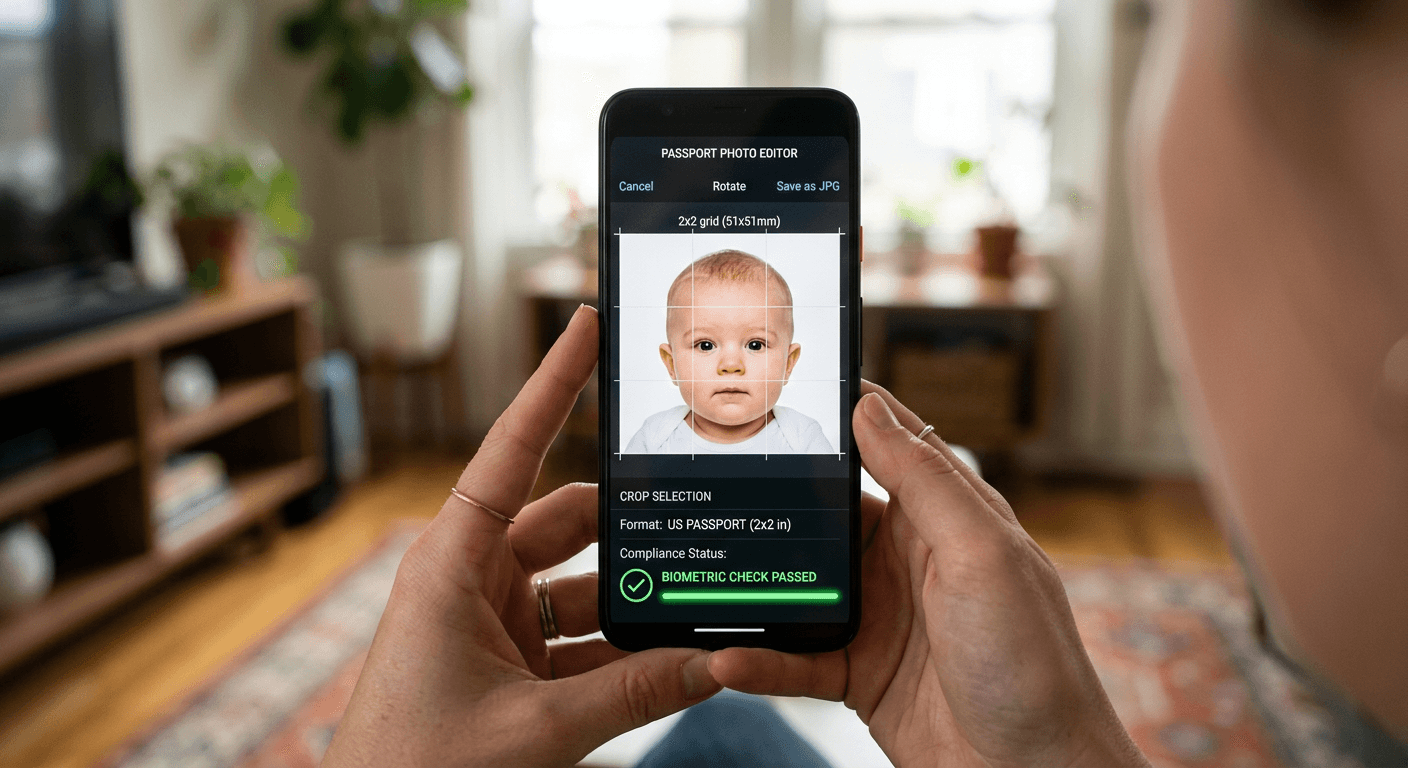
Capturing a compliant identity image has moved beyond the traditional studio setting, with modern technology now enabling high-quality results from the comfort of your own home. For many applicants, navigating the strict requirements of the Department of State - such as dimensions, background uniformity, and head placement - can feel overwhelming. Using an accurate passport photo template simplifies this process, ensuring that every submission meets the necessary criteria for approval without requiring professional photography equipment.

Quick Summary
A professional passport photo template or digital cropper tool automates the technical adjustments required for US government-compliant identification. These platforms ensure your image meets the 2x2 inch standard, correct head height, and white background requirements.
- Automatically adjusts image dimensions and resolution.
- Validates biometric compliance, including head size and positioning.
- Eliminates the need for costly professional studio visits.
- Provides immediate print-ready digital files.
Table of Contents
- Understanding Passport Photo Requirements
- Comparison of Passport Photo Tools
- AI-Driven Automated Croppers
- Manual Template-Based Editors
- Browser-Based vs. Software Applications
- Buying Guide: Choosing the Right Tool
- FAQ
- Recommended Reads
Understanding Passport Photo Requirements
The United States government mandates strict specifications for all passport photos to facilitate facial recognition and identity verification. A standard US passport image must measure exactly 2x2 inches (51x51 mm). The head must be positioned between 1 inch and 1.375 inches from the bottom of the chin to the top of the head, against a plain white or off-white background.
Beyond dimensions, the lighting and image quality are critical. Shadows on the face or behind the ears can lead to an immediate rejection of your application. Using a specialized us passport photo template helps users verify these proportions before finalizing the file, ensuring that the digital output remains compliant with federal standards and preventing the frustrations of a rejected application.
Comparison of Passport Photo Tools
| Feature | AI-Based Automators | Manual Grid Editors | Mobile Apps | Professional Software |
|---|---|---|---|---|
| Accuracy | Very High | Moderate | Moderate | High |
| Ease of Use | Instant/Automated | Manual Adjustment | High | Steep Learning Curve |
| Cost | Low/Per Image | Free/Low | Free (Ad-supported) | High Subscription |
| Best For | Fast, Compliant Output | Precise Control | Quick Casual Use | Complex Editing |
AI-Driven Automated Croppers
AI-driven solutions are currently the most popular choice for applicants due to their ability to handle background removal and complex geometry automatically. By uploading a raw file, the AI detects the facial features and adjusts the image into a standard us passport photo cropper environment. These tools effectively eliminate the need for manual alignment, which is the primary cause of errors in DIY passport photography.
When using these tools, the platform typically generates a print-ready passport photo jpg that fits multiple images onto a standard 4x6 inch paper. This approach allows users to print at home or visit local retail kiosks, making it a highly efficient workflow for busy families needing to crop photo for us passport documents.
Pros of AI Tools
- Instant background removal and lighting correction.
- Automated compliance checks for biometric standards.
- High-resolution exports optimized for printing.
Cons of AI Tools
- Often require a fee for high-quality downloads.
- Limited control over stylistic photo preferences.
Manual Template-Based Editors
Manual grid editors provide the user with a digital overlay that functions as a physical ruler on the screen. While platforms like Cutout Pro passport photo solutions might integrate AI, traditional manual templates rely on the user to align the eyes and chin against a static grid. These tools are ideal for users who are comfortable with basic graphic editing software and prefer full oversight of the cropping process.
However, manual editors lack the automated background validation of advanced tools. If your source image was taken in a cluttered environment, you will need to rely on additional software to clean the background before using the template, which may introduce risks of distortion if the user is not experienced.
Pros of Manual Editors
- Total manual control over the cropping area.
- Often free to use for personal projects.
- Does not require server-side image processing.
Cons of Manual Editors
- Higher risk of user error in alignment.
- Does not fix lighting or exposure issues automatically.
Browser-Based vs. Software Applications {#browser-based-vs.-software-applications}
Browser-based services offer the distinct advantage of cross-platform accessibility. Because they run in the cloud, you can process your photos on a smartphone, tablet, or desktop without installing heavy software. These services are typically optimized for the average user, featuring intuitive interfaces that guide you through every step of the biometric photo generation process.
Conversely, downloadable software applications are better suited for photographers who handle large volumes of images. These programs often provide batch processing capabilities, allowing you to create multiple passport templates at once. For an individual applicant, however, the convenience of a browser-based tool usually outweighs the power of desktop software.
Buying Guide: Choosing the Right Tool
When selecting a tool to generate your passport images, prioritize platforms that offer a compliance guarantee. The most critical factor is the ability to output a high-resolution file that meets the 300 DPI requirement. Always verify if the tool provides a 100% Refund Policy if the photo is rejected by government authorities, as this serves as a safeguard against potential technical oversights.
Additionally, consider the versatility of the tool. If you plan to travel internationally, look for software that supports multiple country standards, such as those for Australian baby passport photo or European visa applications. A tool that handles a variety of sizing and background requirements is a more versatile asset than one locked exclusively to US-only dimensions.
FAQ
What is the standard size for a US passport photo? The required size is 2 inches by 2 inches. The head must be between 1 and 1.375 inches from the bottom of the chin to the top of the head.
Can I use a smartphone to take my passport photo? Yes, provided the lighting is even, the background is plain white, and the photo is not distorted by a wide-angle lens. Using a specialized cropper tool ensures the output meets official requirements.
What resolution should my final image file be? Most government guidelines require a resolution of 300 DPI for high-quality printing. Ensure your software provides this output format.