Understanding Biometric Passport Photo Requirements for 2026
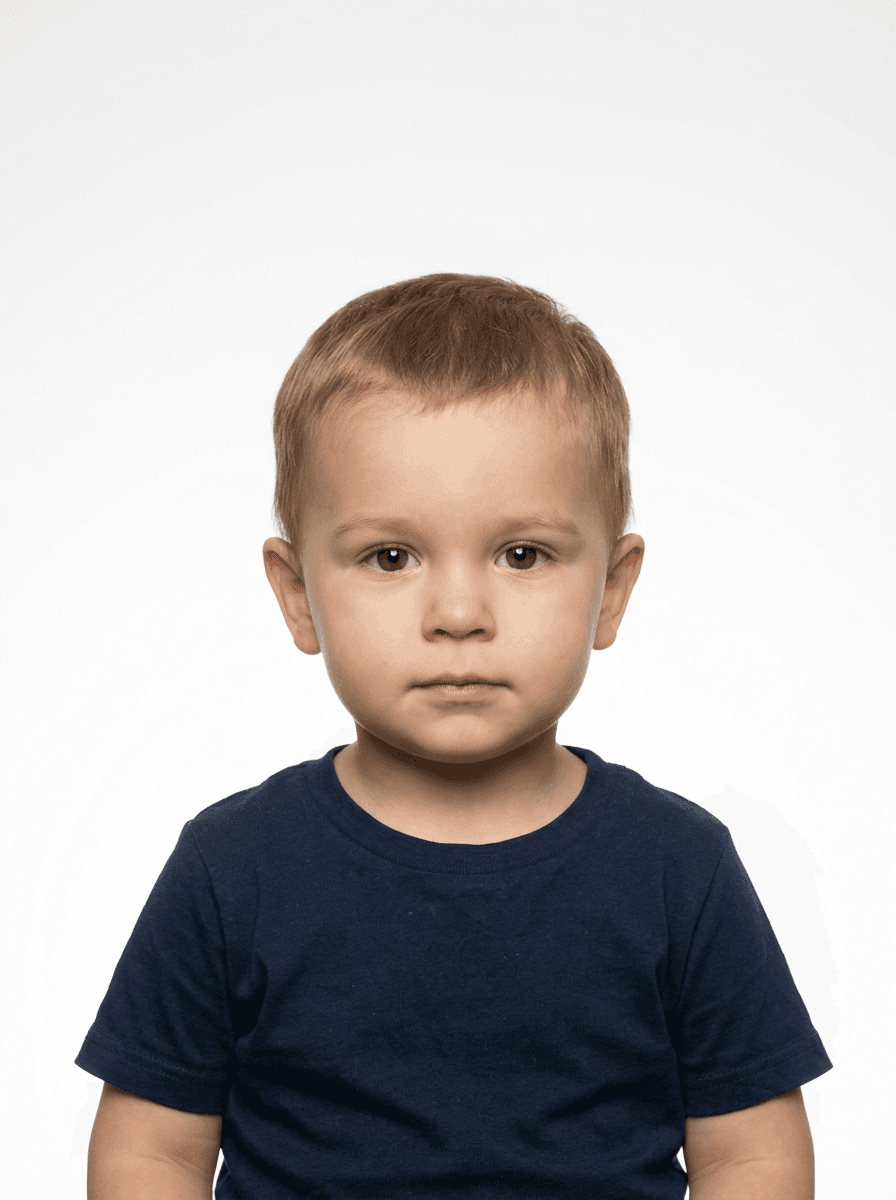
Capturing a valid biometric passport photo is a task governed by rigid international standards designed to facilitate facial recognition software and border security protocols. Unlike traditional portrait photography, which emphasizes artistic expression and flattering lighting, these images are technical data points that must adhere to exact biometric passport photo specifications to be accepted by government agencies.

Quick Summary
A biometric passport photo is a high-resolution, standardized image capturing a person's facial features against a plain background for identity verification. It requires specific head sizes, neutral expressions, and uniform lighting to ensure compatibility with automated border control systems and facial recognition technology.
- Uniform, plain white or off-white backgrounds are strictly required.
- Face must be centered with a neutral expression and mouth closed.
- No shadows, glare, or filters are permitted in the final image.
- Adherence to head-to-chin height ratios is mandatory for biometric processing.
Table of Contents
- Understanding Biometric Standards
- Critical Passport Photo Specifications
- Lighting and Technical Geometry
- The Role of Facial Expression and Positioning
- Common Pitfalls in Passport Photo Production
- FAQ
- Recommended Reads
Understanding Biometric Standards
Biometric standards for identification documents are dictated by international agreements, primarily led by the International Civil Aviation Organization (ICAO). These guidelines ensure that a biometric passport usa or an international travel document can be scanned by electronic gates at airports worldwide. The primary goal of these standards is to create a predictable environment for facial recognition algorithms to map unique biological markers, such as the distance between the eyes, the width of the nose, and the shape of the jawline.
When a photo deviates from these standards, the automated system may fail to register the applicant, leading to manual review or outright rejection of the application. It is important to distinguish between a standard photograph and a biometric one. While a standard portrait might look pleasant, a biometric capture must minimize variables. Every aspect, from the angle of the head to the absence of heavy makeup, is regulated to ensure the digital image matches the live person at the security checkpoint.
Critical Passport Photo Specifications
Government agencies enforce strict passport photo requirements to ensure consistency across their digital databases. In the United States, the standard size is 2 inches by 2 inches (51 mm x 51 mm), but international standards often follow the 35 mm x 45 mm format used in many parts of Europe and Asia. Understanding these dimensions is only the first step; the placement of the subject within that frame is equally critical.
Typically, the head must occupy a specific percentage of the photo's height, generally between 50% and 69%. The image must be printed on high-quality photo paper at a minimum resolution of 300 DPI (dots per inch) to prevent pixilation, which can interfere with the software's ability to detect fine edges. Files generated for online submission often require specific pixel dimensions to match these physical printing standards.
Lighting and Technical Geometry
Lighting for a biometric image must be perfectly flat and even. Unlike professional photography that uses rim lighting or artistic shadows to contour the face, biometric standards strictly forbid shadows on the background or on the face itself. Even subtle shadows around the nose or neck can confuse automated software, causing it to misinterpret the facial contours or the depth of the subject's features.
To achieve this, professional photographers and advanced digital tools use balanced, frontal lighting. The goal is to illuminate the subject completely while preventing the "red-eye" effect, which is often caused by a camera flash reflecting off the back of the retina. Furthermore, the photo must be in sharp focus throughout; any motion blur or lack of contrast will likely result in the rejection of your application by the processing authority.
Pro Tip: When capturing an infant or young child, place them on a flat white surface or a white sheet. This ensures the background remains consistent while preventing the child from slumping, which helps maintain the required vertical orientation for the shot.
The Role of Facial Expression and Positioning
The requirement for a neutral expression is perhaps the most difficult for parents to navigate when taking photos of infants. Biometric systems look for a closed mouth, open eyes that are clearly visible, and a face that is looking directly at the camera. Smiling, frowning, or squinting can distort the facial features that the software uses for verification. Even slight tilts or rotations of the head can cause a system to reject the image because it disrupts the alignment of the eyes on a horizontal plane.
For infants, the threshold for "neutral" is often more forgiving, but the positioning rules remain rigid. The child must be facing forward, and the eyes must be open. It is common for parents to use United States Baby Passport Photo Guide resources to understand how to stabilize a baby without having their own hands appear in the frame. The objective is to produce a clean, clear image where the subject's identity is undeniable.
Common Pitfalls in Passport Photo Production
Many passport applications are delayed or rejected due to avoidable errors. One common issue is the presence of reflections on glasses. Many government guidelines now suggest removing eyeglasses entirely for the photo to avoid glare, as even anti-reflective coatings can catch the camera flash. Another issue is improper cropping; if the top of the head is cut off or if there is too much whitespace above the head, the biometric software will fail to identify the frame of reference for the face.
Environmental factors also play a major role. While home setups are increasingly common, ensure that the background is a neutral, solid white or off-white. Busy patterns, curtains, or shadows on the wall are immediate grounds for disqualification. If you are preparing photos for international travel, consult the specific Canada Baby Passport Photo Guide to ensure that the lighting and resolution meet the specific requirements of the destination country, as these can occasionally differ from local standards.
FAQ
-
Can I wear glasses in my passport photo? Most agencies now recommend removing glasses to avoid glare and reflections that can obscure the eyes, which are vital for biometric identification.
-
What is a "neutral expression"? It means a closed mouth with no smile, frown, or raised eyebrows. The goal is a standard, unchanging look that allows software to compare facial landmarks accurately.
-
Why is the background color so important? Automated systems use high-contrast detection to crop the subject from the background. A solid, light-colored, or white background provides the best contrast for this process.
-
How do I ensure my photo is the right size? Use digital cropping tools that allow you to set the aspect ratio and frame the head to meet the specified height percentage requirements, usually 1 to 1 3/8 inches from chin to crown.