Understanding Official Passport Photo Requirements for Error-Free Applications
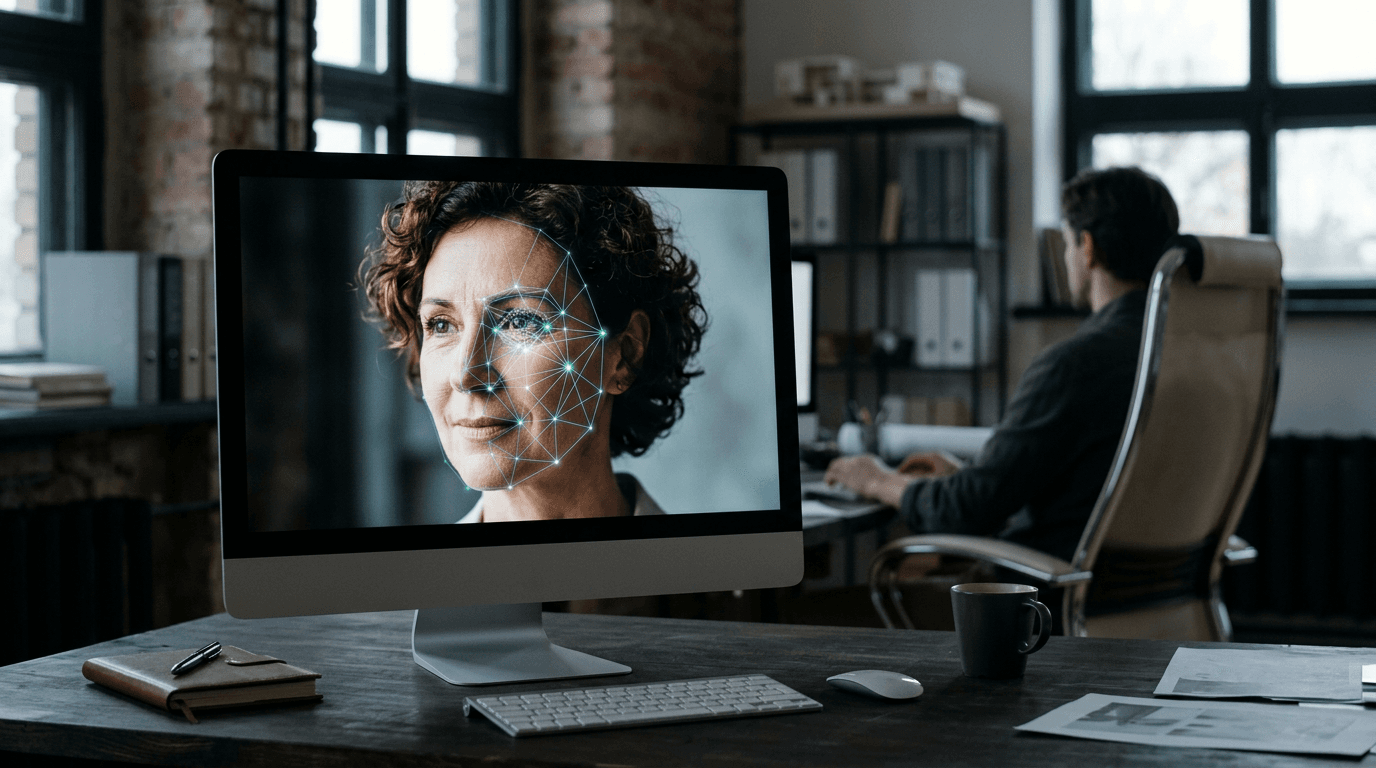
Most applicants assume a white wall and decent lighting guarantee an accepted document, but the reality is that government processing software does not look at the picture as a portrait. Instead, the system scans it as a topographical biometric map. Understanding passport photo requirements means recognizing what that software needs to identify facial geometry without interference. The lens through which every application is judged is biometric readability versus mere aesthetic clarity. A photo can be perfectly in focus and well-lit to the human eye, yet fail automated verification because the background contrast strips away the defined edge of a jawline. When you approach the process as a data capture exercise rather than a photography task, the strict rules become predictable limits rather than arbitrary hurdles.
Quick Summary
Government passport systems mandate precise visual inputs to allow biometric software to measure facial landmarks accurately. Failing to meet these technical limits results in immediate application rejection, regardless of human visual clarity.
- Backgrounds must reflect specific RGB contrast ranges, not just appear white.
- Shadows alter the measured distance between facial features, causing biometric failure.
- Infant processing relies on specialized positioning to maintain head proportion without visible support.
- Lens distortion from close-range smartphone cameras actively warps facial recognition geometry.
Table of Contents
- Why passport photo requirements prioritize biometric mapping over aesthetics
- Where ambient lighting destroys passport photo criteria
- How background shadows trigger immediate rejection
- What precise passport photo specifications mean for positioning
- Why infant passport photo rules demand different execution
- When to ignore standard passport photo id requirements for medical reasons
- How hardware limits dictate passport photo specs
- FAQ
- Recommended Reads
Why passport photo requirements prioritize biometric mapping over aesthetics
The modern travel document relies entirely on automated facial recognition software at border checkpoints. This software measures specific nodal points on the human face, most notably the interpupillary distance (the gap between the centers of the eyes), the width of the nose, and the depth of the eye sockets. When you review standard passport photo requirements, every rule exists to prevent these measurements from being skewed. Software cannot interpret intent or guess where a hairline ends; it only reads contrast and pixel boundaries.
If the contrast between the subject's face and the background is too low, the edge-detection algorithm fails to map the jawline, merging the neck into the background. This is why automated systems reject otherwise pleasant photographs. The algorithm requires a harsh, clinical separation of elements. A soft-focus lens, popular in portrait photography, intentionally blurs fine details to flatter the subject. In a biometric context, that same blur destroys the micro-contrast needed to verify identity against a database.
Practical rule: Never use portrait mode or any depth-of-field simulation on a smartphone when capturing document images, as the software-induced blur deletes the edge data border control systems rely on.
Where ambient lighting destroys passport photo criteria
Lighting is the most common failure point for home applications because human eyes auto-correct for color temperature in a way camera sensors do not. The passport photo criteria enforced by state departments demand even, neutral illumination across the entire face. Ambient lighting in a typical home usually comes from multiple sources: a warm overhead bulb, a cool light from a window, and reflected light from painted walls. This mixed lighting creates color casts that distort the natural skin tone.
More critically, uneven lighting creates a gradient of illumination across the face. If one side of the face is brighter than the other, the software interprets the darker side as receding or structurally different. This asymmetrical data capture changes the perceived topography of the cheekbones and orbital bones. Government guidelines specifically forbid this "half-light" effect. To resolve this, the light source must hit the face directly from the front, filling in the natural recesses of the eyes and under the chin.
How background shadows trigger immediate rejection
A shadow cast on the background behind the subject is treated by automated scanners as a physical extension of the head or shoulders. When the system attempts to isolate the silhouette of the applicant, a dark drop-shadow artificially widens the head's geometry. This discrepancy instantly flags the image for manual review and subsequent rejection. It is a mechanical failure of the edge-detection process.

To eliminate background shadows, the applicant must step away from the wall. Standing flush against a flat surface guarantees a harsh shadow outline. By introducing a gap of roughly 18 to 24 inches between the subject and the background, the primary light source illuminates the wall independently, diffusing the shadow downward and out of the camera's frame. For detailed guidelines on maintaining these physical distances, consulting a United States Baby Passport Photo Guide provides precise measurements for avoiding spatial errors.
What precise passport photo specifications mean for positioning
Dimensional accuracy is non-negotiable. While the external dimensions of a US print are exactly 2 by 2 inches (51 by 51 mm), the internal passport photo specifications are far more complex. The head must measure between 1 inch and 1 3/8 inches (25 to 35 mm) from the bottom of the chin to the top of the hair. If the head is too large, it crowds the frame, removing the necessary whitespace around the crown that systems use for alignment. If it is too small, the resolution of the facial features drops below the minimum threshold for nodal measurement.
Centering is equally critical. The eyes must fall between 1 1/8 inches to 1 3/8 inches from the bottom edge of the photo. This exact placement allows rapid batch-scanning of applications. When an image is submitted with the subject off-center by even a few millimeters, the automated cropping tool at the processing center will cut off portions of the hair or chin. Understanding these spatial rules ensures the image survives the initial digital ingestion phase.
Comparison Table: Common Dimensional Failures
| Failure Mode | Visual Symptom | Biometric Consequence |
|---|---|---|
| Oversized Head | Crown touches top edge | Lack of alignment buffer for scanning |
| Undersized Head | Excessive background visible | Low pixel density on facial landmarks |
| Off-Center Axis | Uneven shoulder width | Skewed rotational data during processing |
| High Eye Line | Chin sits too high in frame | Truncated jaw geometry in automated crop |
Why infant passport photo rules demand different execution
Applying adult biometric standards to a newborn is physically impossible, which is why passport photo rules for infants include specific technical exemptions while maintaining the core background requirements. A newborn cannot sit unassisted or follow instructions to face the lens. Consequently, the standard procedure of standing against a wall is replaced by laying the infant on their back on a plain white sheet. This shift in gravity changes how lighting behaves.
When shooting from above, the camera often blocks the primary light source, casting the photographer's shadow directly over the infant's face. Additionally, parents frequently struggle to keep their hands out of the frame. The presence of a supporting hand, even if only partially visible, introduces a foreign object into the biometric scan, causing immediate rejection. Securing the child safely while ensuring no other person appears in the shot requires careful setup. For region-specific differences in these allowances, the Canada Baby Passport Photo Guide outlines the exact tolerances for infant posture.
When to ignore standard passport photo id requirements for medical reasons
Head coverings and glasses are strictly forbidden under normal passport photo id requirements because they obscure critical measurement points. However, government agencies provide explicit overrides for documented medical conditions. If an applicant must wear tinted glasses or an eye patch for medical reasons, the standard rule forbidding eyewear is suspended, provided a signed doctor's statement accompanies the application.
The same applies to headgear worn for documented religious or medical purposes. The crucial operational limit here is that the exemption covers the item, not the shadow the item casts. Even if a medical head covering is legally permitted, if the fabric casts a heavy shadow across the forehead or cheek, the automated system will still reject the biometric scan. The lighting must be adjusted to illuminate under the brim or edge of the covering, ensuring the full face from the bottom of the chin to the top of the forehead remains entirely visible.
How hardware limits dictate passport photo specs
The specifications for digital ingestion rely on the limitations of modern print and sensor hardware. The strict passport photo specs require a minimum resolution of 300 pixels per inch (PPI). A low-resolution image suffers from pixelation, meaning the smooth curve of an eyelid becomes a jagged staircase of square pixels. The biometric algorithm cannot determine exactly where the eyelid ends, so it flags the image as unreadable.
Smartphone cameras introduce another hardware limit: lens distortion. The wide-angle lenses standard on most smartphones naturally curve the image at the edges, making objects closest to the lens appear disproportionately large. If a phone is held too close to the applicant's face (closer than 4 feet), the wide-angle lens artificially inflates the size of the nose and stretches the interpupillary distance. This "barrel distortion" physically alters the mapped geometry of the face. The correct mechanism is to step back to at least 4 feet and use the camera's optical zoom to frame the subject, flattening the perspective to match human vision. For families navigating these technical setups, the Help Center provides deeper troubleshooting on lens distance.
FAQ
Can I wear makeup in my document application image?
Yes, everyday makeup is permitted, provided it does not alter your fundamental facial structure. Heavy contouring designed to change the apparent shape of your nose or jawline will cause the image to fail biometric matching against your actual face at a border checkpoint.
Why was my picture rejected for a "non-white" background when I stood against a white wall?
Standard interior lighting often carries a yellow or blue color cast. If the wall is poorly lit, it registers on a camera sensor as gray or beige. The background must be illuminated brightly enough to register as a true neutral white in the digital file.
Is it acceptable to digitally alter the background if my original was cluttered?
Most state departments explicitly forbid digital alteration of the background, as automated editing tools often delete small portions of the hair or ears during the removal process. The background must be naturally clear at the time of capture.
Do the ears need to be visible?
While it is highly recommended to push hair behind the ears to show the full facial outline, the absolute requirement is that the edges of the face and the jawline are completely visible. Obscuring the cheekbones with hair will result in a rejected application.