Understanding Passport Photo Examples and Compliance Requirements in 2026
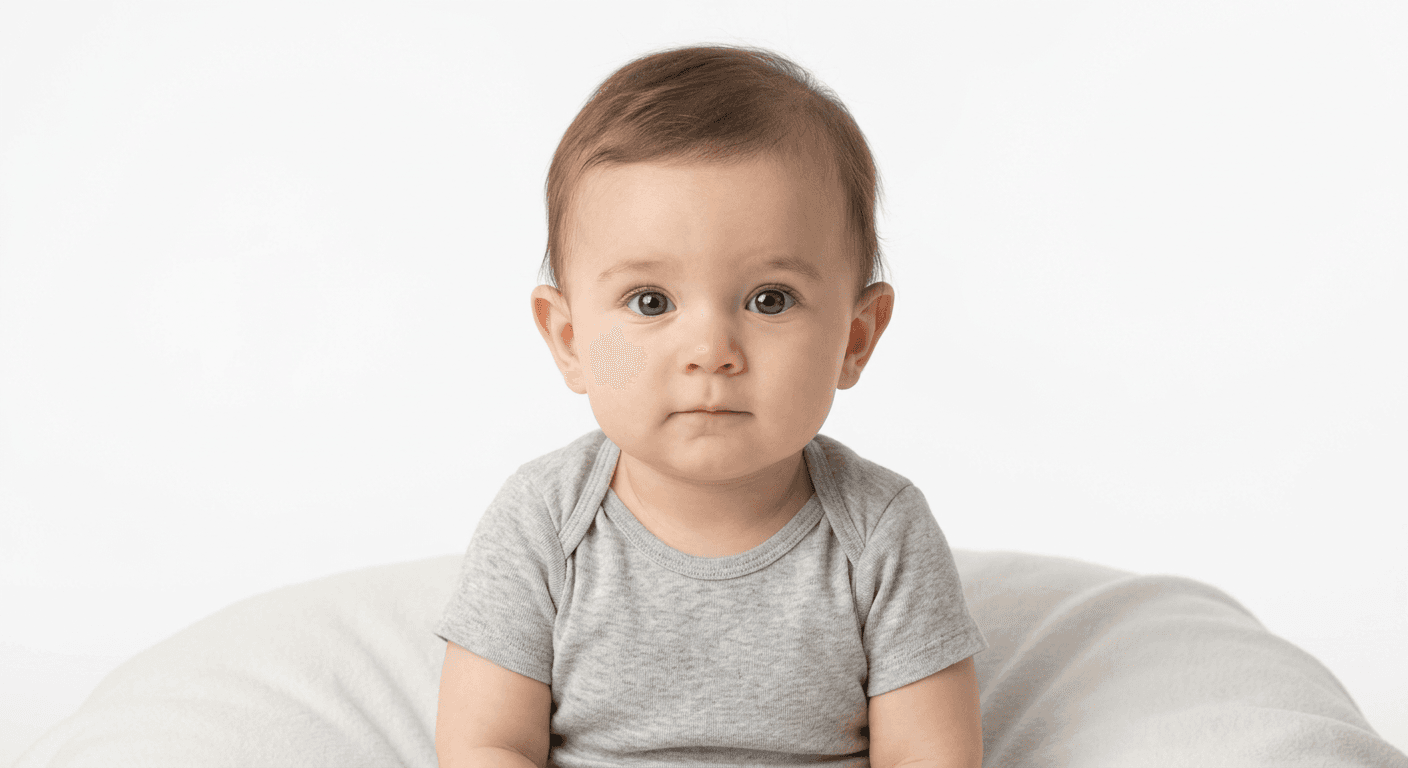
Navigating the strict standards for government-issued identification photos can be challenging, especially when capturing images for infants or children. Understanding the specific passport photo criteria is essential to avoid the frustration of application delays caused by rejected documents. By following established guidelines regarding lighting, expression, and positioning, you can ensure your submission meets official requirements on the first attempt.

Quick Summary
Passport photo compliance relies on achieving a clear, undistorted likeness that meets specific biometric standards defined by national authorities. Rejections are most commonly caused by poor lighting, incorrect head sizing, or improper background contrast.
- Use a plain, off-white, or white background.
- Maintain a neutral expression with eyes fully visible.
- Ensure uniform lighting without shadows on the face.
- Strictly follow head-to-chin ratio requirements.
Table of Contents
- Understanding Official Passport Photo Rules
- Common Reasons for Passport Photo Rejection
- Analyzing Acceptable Passport Photo Examples
- Passport Photo Do and Don't Guidelines
- Achieving Professional Results at Home
- FAQ
- Recommended Reads
Understanding Official Passport Photo Rules
Passport photo rules are designed to facilitate biometric recognition and security verification. Whether you are applying for a passport for yourself or a family member, every image must adhere to specific technical dimensions and presentation standards. Most countries require a square format, typically 2x2 inches (51x51 mm) for US documents, though international standards often favor 35x45 mm.
Beyond dimensions, the composition of the photo is non-negotiable. The subject must be centered, facing the camera directly with both ears visible. Digital modification, such as removing a background using software, must be done carefully; the final output must look natural, maintain the correct color balance, and avoid any pixelation that could obscure facial features during the scanning process.
Common Reasons for Passport Photo Rejection
Even when an applicant believes their photo is correct, minor technical issues can lead to rejection. The most frequent cause is inconsistent lighting, which creates deep shadows across the face or behind the ears. These shadows can interfere with facial recognition algorithms used by government agencies. It is critical to ensure the lighting is soft and distributed evenly across the subject.
Another major factor is the "cluttered background" issue. Regulations explicitly state that the background must be a solid, neutral color - usually white or off-white. Busy patterns, shadows cast on the wall, or objects appearing in the frame are grounds for immediate denial. Furthermore, improper head size - where the head is too large or too small relative to the frame - often causes automatic rejection during the intake process.
Analyzing Acceptable Passport Photo Examples
When reviewing acceptable passport photo examples, notice the emphasis on clarity and neutrality. A high-quality photo shows the subject against a plain background with their eyes open and looking straight at the lens. The mouth should be closed, and there should be no "red-eye" effect, which is a common byproduct of low-quality flash photography.
For infants and children, the rules are slightly more lenient regarding expression, but the positioning remains strict. The child must be the only person in the photo. If an infant cannot sit up, they may be placed on a plain white sheet or in a car seat covered with a white cloth, provided that no part of the chair or the caregiver's hands are visible in the frame. Using examples of good passport photos can help parents visualize how to support their child's head or torso without obstructing the required view.
Passport Photo Do and Don't Guidelines
To ensure your image stands the best chance of acceptance, familiarize yourself with these essential do and don't practices.
- Do: Use a high-resolution camera or smartphone to capture the image in a well-lit room.
- Do: Keep the subject's face neutral or with a natural smile that does not show teeth.
- Don't: Wear hats or head coverings, unless for documented religious or medical purposes, and even then, the face must be fully visible.
- Don't: Wear glasses, as reflections on the lenses are a leading cause of photo rejection.
Pro Tip: When photographing a baby, place them on their back on a flat surface with a white blanket underneath. Ensure you are directly above them to capture the required "bird's-eye" view while keeping their face perpendicular to the camera.
Achieving Professional Results at Home
Creating a compliant photo at home requires attention to both the hardware settings and the environment. You do not necessarily need a professional studio camera, but you do need to avoid common smartphone lens distortions. Standing roughly four to five feet away from the subject and using the optical zoom (if available) can produce a more flattering, anatomically correct portrait than standing inches away, which often exaggerates facial features.
For those needing to verify compliance, modern digital tools can assist in correcting background issues or cropping the image to the exact government-mandated specifications. These services simplify the workflow, allowing users to focus on getting the right shot, while the technical heavy lifting - like ensuring the 300 DPI resolution - is handled by software. This combination of manual photography and digital processing is often the most reliable method for busy families.
FAQ
-
Can I wear glasses in my passport photo? Generally, no. Most passport authorities prohibit eyeglasses to prevent glare and reflections, which can obscure the eyes.
-
What should I do if my child will not stop moving? Try taking the photo immediately after a nap when the child is calm. If necessary, have a helper stand just out of the frame to make noises or hold a toy to attract the child's attention toward the camera.
-
Is it okay to use a filter on my passport photo? No. The photo must be an accurate representation of your appearance. Digital filters, skin softening, or any image manipulation that alters your features will result in a rejected application.
-
How recent should the passport photo be? Government agencies typically require the photo to be taken within the last six months to ensure it reflects your current appearance.