US Passport Card Photo Requirements: How They Differ From Booklet Specs
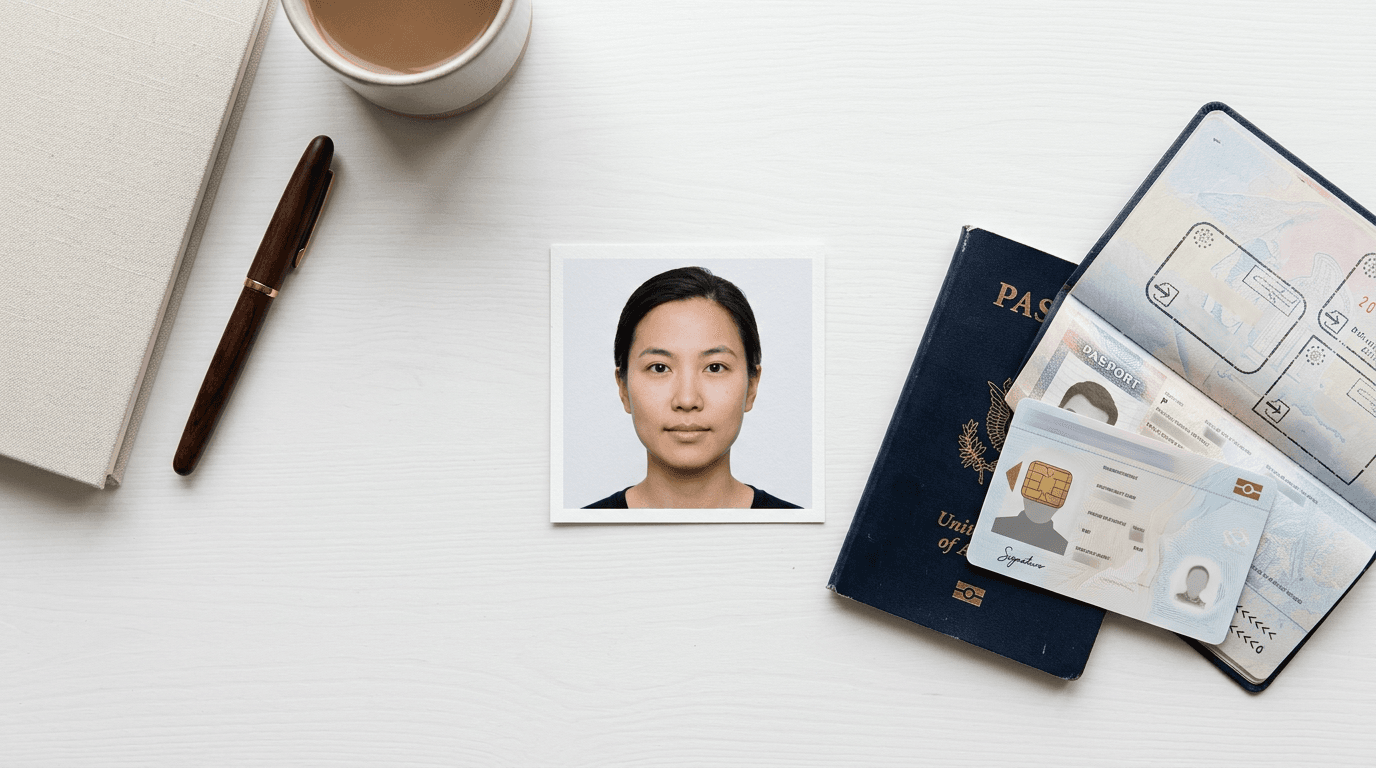
A common misconception is that a wallet-sized identification card requires a miniaturized photograph. Parents applying for their child's travel documents often attempt to submit cropped, tightly framed images, assuming the passport card photo requires different dimensions than a standard application. In reality, the U.S. Department of State mandates the exact same input specification for both formats. You submit a standard 2x2 inch image, and the centralized biometric processing system scales it to fit. The crucial difference lies entirely in the output: how the government compresses, processes, and prints that image onto the rigid polycarbonate surface of the card. Because laser engraving handles light, shadow, and contrast very differently than the inkjet printing used on older booklet data pages, an image that barely passes for a booklet will frequently look unrecognizable on a card. Understanding how the final document is manufactured dictates how you should light, frame, and capture the original image.
Quick Summary
The specifications for a passport card match the standard booklet format exactly, requiring a 2x2 inch print with strict biometric measurements. The primary difference is the manufacturing process, as the card utilizes laser-engraved polycarbonate that heavily compresses the image and reduces contrast, making flawless lighting critical.
- The submitted image must measure exactly 2x2 inches (51x51 mm) at a minimum of 300 DPI.
- Facial geometry is strictly regulated: the distance from the bottom of the chin to the top of the head must be between 1 and 1 3/8 inches (25 - 35 mm).
- Polycarbonate laser engraving removes subtle grayscale data, meaning soft shadows can render as solid dark shapes.
- Infant applications allow minor leniencies for eye status, but zero leniency for background purity or the presence of support structures like hands.
- Automated algorithms reject images primarily for perspective distortion and uneven illumination, not just incorrect dimensions.
Table of Contents
- The State Department Intake Pipeline
- Polycarbonate Laser Engraving Versus Paper Printing
- Infant Biometrics and Facial Geometry Constraints
- How Automated Background Extraction Fails
- Four Common Reasons Systems Reject Applicant Imagery
- Equipment and Resolution Limitations
- Comparison Table: Submission Inputs Versus Output Reality
- FAQ
- Recommended Reads
The State Department Intake Pipeline
When you submit an application, the intake software does not care whether you checked the box for a booklet, a card, or both. The government utilizes a unified digital scanning and processing pipeline. Every photograph is digitized, compressed, and run through a geometric algorithm that measures the distance between the subject's eyes, the tip of the nose, and the center of the lips.
Because this pipeline is standardized, attempting to submit a smaller physical print for a card application results in immediate rejection. The software is calibrated to expect a 51x51 mm square input. If the physical paper is smaller, the scanner cannot anchor the corners. If the subject's face is printed smaller to compensate for the card's dimensions, the facial recognition algorithm fails to locate the eyes within the expected 25 to 35 mm vertical safe zone. For parents navigating this process for the first time, referencing a comprehensive United States baby passport photo guide ensures the physical print exactly matches the government's monolithic intake standard.
Polycarbonate Laser Engraving Versus Paper Printing
The divergence between the two formats happens at the manufacturing facility. Historically, traditional passport booklets featured a paper data page where the image was printed using high-resolution inkjet or thermal transfer technology. This process preserved a wide dynamic range, meaning subtle shadows under the chin or slight variations in skin tone remained visible.

The passport card is fundamentally different. It is constructed from layers of rigid polycarbonate. The photograph is not printed onto the surface with ink; instead, a laser burns the image into the inner layers of the plastic. This laser engraving process is binary and highly localized, resulting in a significantly compressed grayscale range. Passport card photos must survive this drastic reduction in visual data.
If an image features a soft, subtle shadow on one side of the face due to a window in the room, the laser engraving process will often render that soft shadow as a solid, dark block. This destroys the visual symmetry of the face. Similarly, if the subject's jawline lacks stark contrast against their neck, the laser will blend the two areas together, altering the perceived shape of the head. High contrast, perfectly even illumination is not just an aesthetic preference; it is a structural requirement for polycarbonate documents.
Practical rule: If you cannot clearly distinguish the edge of the subject's jawline from their neck when zooming in on the original digital image, the laser engraving process will merge them into a single flat shape, likely triggering a rejection.
Infant Biometrics and Facial Geometry Constraints
Capturing compliant biometrics for an adult requires simple verbal instructions. Capturing them for a newborn requires engineering the environment. The primary constraint is the chin-to-crown ratio. The distance from the absolute bottom of the chin to the top of the head (including the hair) must occupy the majority of the frame, spanning from half to just over two-thirds of the total image height.
For infants lacking neck control, achieving this ratio without introducing foreign objects into the frame is notoriously difficult. The standard protocol is to lay the infant flat on their back on a plain white or off-white sheet. However, the camera must remain perfectly parallel to the infant's face. If the camera tilts even slightly upward or downward, perspective distortion elongates the forehead or the chin, pushing the geometric measurements out of the acceptable 25 - 35 mm range. You can review the directory of US and international baby passport photo requirements to see how tightly these dimensional tolerances apply across different global jurisdictions, but the U.S. remains one of the strictest regarding exact head sizing.
Furthermore, the "crown" refers to the top of the skull or the top of the hair. Infants with voluminous hair can inadvertently fail the size test if the hair pushes the total vertical measurement beyond 35 mm. The top of the hair must be clearly contained within the upper boundary of the frame, leaving visible white space above it.
How Automated Background Extraction Fails
The requirement for a plain white or off-white background exists to allow automated systems to isolate the subject's face instantly. Modern AI processors look for sharp edge contrast between the subject and the space behind them.
When capturing a photo at home, the most common failure mode is cast shadows. If a light source hits the subject from an angle, a dark shadow falls on the background directly behind their neck or ears. The edge-detection algorithm struggles to determine where the ear ends and the shadow begins. When the software attempts to digitally extract the face for the final card layout, it either cuts off a piece of the ear or leaves a jagged chunk of shadow attached to the face. By reading about the technical architecture behind these systems on the About Us page, practitioners learn that eliminating cast shadows is entirely about placing the light source directly in front of the subject, rather than relying on ambient room lighting coming from the side.
Four Common Reasons Systems Reject Applicant Imagery
When a photo fails, the government rarely provides a detailed technical breakdown. They send a standardized rejection letter. Understanding the specific mechanical failures allows you to diagnose and fix the issue before the application stalls.
1. Artificial Edge Artifacting
This occurs when an applicant uses consumer-grade smartphone software to digitally erase a background and replace it with pure white. If the original background was busy or deeply colored, the software leaves a halo of pixels around the hair and shoulders. State Department algorithms immediately detect these synthetic edges as image manipulation. The background must either be naturally compliant or processed by specialized biometric software designed specifically for government standards, avoiding the pixel-blurring techniques common in social media filters.
2. Perspective Distortion from Mobile Lenses
Smartphone cameras default to wide-angle lenses (typically 24mm to 28mm equivalent). If you hold a wide-angle lens 12 inches from a child's face to fill the frame, the lens severely distorts the facial features. The nose appears abnormally large, and the ears recede behind the cheeks. The algorithm measuring the distance between the facial landmarks will fail the image because the geometry does not match human norms. The fix is strictly optical: move the camera back.
3. Specular Highlights and Flash Washout
Direct camera flashes create specular highlights - bright, pure-white reflections on the forehead, nose, or cheeks. Because the passport card laser-engraving process requires visible texture to create depth, these pure-white spots become physical voids on the card. The software rejects the photo preemptively because it recognizes that the data required to print the nose is missing. Light must be diffused, either by bouncing it off a ceiling or using indirect natural light from a large window.
4. Visible Support Structures
Infant applications are routinely rejected because a parent's hand is visible supporting the neck, or the straps of a car seat intrude into the corners of the frame. The requirement states that no other person or object may be in the photo. There is no waiver for this rule. If a pacifier is in the mouth, or a hand is on the shoulder, the photo is invalid. Users consulting the Help Center frequently find that cropping out the hand breaks the minimum head-size requirements, necessitating a complete reshoot.
Equipment and Resolution Limitations
The digital file must support a minimum printing resolution of 300 Dots Per Inch (DPI). When printing a 2x2 inch image, this means the file must be at least 600x600 pixels of usable data.
While modern smartphones capture images far exceeding this resolution, the problem arises when parents take a photo from too far away and attempt to digitally crop it later. If you stand ten feet back and crop aggressively into the face, you discard the vast majority of the sensor's data. The resulting image might look acceptable on a mobile screen, but when printed at 300 DPI at a local pharmacy, the pixelation becomes obvious. The biometric scanner interprets pixelation as a lack of focus and rejects the image.
To manage the financial risk of these strict tolerances, many parents seek out digital processing tools covered by a 100% refund policy, which absorbs the cost if the print fails the physical intake review due to formatting or resolution errors.
Practical rule: To eliminate focal distortion when using a mobile device, stand exactly four feet away from the subject and use the camera's optical zoom (typically 2x or 3x) to frame the chest and head, rather than pushing the lens physically closer to their face.
Comparison Table: Submission Inputs Versus Output Reality
The following table outlines why the identical input yields drastically different tolerances on the final document.
| Specification | Booklet Data Page | Passport Card |
|---|---|---|
| Input Size | 2x2 inches (51x51 mm) | 2x2 inches (51x51 mm) |
| Output Medium | Paper / Mixed Polycarbonate | Rigid Polycarbonate |
| Printing Method | Inkjet / Thermal / Laser | Laser Engraved Only |
| Contrast Tolerance | High (captures subtle gradients) | Low (flattens soft shadows) |
| Color Profile | Full Color (legacy) or Grayscale | Grayscale Only |
| Facial Blemishes | Visually accurate | Often exaggerated by laser contrast |
FAQ
Do I need a separate photo if applying for both a booklet and a card?
No. You can submit two identical copies of the exact same 2x2 inch photograph when applying for both documents concurrently. The intake facility will route the same digitized image to both manufacturing processes.
Why does my baby's face look much darker on the card than the original photo?
The passport card uses laser engraving on polycarbonate, which strips out color and aggressively compresses the grayscale range. Images with low ambient lighting translate into heavy, dark blocks of engraving on the final physical card.
Can a newborn's eyes be closed in the photo?
Yes. The U.S. Department of State provides a specific exemption for newborns and infants, acknowledging that it is often impossible to capture them with their eyes fully open. However, older babies and toddlers must have their eyes open and directed at the camera.
What is the correct way to dress an infant for a passport card photo?
Dress the infant in everyday, high-contrast clothing. Avoid pure white shirts, as they will blend directly into the required white background, causing the automated cropping software to mistakenly cut away the shoulders.
Does a wallet-size school picture work for the card application?
No. School pictures are printed at varying sizes, feature complex lighting, and almost always utilize colored or textured backgrounds. They will fail the automated geometric sizing and background extraction checks immediately.