Understanding Vietnam passport photo requirements and Singapore biometric standards
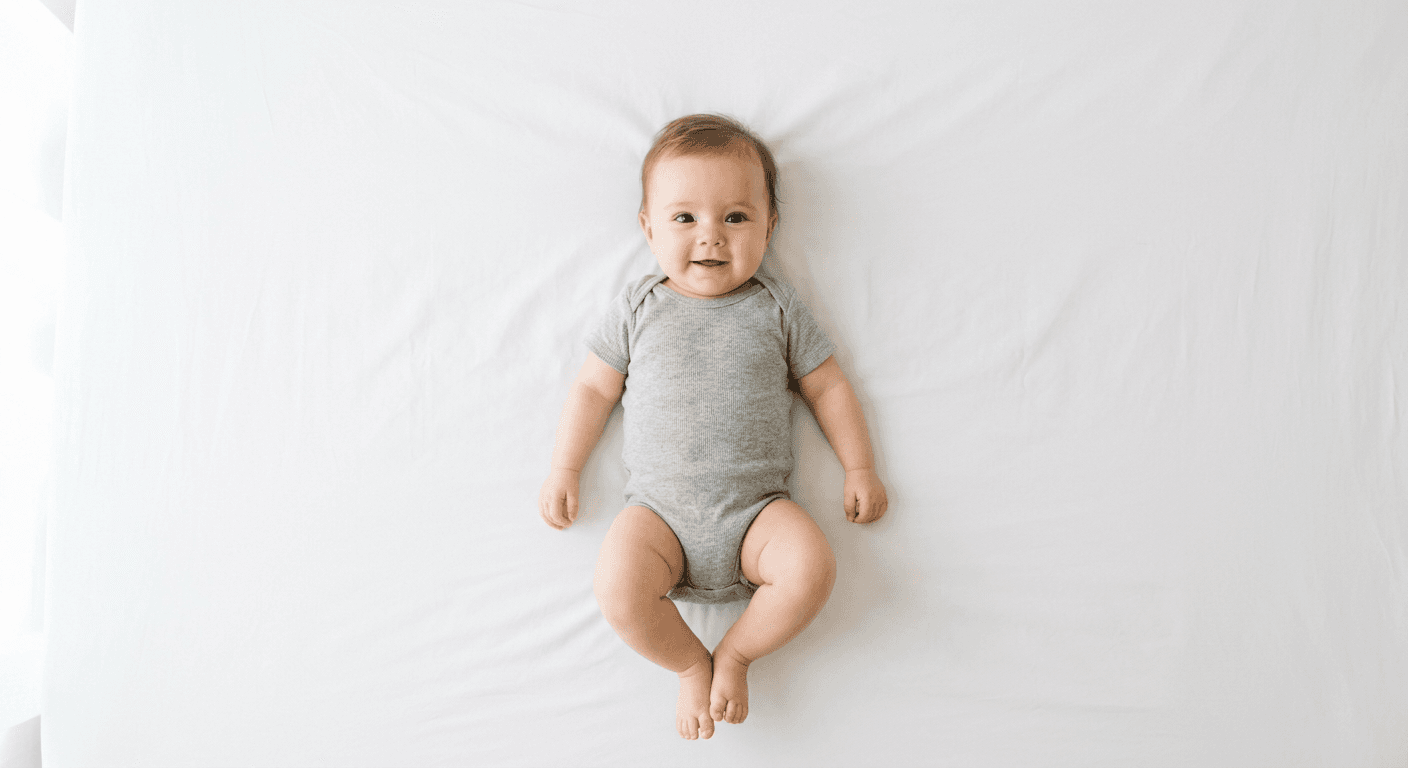
Picture holding your newborn steady for a dozen shots, uploading the best frame to an immigration portal, and instantly receiving an "Image Quality Not Acceptable" error. Southeast Asian immigration departments do not grade on a curve. A shadow under the chin, an off-white background, or a head covering too much of the vertical frame will immediately halt your application. Meeting vietnam passport photo requirements or navigating the digital screening portals for Singapore means satisfying automated biometric scanners before a human officer ever opens the file.
The margin for error is measured in millimeters and pixels. Immigration authorities rely on software calibrated to the ISO/IEC 19794-5 standard for biometric facial images. When you submit a photograph, the system maps the geometry of the face, searching for specific contrast points to measure distances between the eyes, nose, and chin. Understanding the exact mechanical thresholds of these systems is what separates a successful application from a cycle of continuous rejections.
Quick Summary
Biometric passport and visa photo standards in Southeast Asia rely on strict digital algorithms that reject images for minor variations in background color, facial proportions, or lighting symmetry. Passing these automated checks requires precise control over framing, pixel dimensions, and compression formats, particularly when photographing infants.
- Vietnam mandates a strictly white background and a 4x6 cm physical size with specific facial centering.
- Singapore's digital portal requires exact 400x514 pixel dimensions and an unaltered white background.
- Infant proportions frequently fail standard cropping templates because algorithms expect a visible neck and specific eye placement.
- Digital compression from messaging apps degrades nodal points, causing instant automated rejections.
Table of Contents
- How automated biometric screening detects minor deviations
- Where dimensional mandates divide regional systems
- Why infant proportions fail standard crop guidelines
- How digital artifacting ruins compliant files
- What triggers manual review during application processing
- Who should avoid taking their own application photos
- FAQ
- Recommended Reads
How automated biometric screening detects minor deviations
When a photo enters an immigration database, it is not simply viewed; it is mapped. Automated facial recognition systems convert the image into a topographical map by identifying nodal points. The algorithm measures the inter-pupillary distance (the space between the centers of the eyes), the distance from the tip of the nose to the chin, and the width of the head at ear level.
For these measurements to register accurately, the software requires stark contrast between the subject and the background, as well as flat, even lighting across the face. If a directional light casts a shadow on one side of the nose, the software interprets that shadow as a physical structural difference, fundamentally altering the biometric map. This is why a photo that looks perfectly acceptable to the human eye fails an automated scan. The machine is not looking at a face; it is looking at a dataset of light and dark pixels.
Meeting singapore passport photo requirements means navigating a strictly digital ingestion pipeline. The Immigration and Checkpoints Authority (ICA) uses a portal that immediately parses the file size, resolution, and pixel count. If the software cannot cleanly separate the jawline from the neck due to a shadow, or if the contrast ratio between the iris and the sclera (the white of the eye) is muddled by poor lighting, the portal throws an immediate error code. The system does not attempt to enhance or fix the image; it simply rejects the upload and forces the applicant to start over.
Where dimensional mandates divide regional systems
While the underlying biometric technology is standardized globally, the specific dimensional constraints forced onto applicants vary wildly across borders. A photo that is perfectly compliant in one jurisdiction will be instantly rejected in a neighboring one, entirely due to cropping and background color rules.
The vietnam passport photo size strictly adheres to 4x6 centimeters (40x60 mm). The subject's head must occupy between 2.5 and 3.0 centimeters of that vertical height. The background must be pure white, with absolutely no texture, patterns, or secondary colors visible. If the physical print is submitted, it must be printed on high-quality photographic paper without ink smudges or surface scratches.
In contrast, the singapore passport photo size requires a slightly smaller physical footprint of 35x45 millimeters. For digital applications, the file must be exactly 400 pixels wide by 514 pixels tall, coming in under a 2MB file size limit. The physical print must feature a matte or semi-matte finish, as glossy finishes reflect the harsh overhead lighting used by passport office scanners, effectively erasing biometric data in a glare.
Applicants dealing with philippines passport photo requirements face a different context. While adult ePassports typically require on-site image capture at the Department of Foreign Affairs, expatriates renewing through embassies or parents submitting applications for minors often must provide physical photos. These typically require a 4.5x3.5 centimeter dimension on a royal blue or pure white background, depending strictly on the specific consular form being filed. Assuming a one-size-fits-all approach across these three nations guarantees a rejection.
| Specification | Vietnam | Singapore | Philippines (Consular) |
|---|---|---|---|
| Physical Size | 40 x 60 mm | 35 x 45 mm | 45 x 35 mm |
| Digital Size | Application dependent | 400 x 514 pixels | Application dependent |
| Background | Pure White | Pure White | White or Royal Blue |
| Print Finish | High-quality glossy | Matte or semi-matte | High-quality photographic |
| Head Proportion | 25-30 mm vertical | 25-35 mm vertical | 70-80% of frame |
Why infant proportions fail standard crop guidelines
Standard biometric cropping templates are built around adult anatomy. They assume a distinct neck that separates the chin from the shoulders, allowing the head to sit neatly in the upper portion of the frame. Infants do not have these proportions. A baby's cranium is disproportionately large compared to their facial features, and their lack of neck strength means their chin frequently rests directly against their chest.
When parents attempt to fit an infant into an adult cropping template, they almost always fail. If you align an infant's chin with the bottom guideline of a standard template, the top of their oversized cranium often breaches the upper limit of the frame. If you scale the photo down to fit the whole head, the face becomes too small to satisfy the biometric scanner's minimum pixel density requirements. Reading a Singapore Baby Passport Photo Guide highlights that authorities make concessions for infants - such as allowing slightly off-center eye alignment - but they do not relax the requirement for a clean, shadow-free background.
Practical rule: When cropping an infant's photo for biometric compliance, align the horizontal center of the eyes to the middle of the digital frame first, then allow the chin and top of the head to fall where they may within the outer boundaries.
Another specific failure mode for infants involves background contamination. Because infants cannot sit up unsupported against a wall, parents often place them on a white bedsheet on the floor. However, fabric wrinkles cast micro-shadows. Automated scanners read these dark lines as structural objects intruding into the frame, triggering a rejection for a cluttered background. The fabric must be pulled entirely taut, or the image must be cleanly processed to isolate the subject without degrading the hair outline.
How digital artifacting ruins compliant files
A photograph can be perfectly lit, perfectly cropped, and correctly sized, yet still fail ingestion due to how the file was saved or transmitted. Digital artifacting is the invisible killer of passport applications.
When a photo is taken on a high-end smartphone, it exists as a massive, data-rich file. The nodal points around the eyes and mouth are sharp and distinct. However, if that photo is sent from one parent to another via WhatsApp, iMessage, or email without selecting "original quality," the messaging platform applies aggressive JPEG compression. This compression permanently deletes pixel data to shrink the file size. The algorithm groups similar colors together into blocks. By the time the image is uploaded to the immigration portal, the sharp contrast line between the eyelid and the pupil has been blurred into a blocky, unreadable gradient.
Color space presents another technical hurdle. Most immigration portals require files in the sRGB color space. If a photo is exported using Adobe RGB or CMYK - standard profiles for professional print workflows - the web portal will misinterpret the color data. This results in the subject's skin tone appearing unnaturally green or violently red. Biometric scanners flag these unnatural tones as fraudulent color manipulation, resulting in an immediate automated block.
Finally, resolution conversion destroys many digital applications. Physical prints require a density of 300 Dots Per Inch (DPI) to ensure the micro-details of the face render cleanly on paper. Taking a low-resolution web image (typically 72 DPI) and forcing it to print at 35x45 mm results in a pixelated, jagged image. The biometric scanner at the passport office will simply read the jagged pixels as a failure to focus the lens.
What triggers manual review during application processing
When a file survives the automated digital screening, it lands in the queue of an immigration officer. This human review process catches the nuanced errors that machines occasionally miss, particularly regarding digital alterations and behavioral rules.
Do not assume a passing digital grade means the photo is secure. Officers routinely kick back applications for four specific, visually identifiable problems that simulate or suggest tampering:
- The Halo Effect from automated erasers: Many applicants attempt to fix a bad background by using free, generic background removal apps. These tools often struggle with hair, replacing flyaway strands with a blurred, unnatural feathering effect. To an immigration officer, a subject who appears to be cut out and pasted onto a white background with a soft, glowing edge is an immediate fraud flag. The file is rejected for digital manipulation.
- Red-eye reduction artifacting: Using a smartphone's built-in red-eye removal tool replaces the red flash reflection with artificial black and gray pixels. This destroys the natural geometry of the iris. Officers are trained to look for pure black, textureless pupils, which immediately void the photograph.
- Clothing color blending: Wearing a white shirt against a pure white background causes the subject's shoulders to disappear into the void. While the machine might only care about the face, the human officer requires a clear distinction of the subject's upper torso to verify posture and alignment.
- Micro-expressions: The rules mandate a neutral expression with a closed mouth. A slight smirk that raises one cheek higher than the other alters the topographical map of the face. For infants, a slightly open mouth is usually permitted, but an active cry that squints the eyes is an automatic failure.
If you find yourself stuck in a loop of rejections, reviewing a comprehensive United States Baby Passport Photo Guide can provide a baseline for how stringent these rules remain universally, as the underlying biometric hardware is largely identical across borders.
Who should avoid taking their own application photos
The threshold for a compliant photograph is rigid. Not every applicant has the environmental control or technical knowledge required to produce an image that satisfies government software. Attempting to force a bad setup to work usually costs more in application delays than finding a proper solution.
You should step away from a purely DIY approach if you are relying on a single overhead room light. Overhead lighting casts deep shadows under the eyebrows, nose, and chin. Without a secondary light source to fill in those shadows (such as a window facing the subject), the contrast ratios will fail the biometric scan. Similarly, if your infant cannot yet hold their head up, and you find yourself constantly reaching into the frame to support their neck, you will not achieve a clean shot. The presence of a parent's hand, even slightly visible on the shoulder, voids the image.
Those who lack an understanding of file compression, cropping ratios, and DPI should also avoid manual processing. Relying on basic smartphone editing tools to guess a 400x514 pixel dimension inevitably results in warped aspect ratios, where the face is stretched or squashed. When the stakes involve delayed travel plans or lost application fees, relying on a system backed by a 100% Refund Policy for compliance rejections provides necessary leverage. If you cannot mathematically guarantee your background is pure white without destroying the edges of the subject's hair, you are leaving the success of your visa or passport entirely to chance.
FAQ
Can I wear glasses in my passport photo for Vietnam or Singapore? No. Both Vietnam and Singapore explicitly forbid glasses in biometric photos. Even if the lenses are not tinted, the frames can obscure the orbital region of the eye, and the glass almost always creates glare that interferes with facial recognition scanners.
What is the best clothing color for a passport photo? Always wear a dark, solid color that contrasts sharply with the required white background. Avoid white, cream, or light grey tops, as they blend into the background and cause the subject's shoulders to disappear, which can trigger a rejection during manual review.
Are infants allowed to have their eyes closed in the photo? No. While immigration authorities relax some rules for newborns (such as allowing a slightly open mouth or a less-than-perfectly centered gaze), the infant's eyes must be visibly open so the biometric software can measure the inter-pupillary distance.
Can I use a photo from my phone if I change the background to white? Only if the background removal process is mathematically precise. Generic background eraser tools often blur the edges of the subject's hair or skin, creating a "halo" effect that immigration software immediately flags as prohibited digital manipulation.